PA Friendly UI
🟡 Updated this yearPreview
🔍 Analysis
- 👍 1.9% endorsement rate — high engagement, a strong quality signal
- ✅ Updated 1 day after the latest game patch — actively maintained
- 🏆 #42 of 116 User Interface mods in this game by downloads
📋 About This Mod
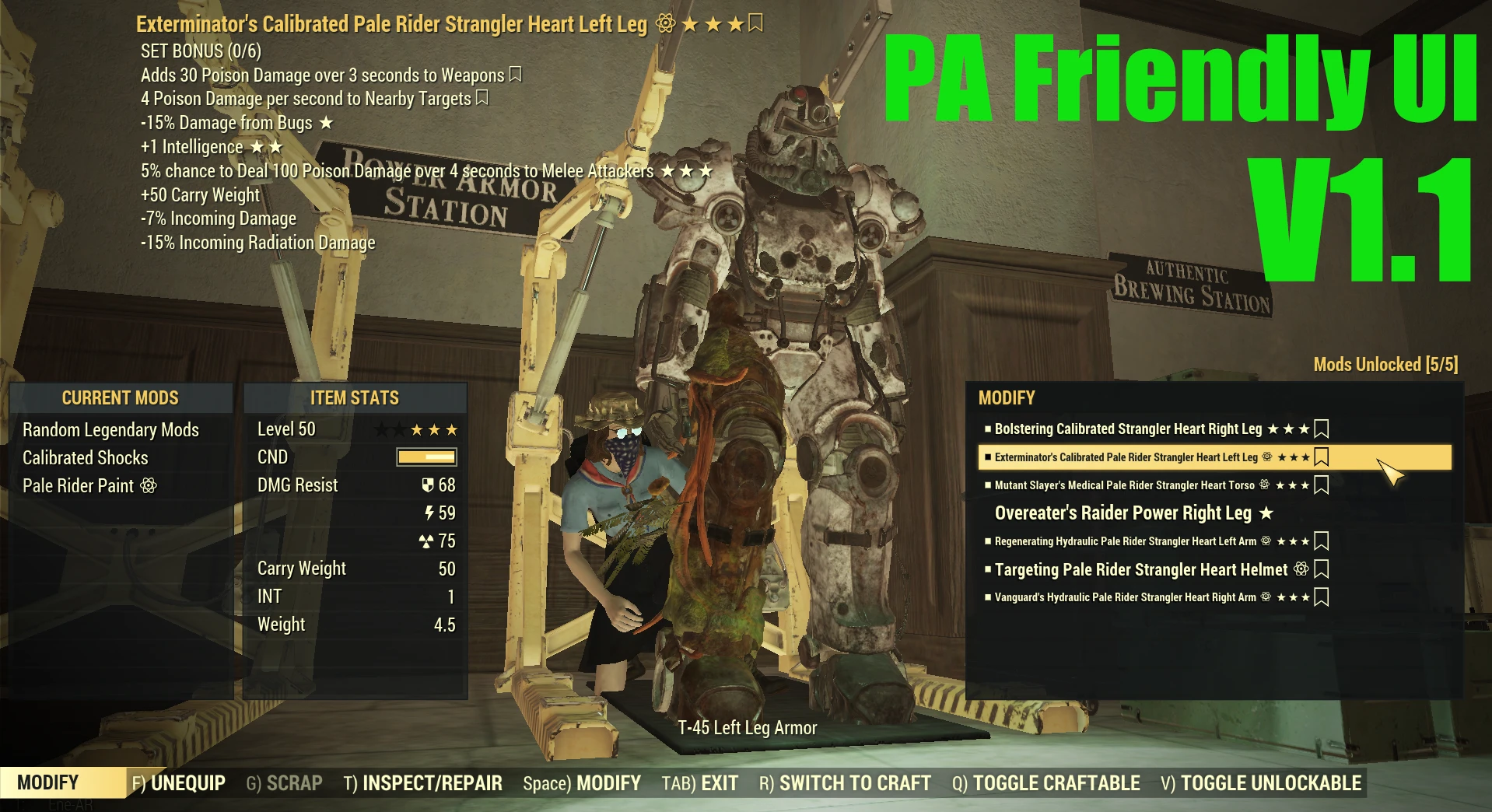
It allows for a full view of the PA when crafting or modifying the PA.
and, also provides a detailed view of the player at work.
* If you want to remove the DOF completely, set the following.
in Fallout76Prefs.ini / Project76Prefs.ini
fDepthOfField=0. 0000
fDepthOfFieldWST=0. 0000
in Fallout76Custom.ini / Project76Custom.ini
fDOFCenterWeightInt=0
fDOFBlendRatio=0
fDOFFarDistance=99999999
fDOFDynamicFarRange=99999999
fDOFMinFocalCoefDist=999999
fDOFMaxFocalCoefDist=99999999
How to use PA Friendly UI:
1) Put PAFriendlyUI.ba2 to Fallout76's Data folder.
2) Append PAFriendlyUI.ba2 to sResourceArchive2List in Fallout76Custom.ini or Project76Custom.ini.
A compact UI tweak for Fallout 4 that expands the view of Power Armor while crafting or modifying it, letting you see the full suit instead of a cropped preview. With 251 endorsements and 13,488 downloads, it's a niche but appreciated quality-of-life improvement for PA enthusiasts.
✨ Key Features
📊 Pros & Cons
✅ Pros
- Community-approved (251 endorsements) with a solid download count (13,488)
- Directly solves a common annoyance for PA builders
- Lightweight UI mod that doesn't bloat your load order
⚠️ Cons
- Last updated July 2026 — may not be compatible with future game patches
- Limited to a single UI tweak; no additional features or customization
For Fallout 4 players who spend a lot of time in Power Armor and want a clearer view when crafting or modifying. If you're tired of the default cropped preview and want to see the full suit, this is for you. Skip if you're looking for broader UI overhauls or gameplay changes.
💡 Beginner Tips
- Since it's a simple UI mod, you can install it manually by dropping the files into your Data folder, but using a mod manager like Vortex or MO2 makes it easier to uninstall.
- Make sure to enable the mod in your load order after installing; if you're using a mod manager, it should handle that automatically.
- If you're on PC, consider using the Fallout 4 Script Extender (F4SE) for better compatibility with other UI mods, though this mod may not require it.
📊 Mod Details
- Game
- Fallout 76 Mods
- Author
- Unikko
- Version
- 1.1.30
- Downloads
- 13,488
- Endorsements
- 251
- Category
- User Interface
- Created
- 2/21/2023
- Updated
- 7/23/2026
🧩 Commonly Used Together
Users add these mods to the same collections — a real compatibility signal, not an AI guess.
🔧 How to Install Fallout 76 Mods
Use Vortex. Place .ba2 files in Data folder. Use cautiously online.
📖 Full step-by-step install guide for Fallout 76 →
Visit the official mod page for specific installation instructions for this mod.
🎮 Need cheat codes or console commands? Check ur gaming wiki for Fallout 76 commands, item IDs, and more.
Keep browsing — more Fallout 76 mods await