Lockpick Bar 76
⚪ Last updated 2018This mod may not work until the author updates it. Check for an update, or see the rollback guide.
Preview
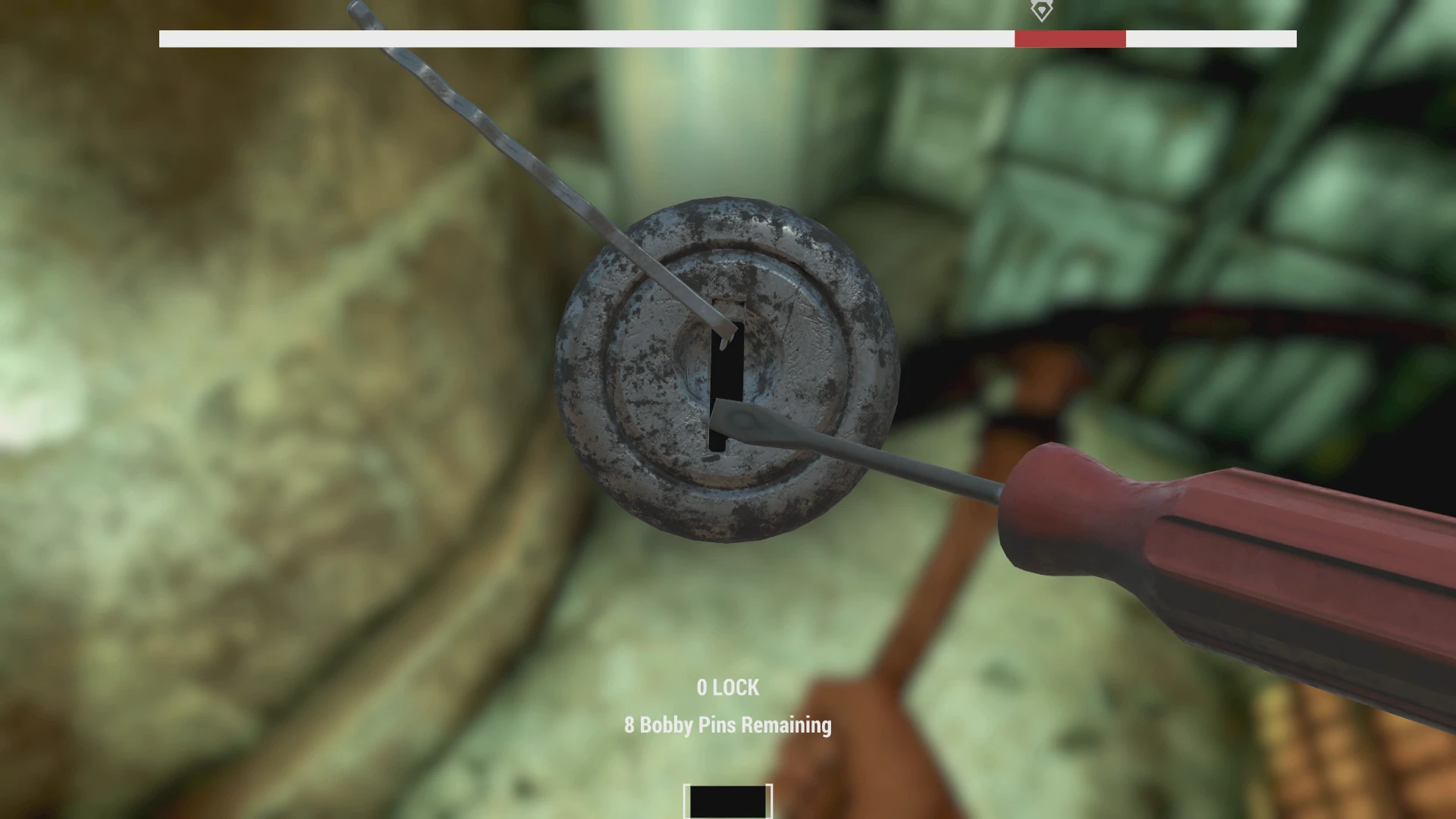
🔍 Analysis
- 👍 3.8% endorsement rate — high engagement, a strong quality signal
- 🏆 #7 of 116 User Interface mods in this game by downloads
📋 About This Mod
The "fast install" version of Lockpick Bar for fallout 76
Installation
(shamelessly took this section from kinggath wich shamelessly took this section from registrator2000's mod description)
1. Download and extract the mod to your Fallout 76 Data folder.
2. Add LockpickingBar.ba2 to your archive load list in your Fallout76Custom.ini file
3. Launch the game.
First time installing a BA2-archive mod in Fallout 76?
These instructions will allow you to load modded assets for your game.
Create the following file: <Documents Folder>\My Games\Fallout 76\Fallout76Custom.ini
Copy and paste the following two lines into Fallout76Custom.ini:
sResourceArchive2List = LockpickingBar.ba2
Entries are separated by a comma. Whenever you want to add an archive to your load list, simply append the archive name to the end of this list. To stop loading the archive, remove it from the list.
Whenever you want to add an archive to your load list, simply append the archive name to the end of this list. To stop loading the archive, remove it from the list.
PS: First time uploading something here.
I suggest usingNerd Rage for Locks
A fast-install version of Lockpick Bar for Fallout 76, a UI mod that adds a lockpicking bar. It requires manual installation via BA2 archive and INI file editing. With 3,848 endorsements and 101,194 downloads, it's a popular tool for lockpicking enthusiasts.
✨ Key Features
📊 Pros & Cons
✅ Pros
- Community favorite with 3,848 endorsements and over 101k downloads
- Simple installation process for those familiar with BA2 mods
- Improves lockpicking UI, making the minigame easier to read
⚠️ Cons
- Last updated in 2018 — may not work with current Fallout 76 versions
- No screenshots or detailed feature list provided
- Requires manual INI editing, which can be intimidating for beginners
For Fallout 76 players who want a clearer lockpicking interface and are comfortable with manual mod installation. Skip if you prefer mod manager installs or if you're not willing to edit INI files.
💡 Beginner Tips
- Make sure to create Fallout76Custom.ini in the correct Documents folder before adding the archive line
- If you have other BA2 mods, separate archive names with commas in the INI file
- Test the mod after installation; if the bar doesn't appear, double-check the INI syntax
📊 Mod Details
- Game
- Fallout 76 Mods
- Author
- systel and me for packaging
- Version
- 1
- Downloads
- 101,194
- Endorsements
- 3,848
- Category
- User Interface
- Created
- 11/17/2018
- Updated
- 11/17/2018
🧩 Commonly Used Together
Users add these mods to the same collections — a real compatibility signal, not an AI guess.
🔧 How to Install Fallout 76 Mods
Use Vortex. Place .ba2 files in Data folder. Use cautiously online.
📖 Full step-by-step install guide for Fallout 76 →
Visit the official mod page for specific installation instructions for this mod.
🎮 Need cheat codes or console commands? Check ur gaming wiki for Fallout 76 commands, item IDs, and more.
Keep browsing — more Fallout 76 mods await