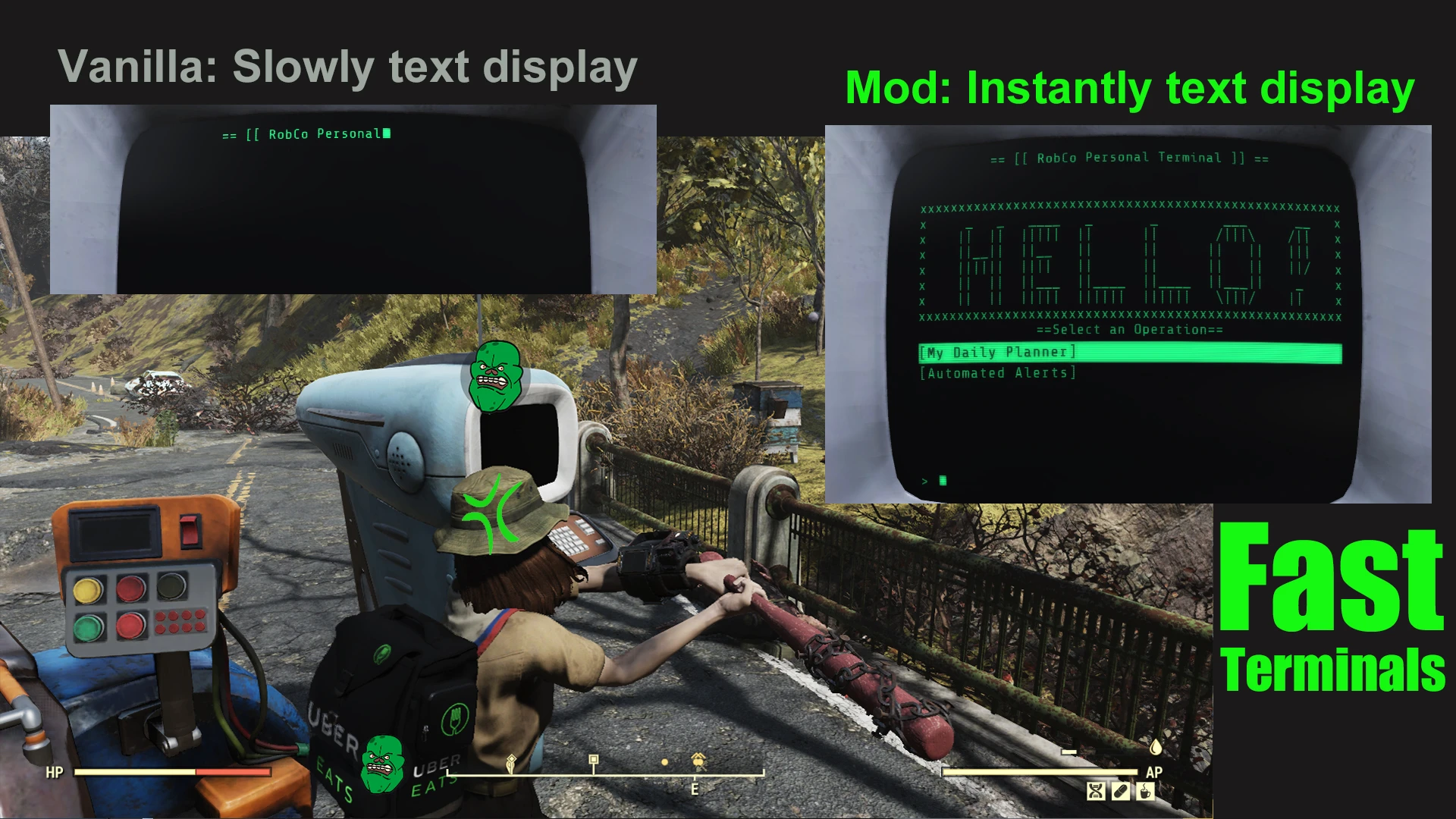
Fast Terminals - Instantly text display
🟡 Updated this yearPreview
🔍 Analysis
- 👍 1.8% endorsement rate — high engagement, a strong quality signal
- ✅ Updated 1 day after the latest game patch — actively maintained
- 🏆 #8 of 116 User Interface mods in this game by downloads
📋 About This Mod
How to use Fast Terminals:
1) Put FastTerminals.ba2 to Fallout76's Data folder.
2) Append FastTerminals.ba2 to sResourceArchive2List in Fallout76Custom.ini.
Fast Terminals removes the text animation delay on Fallout 76 terminals, making all text appear instantly. This improves usability of the Ammo Converter and other terminal-based interfaces. With 1,676 endorsements and 93,956 downloads, it's a popular quality-of-life mod for players who find terminal delays tedious.
✨ Key Features
📊 Pros & Cons
✅ Pros
- Huge community trust (1,676 endorsements) and over 93k downloads.
- Saves time on every terminal interaction, especially the Ammo Converter.
- Simple and effective—no settings to fiddle with, just install and go.
⚠️ Cons
- Only affects terminal text speed—no other UI improvements.
- May not be updated for future game patches (last updated July 2026).
- No detailed documentation or troubleshooting provided by the author.
For Fallout 76 players who use terminals frequently and are tired of waiting for text to appear. If you spend time at the Ammo Converter or read terminal entries often, this mod is a must-have. Skip if you're looking for a full UI overhaul—this only speeds up text display.
💡 Beginner Tips
- Since this is a UI mod, it won't affect your save or character—safe to install and uninstall anytime.
- If you use a mod manager, install it like any other mod; otherwise, place the files in the Data folder.
- Check for updates after major game patches, as UI mods can break with new updates.
📊 Mod Details
- Game
- Fallout 76 Mods
- Author
- Unikko
- Version
- 1.7.34
- Downloads
- 93,956
- Endorsements
- 1,676
- Category
- User Interface
- Created
- 1/28/2022
- Updated
- 7/23/2026
🧩 Commonly Used Together
Users add these mods to the same collections — a real compatibility signal, not an AI guess.
🔧 How to Install Fallout 76 Mods
Use Vortex. Place .ba2 files in Data folder. Use cautiously online.
📖 Full step-by-step install guide for Fallout 76 →
Visit the official mod page for specific installation instructions for this mod.
🎮 Need cheat codes or console commands? Check ur gaming wiki for Fallout 76 commands, item IDs, and more.
Keep browsing — more Fallout 76 mods await