Fast UI
🟡 Updated this yearPreview
🔍 Analysis
- 👍 2.2% endorsement rate — high engagement, a strong quality signal
- ✅ Updated 1 day after the latest game patch — actively maintained
- 🏆 #16 of 116 User Interface mods in this game by downloads
📋 About This Mod
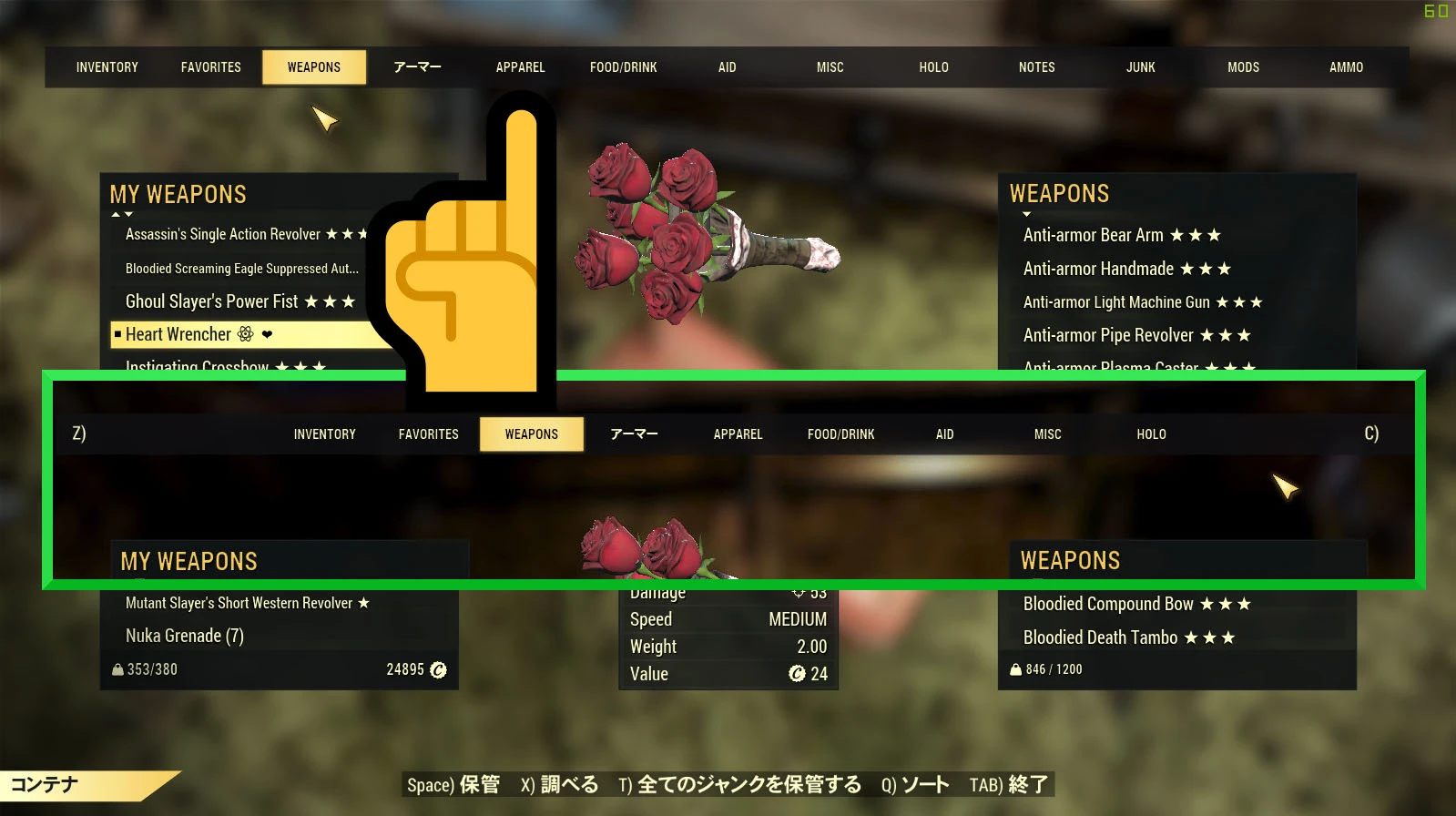
This Fast UI is a mod that improves the usability of access to Stash and Trading.
If you use a mouse, you will see a dramatic improvement.
As with Fast UI, I recommend using Fast Pip, for better PipBoy access.
Installing 'Fast UI'
-
[]Put the downloaded FastUI.ba2 into the Fallout76's Data folder.
[
]Add FastUI.ba2 to the sResourceArchive2List in Fallout76Custom.ini.e.g. only use FastUI.ba2
sResourceArchive2List=FastUI.ba2
e.g. to add FastUI.ba2
sResourceArchive2List=AAA.ba2, BBB.ba2, CCC.ba2, DDD.ba2, EEE.ba2, FastUI.ba2
Fast UI modifies interface/securetrade.swf.
therefore, it will conflict with other mods that modify securetrade.swf.
but, you may be able to avoid conflicts by using the Uni Injector.
Uni Injector injects Fast UI's functionality into securetrade.swf that has been modified by other mods.
Fast UI is a user interface mod that adds quick access to stash, workbench, and other stations, and increases item category labels from 9 to 13, eliminating the need to scroll to reach JUNK items. With 919 endorsements and 42,545 downloads, it's a popular QoL improvement for inventory management.
✨ Key Features
📊 Pros & Cons
✅ Pros
- Community favorite with 919 endorsements and 42k downloads.
- Solves a real annoyance—no more scrolling to find JUNK.
- Simple UI tweak that speeds up inventory management.
⚠️ Cons
- Last updated July 2026—may not be compatible with future game patches.
- Only affects UI, not gameplay mechanics—skip if you want deeper changes.
For players who spend a lot of time in inventory screens and want faster access to crafting stations and storage. Also great for hoarders who constantly need to sort through JUNK items. Skip if you're happy with the default UI or prefer full UI overhauls.
💡 Beginner Tips
- If you're using a mod manager, install Fast UI through it to avoid manual file placement errors.
- Check the mod's page for any compatibility notes with other UI mods you might have.
- After installing, launch the game and test the new category labels to ensure they display correctly.
📊 Mod Details
- Game
- Fallout 76 Mods
- Author
- Unikko
- Version
- 1.11.12
- Downloads
- 42,545
- Endorsements
- 919
- Category
- User Interface
- Created
- 1/28/2021
- Updated
- 7/23/2026
🧩 Commonly Used Together
Users add these mods to the same collections — a real compatibility signal, not an AI guess.
🔧 How to Install Fallout 76 Mods
Use Vortex. Place .ba2 files in Data folder. Use cautiously online.
📖 Full step-by-step install guide for Fallout 76 →
Visit the official mod page for specific installation instructions for this mod.
🎮 Need cheat codes or console commands? Check ur gaming wiki for Fallout 76 commands, item IDs, and more.
Keep browsing — more Fallout 76 mods await