CustomBeacons
⚪ Last updated 2019⚠️ Install Order · 2 steps
Install in this order, then this mod last — most mods fail to load without their framework and dependencies in place.
Preview
🔍 Analysis
- 👍 4.0% endorsement rate — high engagement, a strong quality signal
- 🏆 #16 of 191 User Interface mods in this game by downloads
📋 About This Mod
CustomBeacons
by RandyKnapp
built for QMods Mod System
Latest version works with the Steam version on Mac and PC, and with the Epic Store version
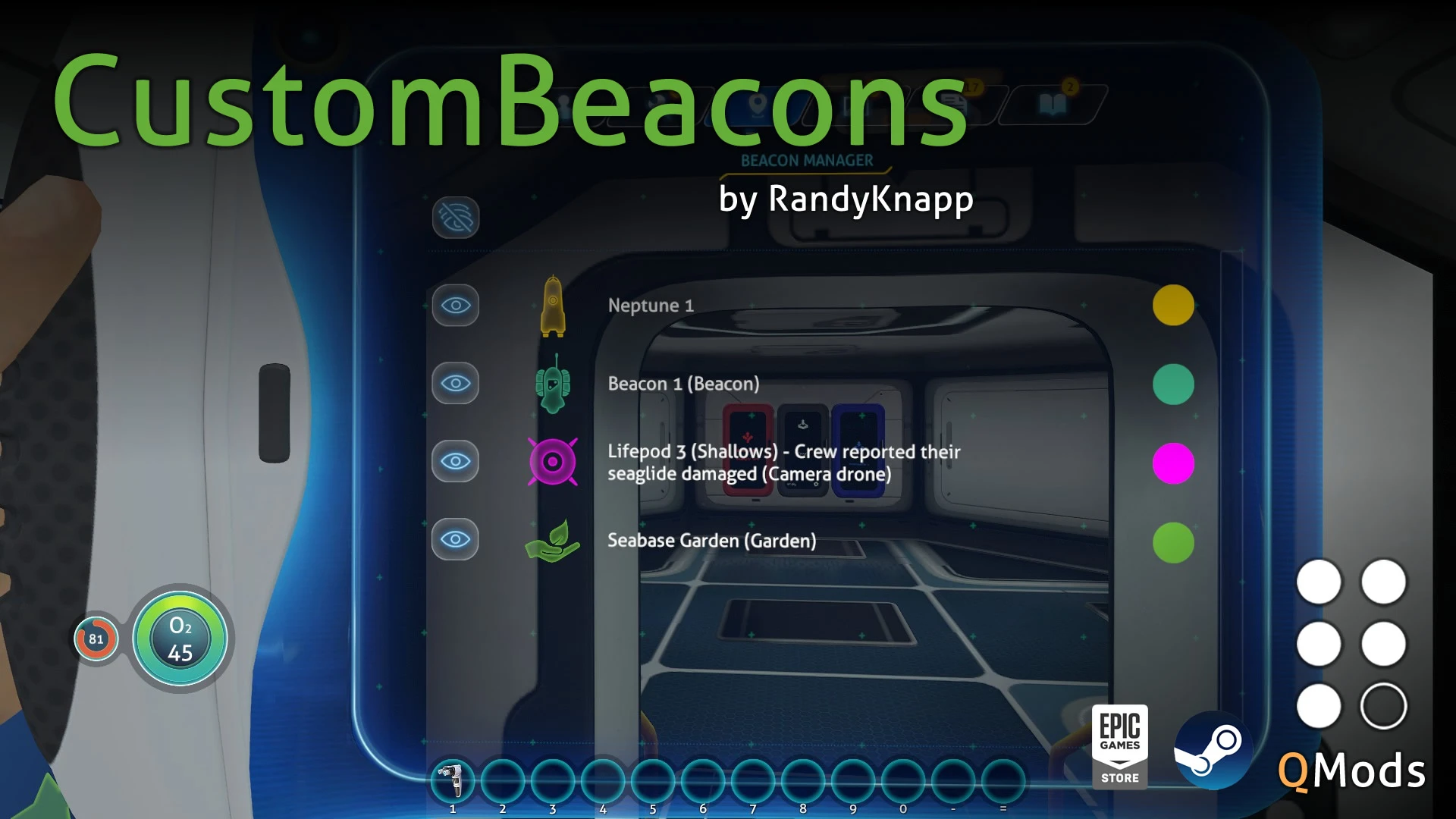
Adds 15 new colors and over 70 new icons for beacons! You can even change the build in beacons like radio signals and the lifepod. Everything can be changed using the built in menus in the Beacon Tab in the PDA.
How To Add Your Own Colors:
-
[]Open colors.json in the QMods/CustomBeacons/Assets/ folder
[
]Add or edit the color entries to what you want[]Save the file, the colors will automatically get loaded into the game
How To Add Your Own Icons:
-
[]Create a .png image file that has square proportions (128x128 or 256x256 preferred) and a transparent background
[]Make an all white with transparent image
[]Place the image in QMods/CustomBeacons/Assets/Pings
- It will automatically get loaded into the game
1. 0. 1
- Fixed a bug where in new games, or when placing new beacons they were not colored properly
1. 0. 2
- Added the ability to add custom colors
1. 0. 3
- Fixed a bug where the color of the icon picker wouldn't reflect the color of the icon
1. 0. 4
- Fixed a bug where starting up the game would result in beacon errors
1. 0. 5
- Fixed a bug where beacon icons were reset when reloading the game
1. 0. 6
- Fixed a bug where the Sunbeam Landing Site beacon icon was missing
1. 1. 0
- Supporting the Epic Games Store version of Subnautica
1. 1. 1
- Updated mod for the Big Little update
1. 1. 2
- Fixed for 2019 Update
QMods Instructions:
1. Download and install QMods
2. Extract CustomBeacons.zip directly into to your Subnautica/QMods directory
3. Run the game
-
[]Create a .png image file that has square proportions (128x128 or 256x256 preferred) and a transparent background
CustomBeacons is a UI mod for Subnautica that adds 15 new colors and over 70 new icons for beacons, with compatibility for HabitatControlPanel. It has 2,866 endorsements and 71,672 downloads, last updated in December 2019. This is a cosmetic enhancement for players who want more customization options for their beacons.
✨ Key Features
📊 Pros & Cons
✅ Pros
- Community favorite with 2,866 endorsements and 71k downloads
- Huge variety: 15 colors and 70+ icons means you'll never run out of options
- Compatible with HabitatControlPanel, so it plays nice with other UI mods
⚠️ Cons
- Last updated in 2019 — might not work with the latest Subnautica patches
- Cosmetic only — if you want gameplay changes, this isn't for you
For Subnautica players who love organizing their beacons and want more visual flair. If you use HabitatControlPanel, this is a must-have. Skip if you're looking for gameplay tweaks — this is purely cosmetic.
💡 Beginner Tips
- If you're using a mod manager like Vortex, install CustomBeacons through it to avoid manual file placement issues.
- Check the mod's compatibility with your Subnautica version before installing, since it's from 2019.
- Use the new colors and icons to color-code your beacons by resource type or biome for easier navigation.
📊 Mod Details
- Game
- Subnautica Mods
- Author
- RandyKnapp
- Version
- 1.1.2
- Downloads
- 71,672
- Endorsements
- 2,866
- Category
- User Interface
- Created
- 3/14/2018
- Updated
- 12/13/2019
🧩 Commonly Used Together
Users add these mods to the same collections — a real compatibility signal, not an AI guess.
🔧 How to Install Subnautica Mods
Download from Nexus.
📖 Full step-by-step install guide for Subnautica →
Visit the official mod page for specific installation instructions for this mod.
🎮 Need cheat codes or console commands? Check ur gaming wiki for Subnautica commands, item IDs, and more.
Keep browsing — more Subnautica mods await