BlueprintTracker
⚪ Last updated 2019⚠️ Install Order · 2 steps
Install in this order, then this mod last — most mods fail to load without their framework and dependencies in place.
Preview
🔍 Analysis
- 👍 3.8% endorsement rate — high engagement, a strong quality signal
- 🏆 #7 of 191 User Interface mods in this game by downloads
📋 About This Mod
BlueprintTracker
by RandyKnapp
built for QMods Mod System
Latest version works with the Steam version on Mac and PC, and with the Epic Store version
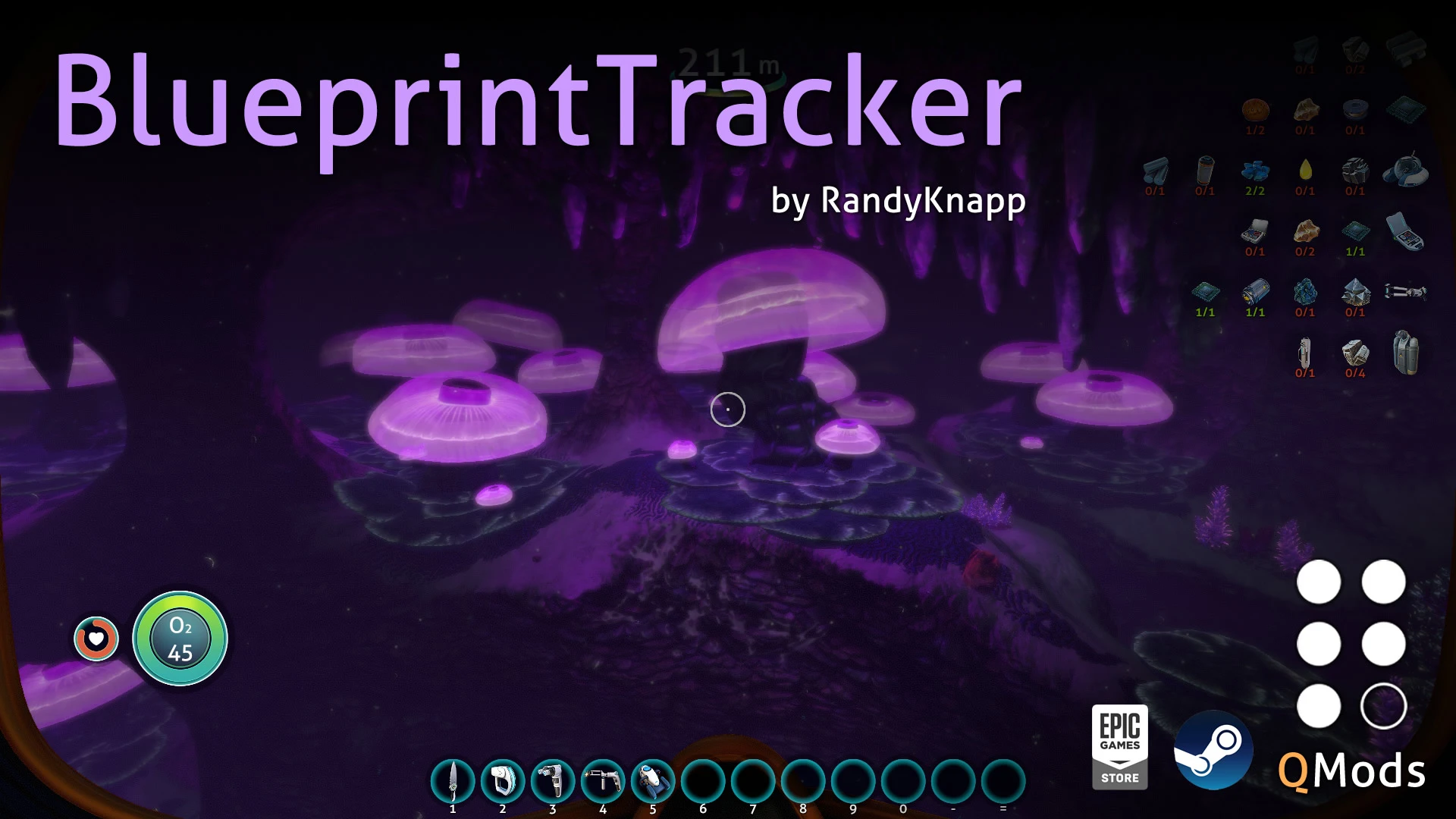
BlueprintTracker allows you to pin blueprints to the HUD, so you can track your progress on finding their ingredients. Open the Blueprints tab in the PDA and click on the Pin icon for any unlocked blueprint to begin tracking that blueprint.
1. 0. 1
- Fixed a bug where the tracker would not save in hardcore mode
- Fixed a bug where you could try to track untrackable cyclops parts blueprints
1. 1. 0
- Added support for the Epic Store version of Subnautica
1. 1. 1
- Updated mod for the Big Little update
1. 1. 2
- Fixed for 2019 Update
QMods Instructions:
-
[]Download and install QMods
[
]Extract BlueprintTracker_QMods.zip to your Subnautica install directory[]Run the game
Configuration:
-
[]MaxPinnedBlueprints (int, default=13):
Maximum number of blueprints to show. At scale=1. 0, 13 is the most you can fit on the screen.[]Position (string, default="TopRight"):
Can be one of "TopLeft", "TopRight", "BottomLeft" or "BottomRight"
Sets which corner or the screen to place the blueprint tracker.[]CornerOffsetX (int, default=20):
Offset from the left or right edge of the screen[]CornerOffsetY (int, default=20):
Offset from the top or bottom edge of the screen[]TrackerScale (float, default=1. 0):
Scales the entire tracker larger or smaller[]FontSize (int, default=16):
Changes the font size of the "X/Y" ingredient readouts[]BackgroundAlpha (float, default=0. 5):
Changes the transparency of the background. Defaults to 0. 5
(Note: the background reuses the quickslot background and cannot be made completely opaque.)[]ShowWhilePiloting (bool, default=false):
Sets whether or not the tracker is visible while in a vehicle[]ColorblindMode (bool, default=false):
Changes the text color from green/red to cyan/magenta
-
[]MaxPinnedBlueprints (int, default=13):
BlueprintTracker adds a blueprint tracker to the HUD, helping players keep track of unlocked blueprints. With over 7,000 endorsements and 185,000 downloads, it's a popular UI mod for Factorio. Last updated in December 2019, it remains a staple for many players.
✨ Key Features
📊 Pros & Cons
✅ Pros
- Huge community trust (7,014 endorsements) — this is a must-have for UI tweaks
- Massive download count (185k) shows it's widely used and stable
- Simple, focused feature: does exactly what it says without bloat
⚠️ Cons
- Last updated in 2019 — may not be compatible with the latest Factorio versions
- No detailed feature list or documentation provided by the author
- Only adds a HUD tracker — if you want more UI overhauls, this won't cover them
For Factorio players who constantly lose track of which blueprints they've unlocked and want a quick HUD reference. Perfect for those who prefer lightweight UI mods over full overhauls. Skip if you're on the latest experimental version and worried about compatibility.
💡 Beginner Tips
- Check the mod's compatibility with your Factorio version before installing, since it hasn't been updated since 2019.
- If you're using other UI mods, test them together to avoid overlapping HUD elements.
- Use the mod's settings to position the tracker where it's least intrusive to your gameplay.
📊 Mod Details
- Game
- Subnautica Mods
- Author
- RandyKnapp
- Version
- 1.1.2
- Downloads
- 185,803
- Endorsements
- 7,014
- Category
- User Interface
- Created
- 2/18/2018
- Updated
- 12/13/2019
🧩 Commonly Used Together
Users add these mods to the same collections — a real compatibility signal, not an AI guess.
🔧 How to Install Subnautica Mods
Download from Nexus.
📖 Full step-by-step install guide for Subnautica →
Visit the official mod page for specific installation instructions for this mod.
🎮 Need cheat codes or console commands? Check ur gaming wiki for Subnautica commands, item IDs, and more.
Keep browsing — more Subnautica mods await