DaisyNiko's Earthy Recolour
🟠 Updated over a year ago⚠️ Install Order · 2 steps
Install in this order, then this mod last — most mods fail to load without their framework and dependencies in place.
Preview
🔍 Analysis
- 👍 2.3% endorsement rate — high engagement, a strong quality signal
- 🏆 #2 of 227 Visuals and Graphics mods in this game by downloads
📋 About This Mod
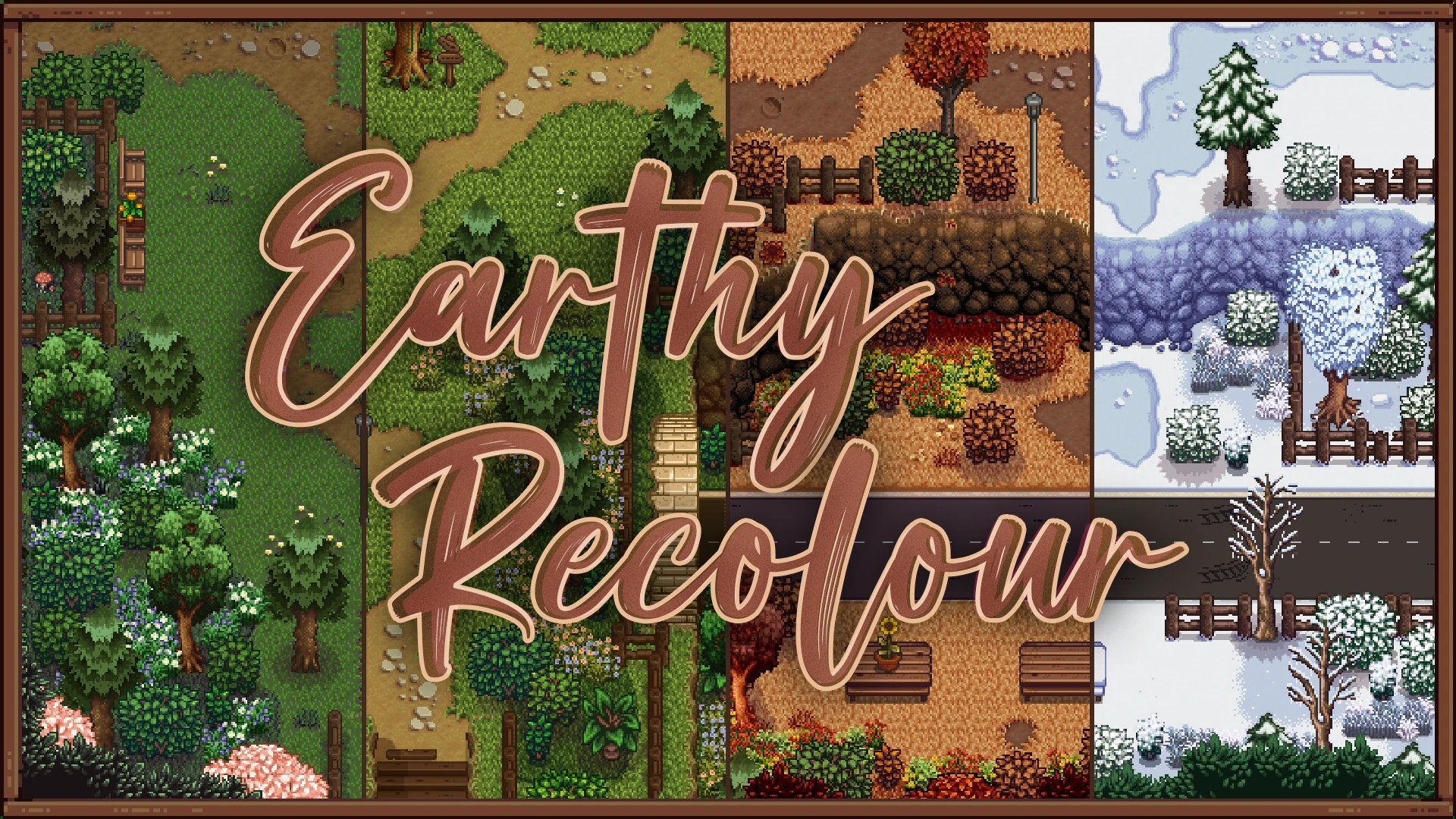
a whole new game recolour!! this mod edits all outdoor tilesheets and includes new custom trees, dig spot, and grass. town buildings have also been revamped to look more natural and match the terrain. works with 1. 6
.°˖✧ earthy collection: interiors & user interface ✧˖°.
> photoshop edit files for compatibility patches: here
installation
-
[]download smapi & content patcher
[
]extract this mod to your Stardew Valley/Mods folder[]run the game with smapi
[]open the config.json file in the mod folder to customise options
credits
-
[]palm tree: dustbeauty
[
]oak & pine: acerbicon[]wildflowers: eemiestardew
[]dig spot: jina2ya
config options
-
[]enableGrass: true or false
[
]enableDigSpot: true or false[]enableFruitTrees: true or false
[]enableMiniMap: true or false
[]enableTownBuildings: true or false
[]treesVersion: new or vanilla
- winterTilledSoil: brown or blue
buy me a coffee?
-
[]palm tree: dustbeauty
A warm, earth-toned visual recolour mod by DaisyNiko, designed to be easy on the eyes. With over 62,000 endorsements and 2.7 million downloads, it's a highly popular choice for players seeking a subtle, natural palette shift. Last updated in November 2024, it remains a go-to for a cozy aesthetic.
✨ Key Features
📊 Pros & Cons
✅ Pros
- Massive community trust – 62k endorsements and 2.7M downloads speak for themselves.
- Subtle, natural look that doesn't overhaul the game – perfect for purists.
- Updated recently (Nov 2024), so it's likely compatible with current game versions.
⚠️ Cons
- No screenshots or previews in the description, so you'll have to try it blind.
- May not be compatible with other visual overhauls – check your load order.
For players who want a warmer, more natural colour palette without a heavy visual overhaul. Ideal for those who find the default colours too harsh or saturated. Skip if you're looking for dramatic graphical changes – this is a subtle tweak.
💡 Beginner Tips
- If you're using a mod manager, just download and activate – it's that simple.
- For manual install, drop the files into your game's Data folder and enable in the launcher.
- Pair with other texture mods for a cohesive look, but test for conflicts.
📊 Mod Details
- Game
- Stardew Valley Mods
- Author
- DaisyNiko
- Version
- 1.4.4
- Downloads
- 2,715,743
- Endorsements
- 62,312
- Category
- Visuals and Graphics
- Created
- 1/26/2020
- Updated
- 11/9/2024
🔗 Required By 5 Mods
These mods list this mod as a dependency.
🧩 Commonly Used Together
Users add these mods to the same collections — a real compatibility signal, not an AI guess.
🔧 How to Install Stardew Valley Mods
Download from Nexus.
📖 Full step-by-step install guide for Stardew Valley →
Visit the official mod page for specific installation instructions for this mod.
🎮 Need cheat codes or console commands? Check ur gaming wiki for Stardew Valley commands, item IDs, and more.
Keep browsing — more Stardew Valley mods await