Content Patcher
🟡 Updated this year⚠️ Install Order · 2 steps
Install in this order, then this mod last — most mods fail to load without their framework and dependencies in place.
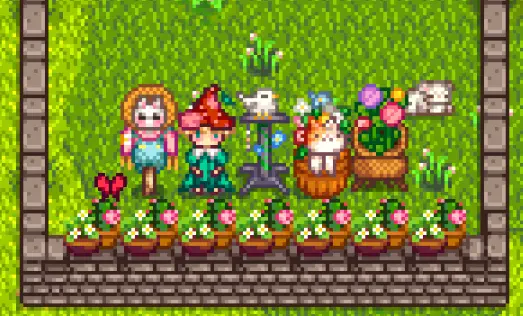
Preview
🔍 Analysis
- 👍 2.0% endorsement rate — high engagement, a strong quality signal
- 🏆 #2 of 119 Modding Tools mods in this game by downloads
📋 About This Mod
Content Patcher loads content packs that change the game's data, images, and maps without replacing XNB files. Content packs can make changes dynamically based on many in-game details like location, weather, date, festivals or events, spouse, relationships, whether you have a Joja membership, etc.
Unlike XNB mods, these content packs get automatic update checks and compatibility checks, are easy to install and uninstall, support localisation automatically, are less likely to conflict, and are less likely to break due to game updates.
This mod doesn't do anything on its own; you need to install content packs separately.
Install
-
[]Install the latest version of SMAPI.
[
]Unzip the mod folder into Stardew Valley/Mods.[]Install any content packs you want by unzipping them into Stardew Valley/Mods.
[]Run the game using SMAPI.
For mod authors
-
[]Content packs let you edit the game's XNB images, data, and maps with zero programming. You can optionally use features like conditions, tokens, and player settings. See the mod author documentation for more info and a guide to creating content packs.
[
]The Content Patcher API lets SMAPI modders create custom tokens for content packs to use. See the extensibility guide for more info.🌐 Mod author docs in other languages: zh (中文).
Compatibility
-
[]Compatible with...
[
]Stardew Valley 1. 6. 15 or later;[]Linux, macOS, and Windows;
[]single-player and multiplayer (see multiplayer compatibility notes).
See also
- [
[]Source code
[]My other mods
Tiny reminder: endorse the mod if you like it. It means more people will see it, and it makes the author happy. :)
-
[]Compatible with...
-
[]Content packs let you edit the game's XNB images, data, and maps with zero programming. You can optionally use features like conditions, tokens, and player settings. See the mod author documentation for more info and a guide to creating content packs.
Content Patcher is a foundational modding tool for Stardew Valley that loads content packs to alter game data, images, and maps without touching XNB files. With 477,857 endorsements and 24 million downloads, it's the standard framework for most visual and data mods. Essential for modders and players who want to customize their game safely.
✨ Key Features
📊 Pros & Cons
✅ Pros
- Community-approved with 477,857 endorsements — this is the gold standard for Stardew modding
- 24 million downloads prove it's the backbone of the modding scene
- Active development (updated April 2026) means it keeps working with new game patches
⚠️ Cons
- Requires understanding of content pack structure — not for total beginners
- You'll need to install content packs separately; this mod alone does nothing
- Potential compatibility issues if other mods still replace XNB files directly
For Stardew Valley modders and players who want to install custom content packs safely. Essential if you're using any mod that changes visuals, data, or maps. Skip if you only play vanilla and never touch mods.
💡 Beginner Tips
- Install this via a mod manager like Vortex or SMAPI's mod folder to keep things organized.
- Make sure you have SMAPI installed first — Content Patcher runs through it.
- Check the mod's page for a list of compatible content packs to get started.
📊 Mod Details
- Game
- Stardew Valley Mods
- Author
- Pathoschild
- Version
- 2.9.1
- Downloads
- 24,044,063
- Endorsements
- 477,857
- Category
- Modding Tools
- Created
- 2/25/2018
- Updated
- 4/16/2026
🔗 Required By 642 Mods
These mods list this mod as a dependency.
🧩 Commonly Used Together
Users add these mods to the same collections — a real compatibility signal, not an AI guess.
🔧 How to Install Stardew Valley Mods
Download from Nexus.
📖 Full step-by-step install guide for Stardew Valley →
Visit the official mod page for specific installation instructions for this mod.
🎮 Need cheat codes or console commands? Check ur gaming wiki for Stardew Valley commands, item IDs, and more.
Keep browsing — more Stardew Valley mods await