Generic Mod Config Menu (GMCM)
🟡 Updated this year⚠️ Install Order · 2 steps
Install in this order, then this mod last — most mods fail to load without their framework and dependencies in place.
Preview
🔍 Analysis
- 👍 2.1% endorsement rate — high engagement, a strong quality signal
- 🏆 #3 of 119 Modding Tools mods in this game by downloads
📋 About This Mod
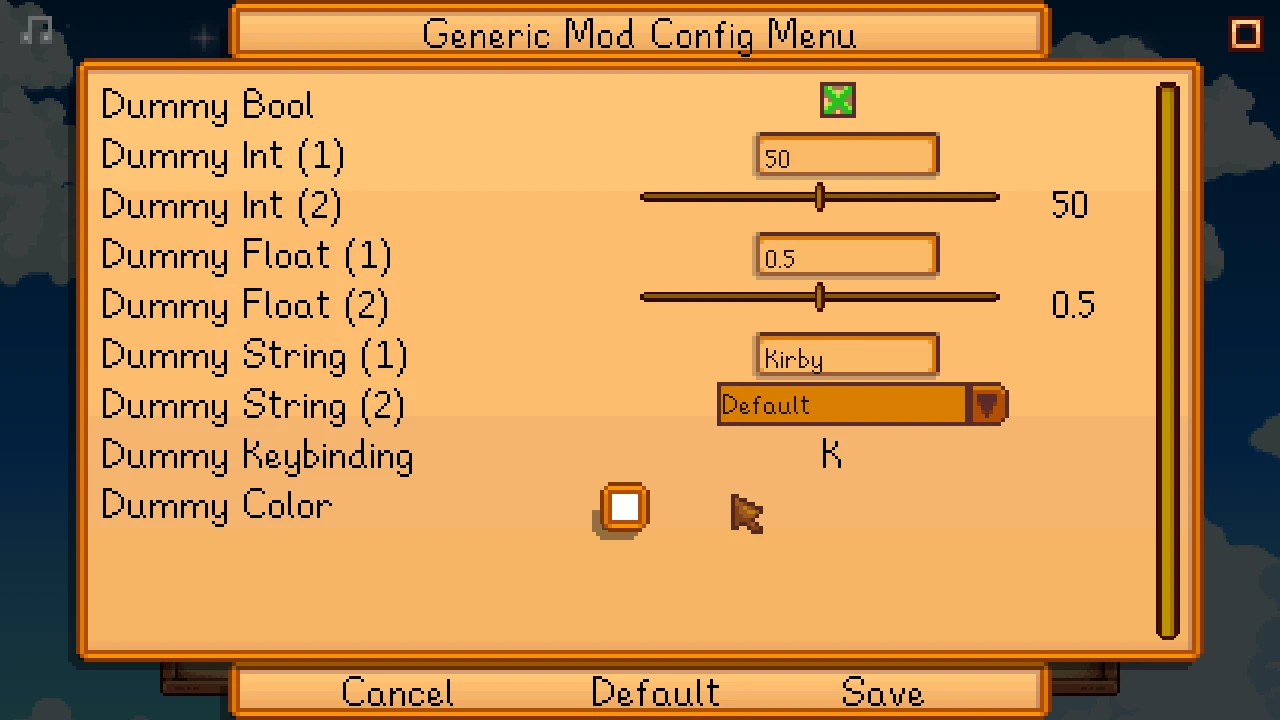
Generic Mod Config Menu adds an in-game UI to edit other mods' config options. This only works for mods designed to support it.
Install
-
[]Install the latest version of SMAPI.[/]
[]Unzip the mod folder into Stardew Valley/Mods.[/]
[]Run the game using SMAPI.[/]
Use
For players
You can edit settings from the title screen (via the cog button) or in-game (at the bottom of the in-game options menu). This only works for mods which were designed to support Generic Mod Config Menu, and some mods may only allow editing their config from the title screen.
Changes are live after saving, no need to restart the game.
For mod authors
-
[]For C# mods: see the mod author documentation.[/]
[]For Content Patcher packs: you don't need to do anything! Content Patcher will add the config UI automatically for you.[/]
Compatibility
Compatible with Stardew Valley 1. 5. 5+ on Linux/macOS/Windows, both single-player and multiplayer.
See also
-
[]Release notes[/]
[]Source code[/]
-
[]Release notes[/]
-
[]For C# mods: see the mod author documentation.[/]
Generic Mod Config Menu (GMCM) is a modding tool that adds an in-game UI for editing other mods' config options. It is essential for Stardew Valley players who want a streamlined way to adjust mod settings without editing files manually. With 273,608 endorsements and 13.2M downloads, it's a community staple.
✨ Key Features
📊 Pros & Cons
✅ Pros
- Massive community trust (273k endorsements) — this is the standard for config editing.
- Saves you from digging through JSON files; everything's in a clean menu.
- Active updates (October 2025) mean it keeps working with the latest game patches.
⚠️ Cons
- Requires other mods to be built with GMCM support — not all mods have it.
- No built-in search or filter for long mod lists, which can get cluttered.
- If you only use a few mods, you might not need it — but it's still handy.
For Stardew Valley modders who juggle multiple mods and want a central place to tweak settings. Essential for anyone who hates editing config files by hand. Skip if you only use a couple of mods and don't mind manual config editing.
💡 Beginner Tips
- Install GMCM first, then check each mod's page to see if it supports GMCM — look for a 'Generic Mod Config Menu' mention.
- After installing, launch the game and look for a config button in the mod list or pause menu to access the UI.
- If a mod doesn't show up in GMCM, it likely doesn't support it — you'll need to edit its config file manually.
📊 Mod Details
- Game
- Stardew Valley Mods
- Author
- spacechase0
- Version
- 1.16.0
- Downloads
- 13,153,516
- Endorsements
- 273,608
- Category
- Modding Tools
- Created
- 1/4/2020
- Updated
- 10/18/2025
🧩 Commonly Used Together
Users add these mods to the same collections — a real compatibility signal, not an AI guess.
🔧 How to Install Stardew Valley Mods
Download from Nexus.
📖 Full step-by-step install guide for Stardew Valley →
Visit the official mod page for specific installation instructions for this mod.
🎮 Need cheat codes or console commands? Check ur gaming wiki for Stardew Valley commands, item IDs, and more.
Keep browsing — more Stardew Valley mods await