Custom Crafting Stations
🟡 Updated this year⚠️ Install Order · 2 steps
Install in this order, then this mod last — most mods fail to load without their framework and dependencies in place.
Preview
🔍 Analysis
- 👍 2.1% endorsement rate — high engagement, a strong quality signal
- 🏆 #71 of 119 Modding Tools mods in this game by downloads
📋 About This Mod
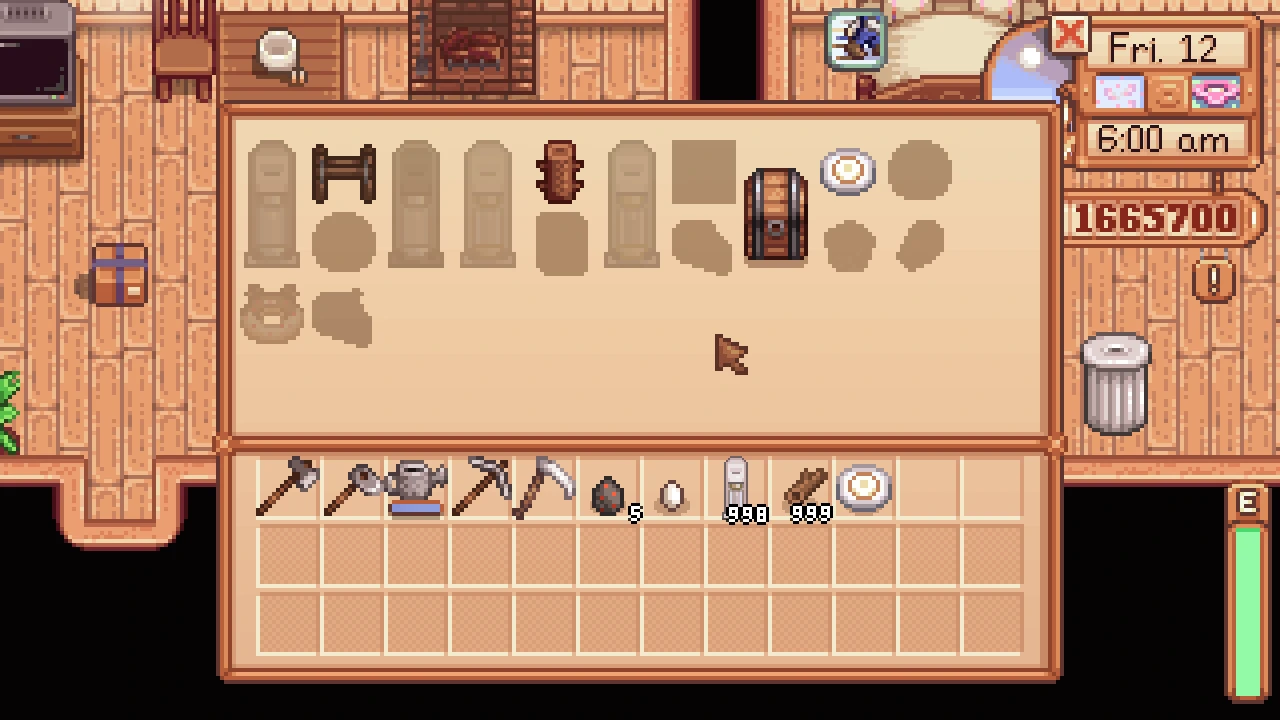
Lets mod authors add custom crafting stations which open menus with a limited selection of recipes, optionally hiding those recipes from the vanilla crafting menus.
Install
-
[]Install the latest version of SMAPI.
[
]Unzip the mod folder into Stardew Valley/Mods.[]Run the game using SMAPI.
How to use (for players)
This mod does nothing on its own. Just install this mod, and it'll work automatically for any mod that uses it.
You can optionally use Generic Mod Config Menu to configure whether crafting stations pull ingredient from nearby chests, the fridge, and/or all chests.
How to use (for mod authors)
See the technical documentation.
Some features you can use:
-
[]Custom crafting menus which can contain crafting or cooking recipes.
[]Custom crafting menus can be opened from a specified bigcraftable item (like a custom workstation object) or through a map tile property.
[]Recipes in the custom menus can optionally be removed from vanilla menus, so you can add large numbers of new recipes without crowding the existing menus.
Common questions
Is the mod still compatible?
The mod is compatible with Stardew Valley 1. 6. 15 or later on Linux/macOS/Windows, both single-player and multiplayer.Does the mod conflict with any others?
There are no known mod conflicts. Feel free to report compatibility issues in the mod comments.Can I safely add/remove the mod anytime?
Yep. The mod doesn't make any permanent changes to the save, though you may need to remove mods that use it too when removing it.
See also
-
[]Release notes
[
]Source code
-
[]Release notes
-
[]Custom crafting menus which can contain crafting or cooking recipes.
Custom Crafting Stations is a modding tool by Cherry that enables mod authors to add filtered crafting stations to the game. With 2,316 endorsements and 110,822 downloads, it's a well-established utility for mod creators seeking to expand crafting options.
✨ Key Features
📊 Pros & Cons
✅ Pros
- Solid community trust with 2,316 endorsements and over 110k downloads.
- Essential tool for mod authors looking to add specialized crafting stations.
- Actively maintained, last updated March 2026.
⚠️ Cons
- Not for players—requires modding knowledge to utilize effectively.
- No detailed documentation or examples provided in the description.
- Potential compatibility issues with other mods that alter crafting systems.
For mod authors who want to integrate filtered crafting stations into their own mods. Skip if you're a player looking for new crafting options—this is a developer tool.
💡 Beginner Tips
- If you're a mod author, check the mod's forum page for community-made examples and tutorials.
- Test your custom stations in a separate save to avoid conflicts with existing crafting menus.
- Use a mod manager to keep track of dependencies if you're building on this framework.
📊 Mod Details
- Game
- Stardew Valley Mods
- Author
- Cherry
- Version
- 1.4.2
- Downloads
- 110,822
- Endorsements
- 2,316
- Category
- Modding Tools
- Created
- 6/13/2020
- Updated
- 3/15/2026
🧩 Commonly Used Together
Users add these mods to the same collections — a real compatibility signal, not an AI guess.
🔧 How to Install Stardew Valley Mods
Download from Nexus.
📖 Full step-by-step install guide for Stardew Valley →
Visit the official mod page for specific installation instructions for this mod.
🎮 Need cheat codes or console commands? Check ur gaming wiki for Stardew Valley commands, item IDs, and more.
Keep browsing — more Stardew Valley mods await