Chest Label System
⚪ Last updated 2019⚠️ Install Order · 2 steps
Install in this order, then this mod last — most mods fail to load without their framework and dependencies in place.
Preview
🔍 Analysis
- 👍 3.6% endorsement rate — high engagement, a strong quality signal
- 🏆 #43 of 179 User Interface mods in this game by downloads
📋 About This Mod
Speeder's Chest Labeling System
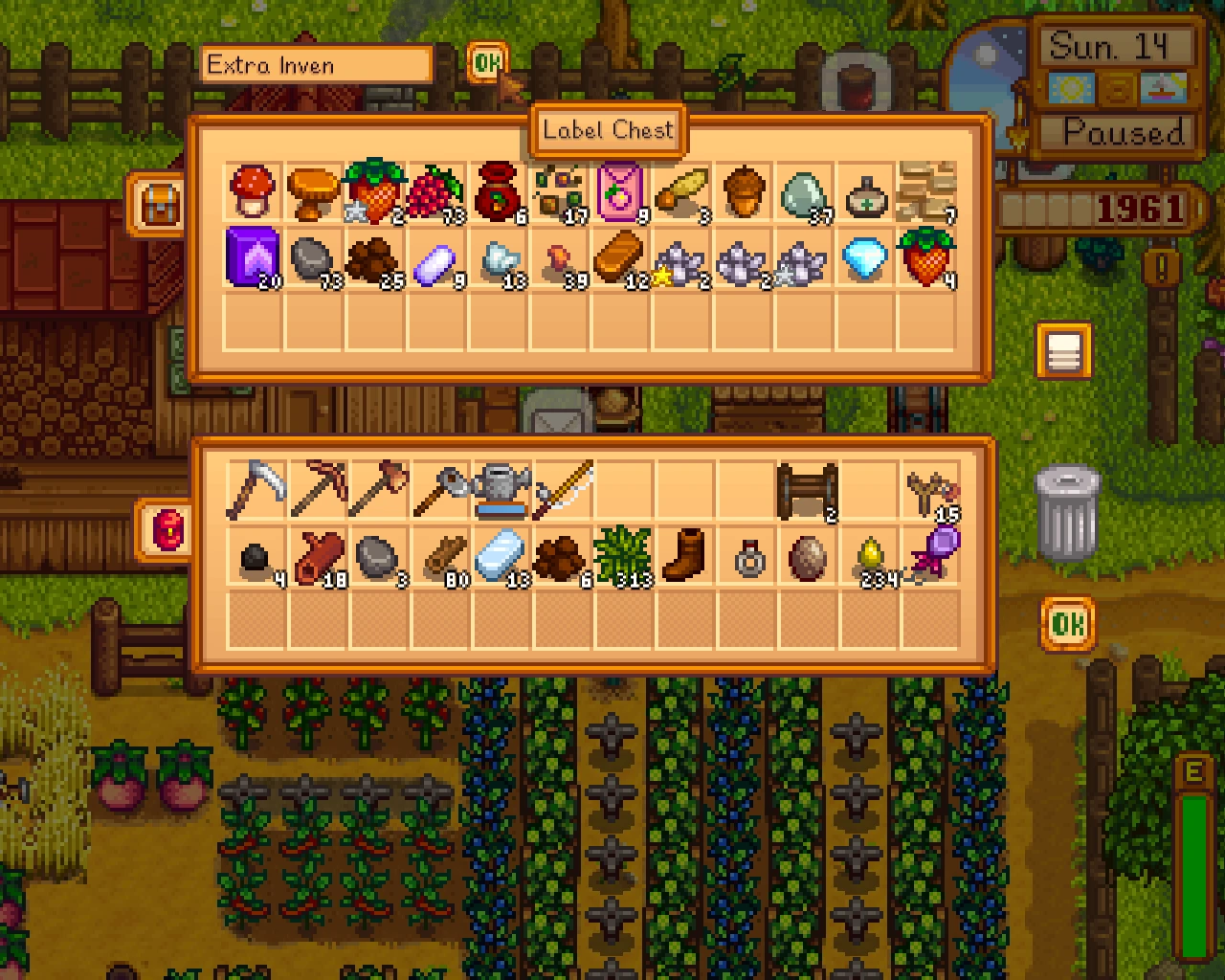
This is a fairly simple mod for the game Stardew Valley, it adds to the game a way to label your chests, and see their names on a hovering tooltip if you pass your mouse pointer over there, the purpose is make organizing things easier.
Visit the (http://community.playstarbound.com/threads/smapi-chest-name-with-mouse-hover-labels. 110297/)
Just unpack the .zip file in the mods folder.
Uninstalling
Just delete the mod files again. The chests will remain "named" though, but the tooltip won't work, if you want to undo the names, you can remove and put back down the chest, or edit the name back to "Chest" before uninstalling the mod.
1. 6
Moved the label again, so that it fits inside 1366x768 laptop and netbook screens.
Unnoficial 1. 5 update by Mariano Mariscal
Updated to new SMAPI, and to support newer SV version. Moved label from the top of the colour menu.
1. 5
Fixed (again) the bug of prevent other things from being named, this time it worked... Updated to SMAPI 0. 39. 6, now it looks better when zoomed. Some changes were made to SpeederSDVUIUtils.cs, modders using it should update their mods too.
Credits
Author: Maurício Gomes (Speeder) [!(ipatreon.png)](https://patreon.com/user?u=3066937)
Special Thanks: jlee100, for doing a temporary fix to 1. 0 until an official 1. 1 version could be made License
The license of the project is (https://gnu.org/licenses/gpl.html).
Source
Mod (igitlab.png)](https://gitlab.com/speeder1/ChestNameWithHoverLabel), special thanks to them! (that even provided free support when needed!)
Chest Label System is a user interface mod for 7 Days to Die that lets you label chests and see the label as a tooltip when hovering your mouse over them. It simplifies organizing your storage, making it easier to find items at a glance. With over 7,000 endorsements and nearly 200,000 downloads, it's a popular quality-of-life addition.
✨ Key Features
📊 Pros & Cons
✅ Pros
- Huge community trust: 7,148 endorsements and 197,979 downloads show this mod is widely used and appreciated.
- Simple quality-of-life improvement: no more guessing which chest holds what—just hover and see the label.
- Lightweight UI mod: doesn't add complex mechanics, just a practical tool for storage management.
⚠️ Cons
- Last updated in December 2019—may not be compatible with the latest game versions, so check for updates or patches.
- No detailed instructions or feature list provided by the author, so you'll need to figure out the exact usage in-game.
- Only supports chests—if you wanted labels for other storage containers, this mod won't cover them.
For 7 Days to Die players who hoard loot and need a quick way to identify their storage. If you're tired of opening every chest to find your ammo or food, this mod is a must-have. Skip if you're on the latest experimental build and worried about compatibility.
💡 Beginner Tips
- Make sure to disable EAC (Easy Anti-Cheat) before launching the game, as mods like this require it to be off.
- After installing, place the mod files in the game's Mods folder (usually under 7 Days to Die/Mods).
- Test the mod in a single-player world first to ensure it works with your current game version.
📊 Mod Details
- Game
- Stardew Valley Mods
- Author
- Mauricio Gomes
- Version
- 1.7
- Downloads
- 197,979
- Endorsements
- 7,148
- Category
- User Interface
- Created
- 4/2/2016
- Updated
- 12/4/2019
🧩 Commonly Used Together
Users add these mods to the same collections — a real compatibility signal, not an AI guess.
🔧 How to Install Stardew Valley Mods
Download from Nexus.
📖 Full step-by-step install guide for Stardew Valley →
Visit the official mod page for specific installation instructions for this mod.
🎮 Need cheat codes or console commands? Check ur gaming wiki for Stardew Valley commands, item IDs, and more.
Keep browsing — more Stardew Valley mods await