NorthernUI
⚪ Last updated 2021⚠️ Install Order · 2 steps
Install in this order, then this mod last — most mods fail to load without their framework and dependencies in place.
Preview
🔍 Analysis
- 👍 1.5% endorsement rate — high engagement, a strong quality signal
- 🏆 #3 of 96 User Interfaces mods in this game by downloads
📋 About This Mod
NorthernUI
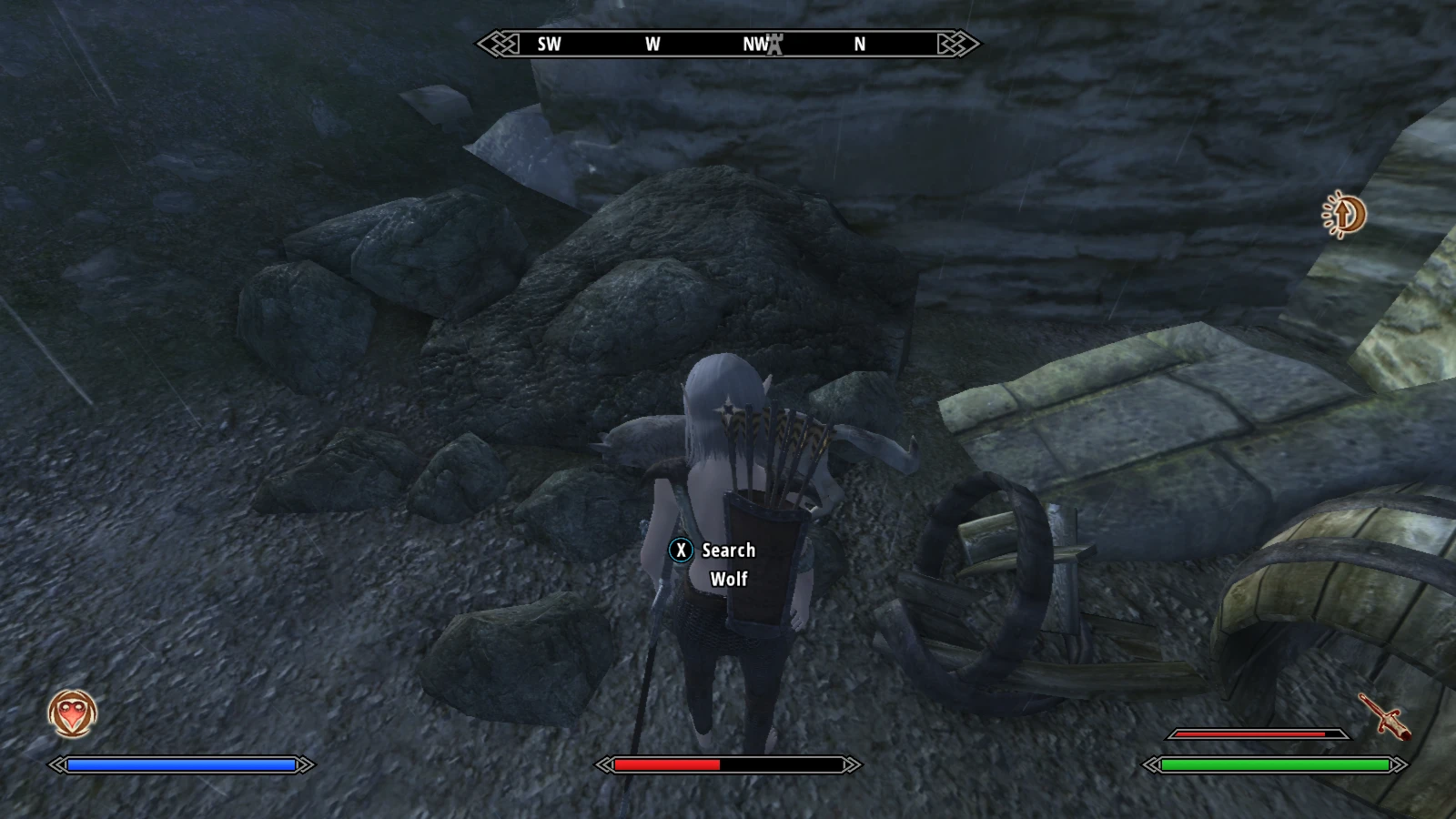
A comprehensive UI overhaul for Oblivion, in the style of Skyrim and SkyUI developed over the course of some seven months. Includes several small engine fixes, and adds native Xbox controller support to the game including its menus. (No more having to set an Xpadder-enabled controller down to manage your inventory!) This mod uses hand-pixeled assets, handwritten XML, and an OBSE-injected DLL to reskin Oblivion's menus and add engine-level functionality.
Installation instructions
Extract the mod into your Data directory (or create an OMOD out of it) to use it.
Mod Organizer 2 requires that you follow special instructions in order to support OBSE plug-ins, including the one that this mod contains. If you're using older versions of Mod Organizer, you will need to manually install the contents of the Data/OBSE/ folder.
Note that in Oblivion, file timestamps actually matter. If the "Date Modified" on your vanilla BSA files is newer than the "Date Modified" on a mod's files, then the mod will not install properly. When you install the game, Steam sets the "Date Modified" on the vanilla files to the install date. You can work around this by changing the timestamps with a mod manager (if yours supports this) or third-party Windows utilities; alternatively, you can try installing SkyBSA, which was developed to fix the game's file handling.
Major features
A sleek, modern look: NorthernUI's handmade graphics capture the look and feel of Skyrim's official menu art.
Native gamepad support: The game's existing (but lackluster) joystick support is replaced with full support for an Xbox controller, and gamepad controls for the menus (e.g. xbuttonrb) are patched back in. A new menu is provided for customizing gamepad controls; multiple control schemes can be defined and edited, and you can switch between them freely. All of this means that gamepad users don't need to rely on Xpadder and AntiMicro, and can play far more comfortably.
A modern Alchemy menu: NorthernUI can optionally replace the vanilla Alchemy menu with one modeled after SkyUI, offering a much smoother workflow when brewing potions and poisons. The new menu lets you sort ingredients by category and helps you tell at a glance which ones are currently usable.
Numerous engine fixes: Menu art is no longer blurry and grainy, the RaceSexMenu no longer lets you put tabs in your character name, save files delete to the Recycle Bin, and pressing the up and down arrow keys doesn't insert weird invisible symbols into whatever you're typing. For a full list, see the Articles section.
A built-in options menu: The mod adds a "NorthernUI" submenu to the Options menu, with settings for the
NorthernUI is a comprehensive UI overhaul for Oblivion, restyling the interface to match Skyrim and SkyUI. It also patches native Xbox controller support into the game, which can be used independently. With over 7,500 endorsements and 516,000 downloads, it's a highly popular and well-regarded mod for enhancing Oblivion's interface.
✨ Key Features
📊 Pros & Cons
✅ Pros
- Huge community trust with 7,549 endorsements and over half a million downloads.
- Kills two birds with one stone: gives you a Skyrim-style UI and native controller support.
- Controller support is a game-changer for playing Oblivion on a big screen or with a controller.
⚠️ Cons
- Last updated in 2021, so it may not be compatible with the latest Oblivion patches or mods.
- UI overhauls can conflict with other mods that modify the same interface elements.
- The Skyrim-style UI might not appeal to purists who prefer the original Oblivion look.
For Oblivion players who want a modern, Skyrim-like interface and seamless controller support. Also for those who prefer playing with a gamepad and need native support. Skip if you love the original UI or use mods that heavily customize the interface.
💡 Beginner Tips
- If you're using a mod manager like OBMM or Wrye Bash, install NorthernUI through it to manage load order easily.
- Check for compatibility patches if you use other UI mods, as NorthernUI may overwrite them.
- Test the controller support separately first to ensure it works before enabling the full UI overhaul.
📊 Mod Details
- Game
- Oblivion Mods
- Author
- DavidJCobb
- Version
- 2.0.3
- Downloads
- 516,120
- Endorsements
- 7,549
- Category
- User Interfaces
- Created
- 5/29/2018
- Updated
- 5/22/2021
🔗 Required By 16 Mods
These mods list this mod as a dependency.
🧩 Commonly Used Together
Users add these mods to the same collections — a real compatibility signal, not an AI guess.
🔧 How to Install Oblivion Mods
Download from Nexus.
📖 Full step-by-step install guide for Oblivion →
Visit the official mod page for specific installation instructions for this mod.
🎮 Need cheat codes or console commands? Check ur gaming wiki for Oblivion commands, item IDs, and more.
Keep browsing — more Oblivion mods await