DarkUId DarN
⚪ Last updated 2009⚠️ Install Order · 2 steps
Install in this order, then this mod last — most mods fail to load without their framework and dependencies in place.
Preview
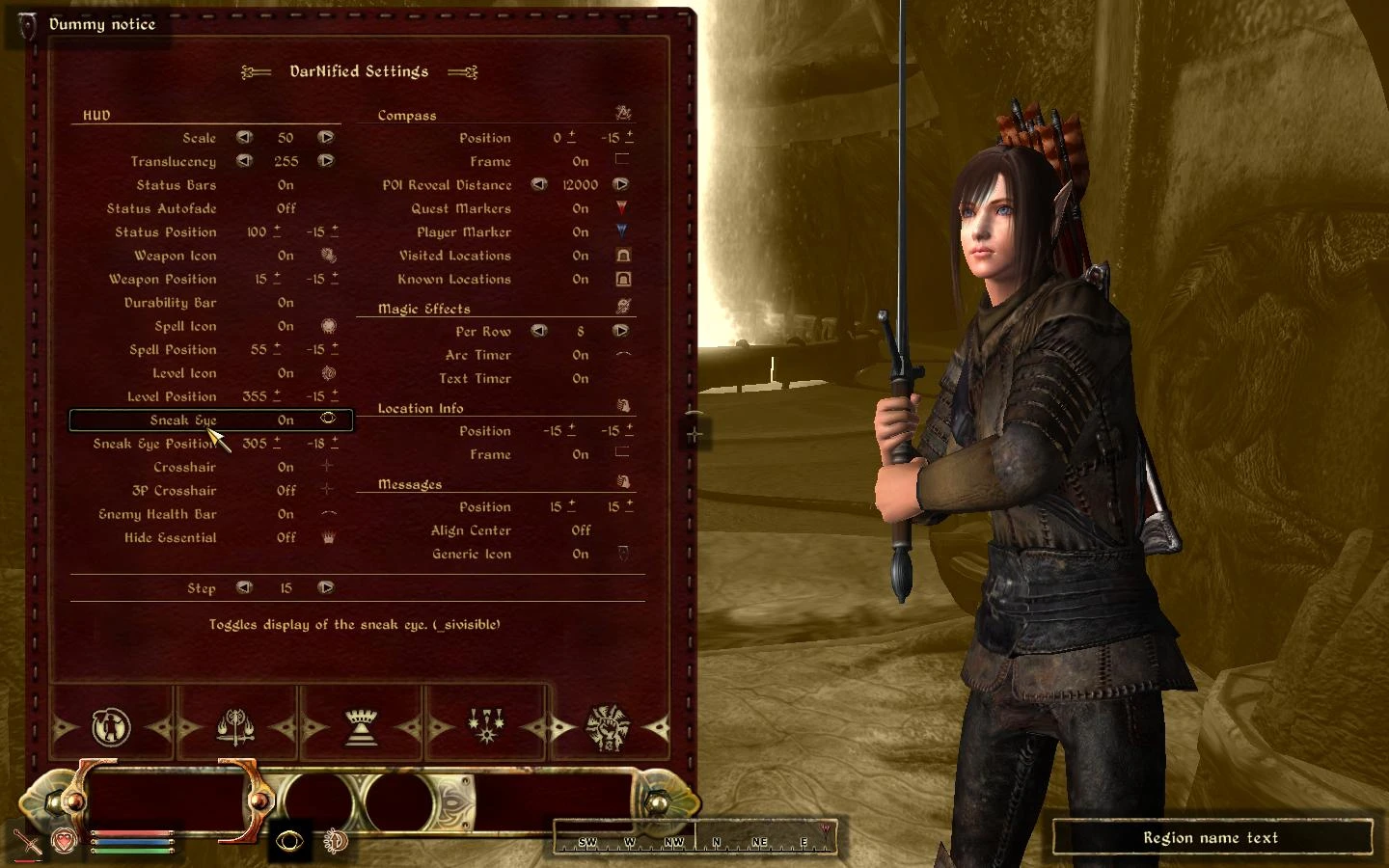
🔍 Analysis
- 👍 2.1% endorsement rate — high engagement, a strong quality signal
- 🏆 #2 of 96 User Interfaces mods in this game by downloads
📋 About This Mod
DarkUI\'d DarN 1. 6 By Gothic251 ***************************************************************************** ALRIGHT!!!! I DID IT!!!!!!! Here you go guys, I know how much you all ask DarN and Darkbirdy and god knows who else if there\'s a DarkUI version of DarNified UI. I worked my butt off (200 plus hours) changing the colors, fixing small bugs, and generally making a perfect DarkUI-ified DarNified UI. I\'ve changed the colors of certain things in certain places that differ from the normal DarkUI, simply because the changes of DarNified UI called for this. For instance, when choosing a dialog option, the person\'s name is now whiter than the dialog choices, so as to make it easier to discern between the person\'s name and the options. I also worked out a lot of niggles and bugs, such as when you are over encumbered, now in the inventory, like in the container, only the current encumbrance is red, not the max and the current and the slash. I have tested this pretty extensively myself, but if any bugs or things arise, or if any colors look off, tell me, and I\'ll look into it. I hope you guys like it, Gothic251 ************************************************************************** This package includes the whole of DarNified UI version 1. 3. 2, and all of DarkUI version 2. 40. It also contains Darkbirdy\'s DarkUI Loading Screens, and the Shivering Isles DarkUI Loading Screens by HTF. It also includes a DarkUI-ified Main Menu Video and Map-Scroll Video by Fritzdog. This also fixes tiling issues with the textures in the map and inventory screens, as thanks to the amazing work of Brumbek and Belinda. You may want to back up your Video folder first, in case you don\'t like Fritzdog\'s replacements. Notice: These videos, due to space restrictions, are only in the manual version. If you want these DarkUI\'d default videos, download the manual version and move the files in the video folder, or download them here http://www.tesnexus.com/downloads/file.php?id=11086 If you are upgrading from a previous installation, please uninstall the old version before installing 1. 6, as several files have been moved, and failure to delete them first will result in meaningless multiple files. ***************************************************************************** MANUAL INSTALLATION First, if you have installed a previous version, uninstall the old version first. For uninstallation instructions, refer to lower down the readme. This will ensure a bug-free clean install of 1. 6 1. Extract \"Fonts\", \"Menus\", \"Meshes\", \"Textures\" and \"Video\" folders to the Data folder. 2. The method for DarNified Books has changed with DarNifiedUI 1. 3. 2. With the release of Grimbots Shivering Book Jackets, the amount of esps needed to accommodate everyone would have tripled. Now it is handled through Wrye Bash. In Wrye Bash version 1. 54 and higher, there is an optional tweak option to DarNify all your books. For
DarkUId DarN is a user interface overhaul for Oblivion, combining DarkUId and DarNified UI into one package. It has 12,574 endorsements and was last updated in 2009, making it a classic but potentially outdated mod.
✨ Key Features
📊 Pros & Cons
✅ Pros
- Massive community trust (12,574 endorsements) — this is a legendary UI mod for Oblivion
- Huge download count (591k) shows it's been a go-to for years
- Combines two popular UI mods into one, saving you the hassle of installing both
⚠️ Cons
- Last updated in 2009 — likely outdated and may not work with newer Oblivion versions or mods
- Original description is just a hype post — no actual feature list or changelog
For Oblivion players who want a classic, community-approved UI overhaul without hunting down multiple mods. If you're a purist running an older setup, this is a solid pick. Skip if you're on a modern modded setup — you'll want something updated.
💡 Beginner Tips
- Since this mod is from 2009, check if your Oblivion version is compatible — older mods often need patches for newer patches
- If you use a mod manager like OBMM or Wrye Bash, install it through that to avoid manual file conflicts
- Back up your Interface folder before installing, just in case you want to revert
📊 Mod Details
- Game
- Oblivion Mods
- Author
- Gothic251
- Version
- 1.6
- Downloads
- 591,131
- Endorsements
- 12,574
- Category
- User Interfaces
- Created
- 6/1/2007
- Updated
- 2/9/2009
🔗 Required By 3 Mods
These mods list this mod as a dependency.
🔧 How to Install Oblivion Mods
Download from Nexus.
📖 Full step-by-step install guide for Oblivion →
Visit the official mod page for specific installation instructions for this mod.
🎮 Need cheat codes or console commands? Check ur gaming wiki for Oblivion commands, item IDs, and more.
Keep browsing — more Oblivion mods await