REFramework
⚪ Last updated 2024This mod may not work until the author updates it. Check for an update, or see the rollback guide.
Preview
🔍 Analysis
- 👍 2.2% endorsement rate — high engagement, a strong quality signal
- 🏆 #1 of 17 Scripts mods in this game by downloads
📋 About This Mod
Fixes random crashing (after ~2 hunts) as of January 16th, including for other DLLs like ReShade and other DLL wrapper mods. Sometimes these crashes would occur without any mods installed as well.
January 17th: Attempted to address complaints of stuttering after the fix was introduced. Stuttering potentially related to the reason the crashes were occurring as well.
For up-to-date information, head to the GitHub page. For bug reporting guidelines, read the Wiki
For information on the scripting and plugin API, check out the wiki
To install, simply extract dinput8.dll from the zip file into your Monster Hunter Rise game install folder.
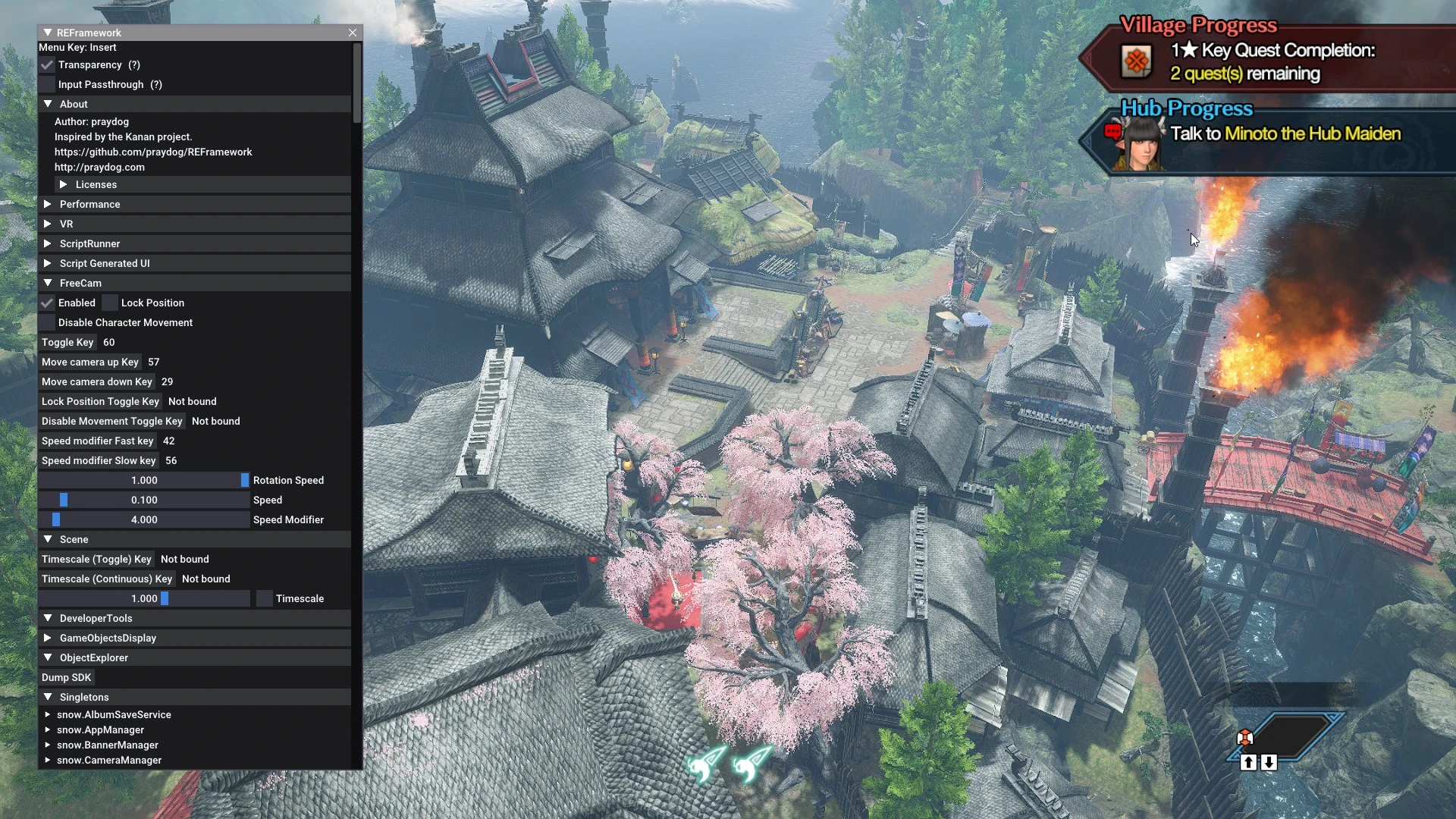
You can open the menu with the Insert key.
Scripts can be installed in the "reframework/autorun" folder.
Plugins can be installed in the "reframework/plugins" folder. Loose DLL files with no REF functionality can be loaded in here too.
If REFramework cannot access the current game directory for any reason, all of its files will then be used from "%APPDATA%/REFramework" instead. Scripts and plugins will need to be placed in there instead.
To uninstall REFramework temporarily, simply remove the dinput8.dll file from your game directory.
To completely remove it along with ALL mods, you will need to delete the reframework folder, re2_fw_config.txt, re2_framework_log.txt, and reframework_crash.dmp as well (if it exists).
This page may not be updated frequently. Use the GitHub page as an always up-to-date resource.
Donations
REFramework is a modding framework for RE Engine games, offering a Lua scripting API, crash fixes, FreeCam, Timescale, FOV, VR support, and developer tools. With 51,407 endorsements and 2.4M downloads, it's a community staple for modders and players seeking enhanced control.
✨ Key Features
📊 Pros & Cons
✅ Pros
- Massive community trust (51,407 endorsements, 2.4M downloads)
- Essential for modders—Lua API opens endless possibilities
- Built-in fixes for common crashing issues with DLLs/ReShade
⚠️ Cons
- Requires some technical knowledge to use effectively
- No explicit install instructions in the description
- May not be compatible with all RE Engine games—check per-game support
For mod developers and advanced users who want to create or use Lua-based mods in RE Engine games. Also for players who want FreeCam, FOV, or VR features. Skip if you prefer simple plug-and-play mods without scripting.
💡 Beginner Tips
- Check if your specific game is supported by REFramework before installing
- Use a mod manager to keep track of Lua scripts and updates
- Read the documentation on the GitHub wiki for scripting examples
📊 Mod Details
- Game
- Monster Hunter Rise Mods
- Author
- praydog
- Version
- Nightly939
- Downloads
- 2,354,434
- Endorsements
- 51,271
- Category
- Scripts
- Created
- 1/14/2022
- Updated
- 5/30/2024
🔗 Required By 11 Mods
These mods list this mod as a dependency.
🧩 Commonly Used Together
Users add these mods to the same collections — a real compatibility signal, not an AI guess.
🔧 How to Install MHRise Mods
Install REFramework. Drop mod files into game directory.
📖 Full step-by-step install guide for MHRise →
Visit the official mod page for specific installation instructions for this mod.
🎮 Need cheat codes or console commands? Check ur gaming wiki for MHRise commands, item IDs, and more.
Keep browsing — more MHRise mods await