REFramework Direct2D
🟠 Updated over a year agoThis mod may not work until the author updates it. Check for an update, or see the rollback guide.
⚠️ Install Order · 1 step
Install in this order, then this mod last — most mods fail to load without their framework and dependencies in place.
Preview
🔍 Analysis
- 👍 2.5% endorsement rate — high engagement, a strong quality signal
- 🏆 #1 of 53 Miscellaneous mods in this game by downloads
📋 About This Mod
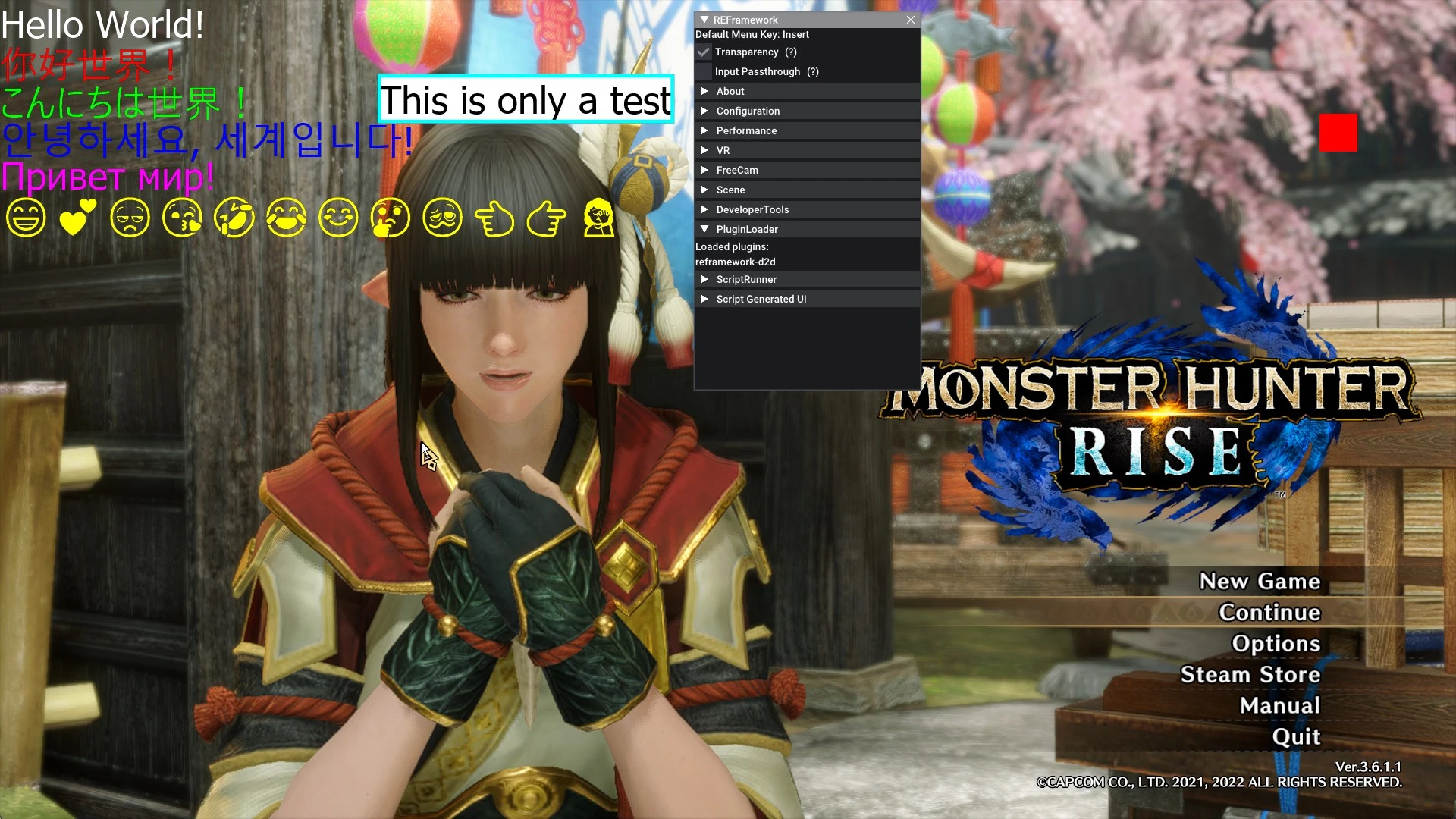
This is an REFramework plugin that adds a Direct2D scripting API. You can think of this as a modder's resource intended on making better overlay style mods. The main benefit to modders is improved font rendering, out of the box support for Unicode rendering, and updating at a lower rate than every frame (to lower the overall performance impact of overlay style scripts).
To install:
1) Download and extract REFramework-D2D.zip
2) Copy the /reframework/ folder into your games directory.
3) Make sure reframework-d2d.dll is in the games /reframework/plugins/ directory.
4) Make sure reframework-d2d.lua is in the games /reframework/autorun/ directory.
Development of this plugin takes place on my github. This is also where you can find the documentation for the scripting API this plugin adds.
v0. 1. 1 - Initial release on nexus.
- Fixed a freeze that could happen when an error occurred inside one of the `d2d.register` functions.
- Improved error handling and reporting in general.
- Added reframework-d2d.lua to let users customize the max update rate for the plugin.
- Increased the default update rate from 30hz to 60hz.
v0. 2. 1: - Improved alpha blending.
- Refactored resources (such as fonts) into their own types
- Added support for loading and drawing images
v0. 4. 0: - Moved Lua callbacks to run during the games BeginRendering phase.
- Fix game exit freeze
- Update dependencies
- Cleanup of build scripts
v1. 0. 1: - Bug fixes and stability improvements
REFramework Direct2D is a plugin for REFramework that adds Direct2D scripting APIs, enabling custom UI rendering in supported games. It requires REFramework version 1.5.4 or higher. With over 27,000 endorsements and 1.1 million downloads, it's a widely used tool for modders.
✨ Key Features
📊 Pros & Cons
✅ Pros
- Huge community trust: 27k endorsements and over a million downloads.
- Essential for modders who want to draw custom UI elements in REFramework games.
- Actively maintained, last updated April 2025.
⚠️ Cons
- Not for end-users—requires scripting knowledge to use effectively.
- Strict dependency on REFramework 1.5.4+, so you must keep both up to date.
- No documentation or examples provided in the description, so you'll need to dig into the source or community guides.
For mod developers and advanced users who create custom overlays or UI for REFramework-based games. If you're a player just looking for gameplay mods, this isn't for you—skip unless you plan to write scripts.
💡 Beginner Tips
- Make sure your REFramework version is at least 1.5.4, or the plugin won't load.
- If you're using a mod manager, install REFramework first, then this plugin, and check the load order.
- Look for example scripts in the mod's source repository or community forums to learn the API.
📊 Mod Details
- Game
- Monster Hunter Rise Mods
- Author
- cursey
- Version
- 1.4.1
- Downloads
- 1,089,509
- Endorsements
- 27,189
- Category
- Miscellaneous
- Created
- 1/29/2022
- Updated
- 4/7/2025
🧩 Commonly Used Together
Users add these mods to the same collections — a real compatibility signal, not an AI guess.
🔧 How to Install MHRise Mods
Install REFramework. Drop mod files into game directory.
📖 Full step-by-step install guide for MHRise →
Visit the official mod page for specific installation instructions for this mod.
🎮 Need cheat codes or console commands? Check ur gaming wiki for MHRise commands, item IDs, and more.
Keep browsing — more MHRise mods await