Compass markers and floating quest markers
⚪ Last updated 2022🖼️ Gallery (2 images)

🔍 Analysis
- 👍 3.4% endorsement rate — high engagement, a strong quality signal
- 🏆 #81 of 116 User Interface mods in this game by downloads
📋 About This Mod
ℹ About
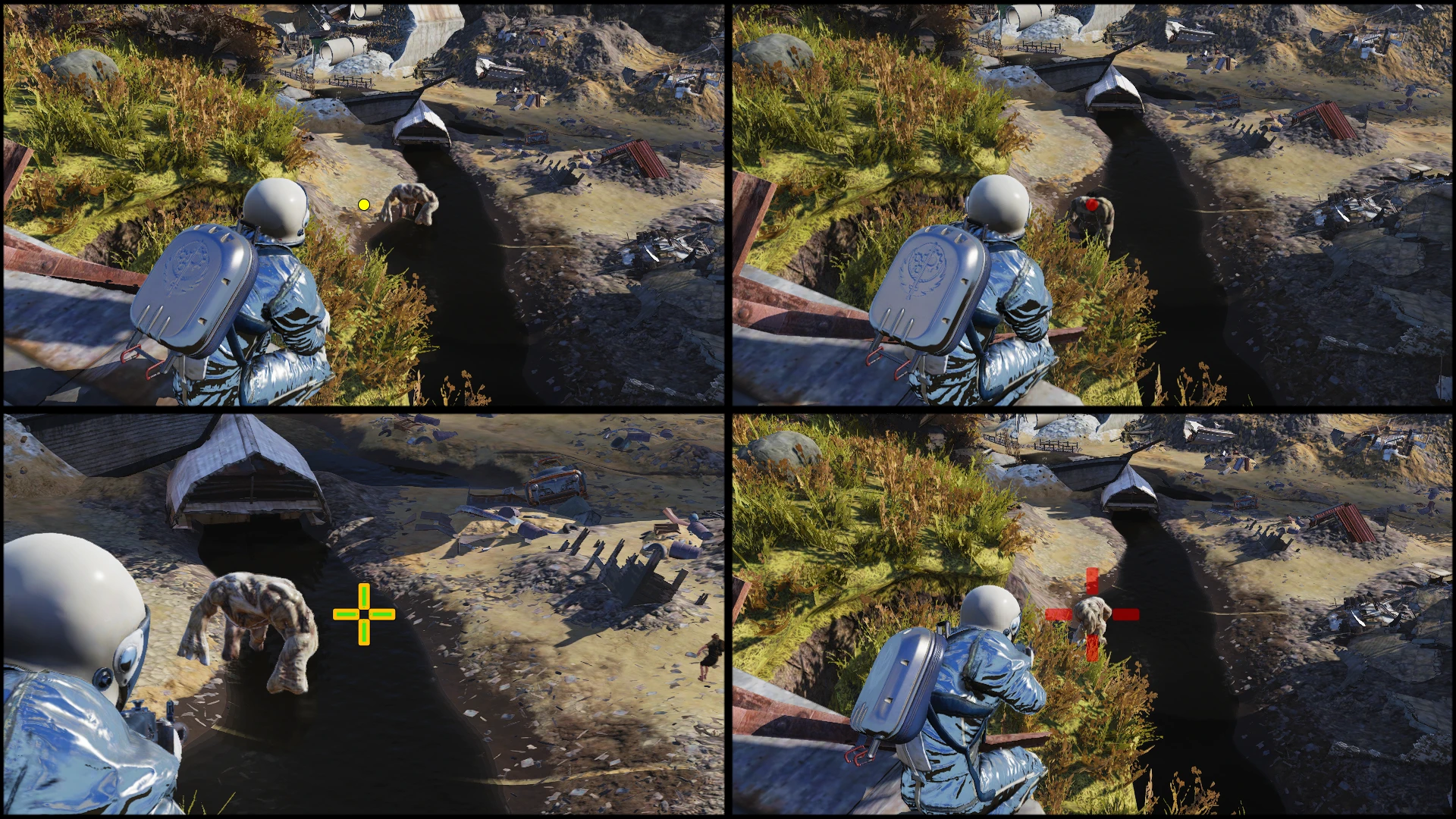
Change floating markers and compass markers.
Floating markers are the one above quest npc's head and quest destination.
Players are colored and differentiated by different colors when in a team.
I edited the svg of mapmarkerlibrary.swf to add a gradient and change theire color.
The only incompatible mod is TZMapMarkers. (The markers, not the map)
❣ Installation
1. Put "GreenQuestMarkers.ba2" inside your data folder of Fallout76 installation directory.
2. Inside "Documents\My Games\Fallout 76" folder, edit or add "Fallout76Custom.ini"
3. Edit "Fallout76Custom.ini" to include this mod.
- Example of edit for running only this mod:
sResourceArchive2List=GreenQuestMarkers.ba2
- Example of edit for running multiple mods (mod1, mod2, mod3):
sResourceArchive2List=mod1.ba2, mod2.ba2, mod3.ba2
? Compatibility
The other mod interacting with mapmarkerlibrary I know are TZMap.
The map markers are compatible. Load this mod after TZMapMarkers.
You might want this to have the markers on the compass colorful but like the TZ map one.
HUDEditor might make the compass markers colors weird.
⟳ Versioning
➢ X = Major update. When a lot of stuff change to my interpretation.
➢ Y = Feature update.
➢ Z = Compatibility and bug fixes update.
➢ Each letter gets incremented once per update.
♠ Tools used in the creation of this mod
https://github.com/jindrapetrik/jpexs-decompiler
➢ Archive2 which comes with fallout 4 creation kit. Downloadable for free on the Bethesda launcher.
A UI mod that adds green floating and compass markers for quests, with team members shown in one color and off-team players in another. Simple and functional, with 161 endorsements and 4,761 downloads, last updated in April 2022.
✨ Key Features
📊 Pros & Cons
✅ Pros
- Community-approved with 161 endorsements and nearly 5k downloads.
- Clear visual distinction between team and off-team markers.
- Lightweight UI tweak that doesn't overhaul the interface.
⚠️ Cons
- Last updated in 2022 — may not be compatible with the latest game version.
- Limited to quest markers only; no other UI enhancements.
For players who want clearer quest tracking, especially in multiplayer where team coordination matters. If you're tired of losing sight of objectives or need to distinguish teammates at a glance, this mod is for you. Skip if you're looking for a full UI overhaul — this is a focused, single-purpose tweak.
💡 Beginner Tips
- If the game has an anti-cheat (like EAC), make sure to disable it before using this mod.
- Check the mod's page for any required dependencies or patches if you're on a newer game version.
- Test in a solo game first to see if the marker colors suit your preferences.
📊 Mod Details
- Game
- Fallout 76 Mods
- Author
- SkyOps117
- Version
- 1.3.2
- Downloads
- 4,761
- Endorsements
- 161
- Category
- User Interface
- Created
- 11/2/2020
- Updated
- 4/3/2022
🧩 Commonly Used Together
Users add these mods to the same collections — a real compatibility signal, not an AI guess.
🔧 How to Install Fallout 76 Mods
Use Vortex. Place .ba2 files in Data folder. Use cautiously online.
📖 Full step-by-step install guide for Fallout 76 →
Visit the official mod page for specific installation instructions for this mod.
🎮 Need cheat codes or console commands? Check ur gaming wiki for Fallout 76 commands, item IDs, and more.
Keep browsing — more Fallout 76 mods await