Weather Tweaks
⚪ Last updated 2024⚠️ Install Order · 1 step
Install in this order, then this mod last — most mods fail to load without their framework and dependencies in place.
Preview
🔍 Analysis
- 👍 3.6% endorsement rate — high engagement, a strong quality signal
- 🏆 #34 of 82 Visuals and Graphics mods in this game by downloads
📋 About This Mod
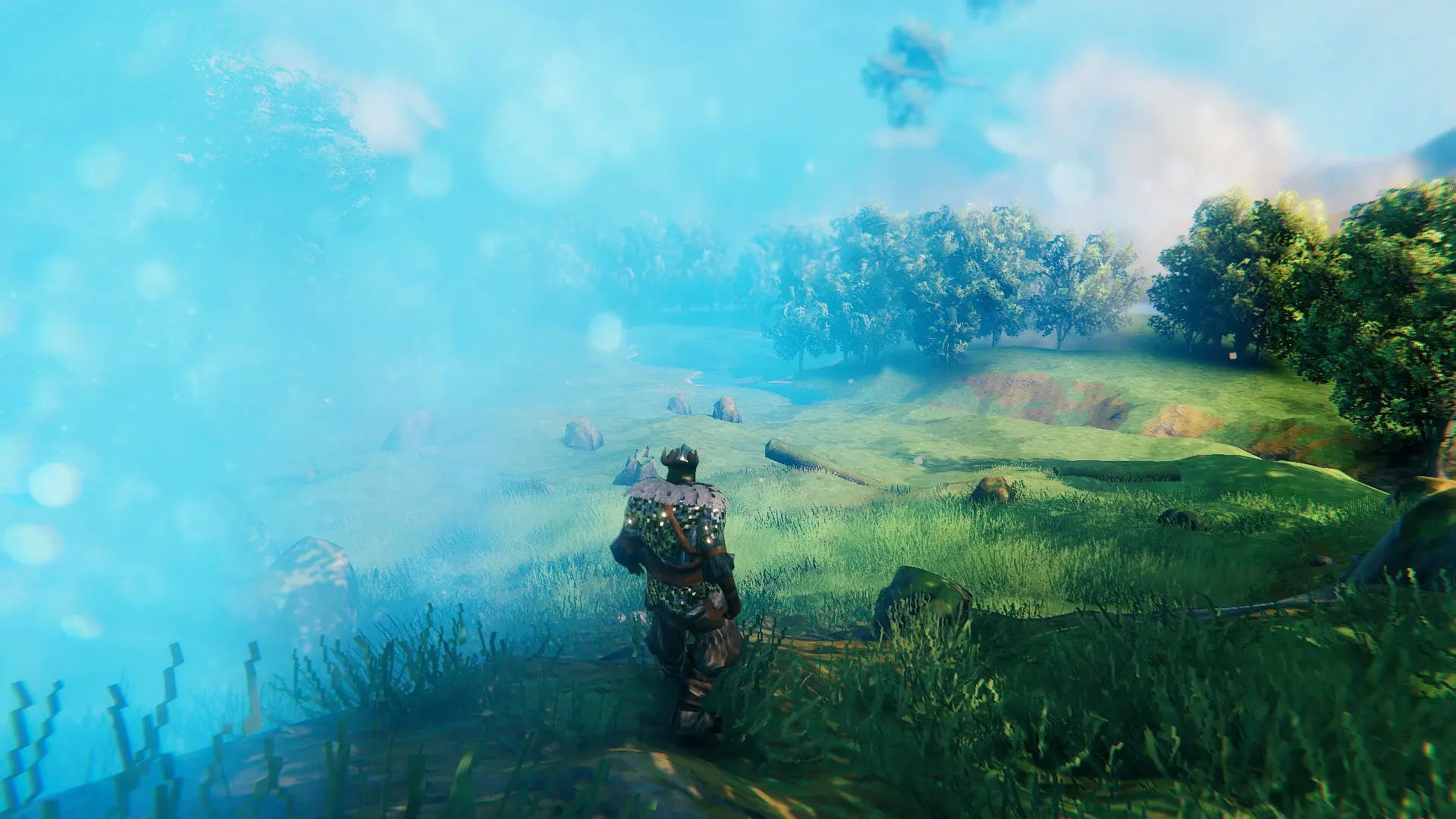
While the weather of Valheim is very beautiful, very dense mist or snowstorms can sometimes get annoying or even lead to a headaches, if you are trying to stare through obstacles for hours. While there are mods to disable mist and rain, I know of none that actually lets you configure them. Until now.
If installed with the default config, this mod will:
- Slighly increase likelyhood of clear weather, reducing lighelyhood of very bad weather. Ocean excluded as bad weather is good for wind. Also excluding the single weather biomes Swamp, Mistlands and Ashlands obviously.
- Decreases the density of "Misty" weather used in Meadows (rare), Plains and Ocean.
Possible config options (config/WeatherTweaks.cfg):
- NEW: Adding optional no-mist weather in mistlands after boss is defeated (has to be enabled in the config: Partly fogless Mistland after defeated boss = true).
-
[]Enable "Partly fogless Mistland after defeated boss". That way, after you have defeated the boss in the mistlands, a "clear" weather than deserves this name is added with the same weight as the non-rainy vanilla weather. That means, no super fog, brighter and no clouds
[
]You can set the weights on "Mistlands_Mistlands_very_clear" to non-zero. That way you can directly get the same from 1. - You can do both: Set the new weather to only activate after boss is defeated but change the details of the weather in any way you like.
- For each biome and each environment possible in that biomes, weights can be arbitrarily set. This includes disabling an environment by setting the weight to zero.
- For each environment (that may be used in multiple biomes as decided by the base game):
- Fog density. Valheim splits this into 4 different values according to the time of day. Reasonable values are 0. 003 (clear) to 0. 15 (very misty). 1 would mean seeing nothign anymore
- Light intensity. Split into day and night.
- Rain cloud visibility.
- Sun angle. Normally used in Valheim just to get lower sun in Deep North.
- Wind speed: Min and Max.
- Booleans:
- Always dark.
- Is cold (always and just at night).
- Is freezing (always and just at night).
- Particle systems only active outside.
- One can further globally modify the amount of fog with a multiplier.
- The default value from the un-modded game is given as a comment in the config file.
- If you want to start with a clear vanilla config and modify it yourself, delete the config file and start the game (including logging in). This will create a config file with the vanilla values.
- It is possible to load changed settings while in-game using the console command "weathertweaks reload".
Weather Tweaks by Gratak- reduces mist thickness and the frequency of bad weather in the game, with nearly full configuration options via a config file. This mod is for players who want clearer skies and more control over weather conditions, offering a straightforward customization solution.
✨ Key Features
📊 Pros & Cons
✅ Pros
- Simple and effective: cuts down on fog and bad weather for better visibility.
- Config file gives you control to tweak weather to your liking.
- Decent community traction with 116 endorsements and over 3,200 downloads.
⚠️ Cons
- No detailed instructions on how to edit the config file, so you'll have to figure it out.
- Last updated in June 2024 — might not work with the latest game patches.
- Only affects weather visuals, so if you want gameplay changes, this isn't it.
For players who are tired of constant fog and storms ruining their view and want a clearer, more pleasant atmosphere. Also for tinkerers who enjoy tweaking config files to fine-tune their game. Skip if you're looking for gameplay overhauls or don't want to mess with settings.
💡 Beginner Tips
- Check if your game has anti-cheat (EAC) enabled; if so, you may need to disable it for mods to work.
- Open the config file in a text editor and adjust values like mist thickness and weather frequency to your preference.
- If the mod doesn't seem to work, make sure it's placed in the correct mod folder for your game.
📊 Mod Details
- Game
- Valheim Mods
- Author
- Gratak-
- Version
- 1.1.0
- Downloads
- 3,261
- Endorsements
- 116
- Category
- Visuals and Graphics
- Created
- 4/21/2022
- Updated
- 6/16/2024
🧩 Commonly Used Together
Users add these mods to the same collections — a real compatibility signal, not an AI guess.
🔧 How to Install Valheim Mods
Download from Nexus.
📖 Full step-by-step install guide for Valheim →
Visit the official mod page for specific installation instructions for this mod.
🎮 Need cheat codes or console commands? Check ur gaming wiki for Valheim commands, item IDs, and more.
Keep browsing — more Valheim mods await