ValheimFPSBoost
⚪ Last updated 2021⚠️ Install Order · 1 step
Install in this order, then this mod last — most mods fail to load without their framework and dependencies in place.
Preview
🔍 Analysis
- 👍 2.7% endorsement rate — high engagement, a strong quality signal
- 🏆 #4 of 80 Visuals and Graphics mods in this game by downloads
📋 About This Mod
ValheimFPSBoost for Valheim
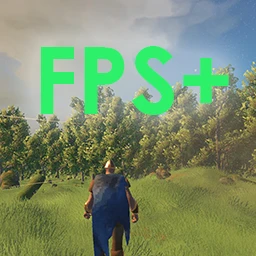
Lowers some internal graphic values to gain more fps. The fps gain can vary between systems.
- Disable Anisotrophic Filtering
- Decrease LOD distance
- Reduce texture size by half
- Set max. pre-rendered frames to 1
- Set particle raycast per frame to 1
- Reduce maximum number of light pixels on an object
- Disables real-time reflection probes
- Disables cascaded shadows
- Disable shadows
- Disables soft blending for particles
- Disables two-pass shader for terrain vegetation
- Disable all Post Processing effects
Installation (manual)
If you are installing this manually, do the following
1. Extract the archive into a folder. Do not extract into the game folder.
2. Move the contents of `plugins` folder into `<GameDirectory>\Bepinex\plugins`.
3. Run the game.
ValheimFPSBoost is a lightweight performance mod that lowers internal graphic values to increase FPS, with gains varying by system. It has 1,818 endorsements and 67,023 downloads, last updated in February 2021. Ideal for players on lower-end hardware seeking a simple performance boost.
✨ Key Features
📊 Pros & Cons
✅ Pros
- Community-trusted with 1,818 endorsements and 67,000+ downloads
- Simple drop-in mod—no complex setup
- Directly targets FPS gains for smoother gameplay
⚠️ Cons
- Last updated in 2021—may not be compatible with the latest Valheim patches
- FPS gain is system-dependent, so results may be minimal on high-end PCs
- No detailed documentation on exactly which graphic values are changed
For Valheim players on lower-end or older hardware who want a quick FPS boost without fiddling with settings. Also for those who prefer a minimal mod that does one thing. Skip if you're on a high-end rig or want customizable graphics options.
💡 Beginner Tips
- Place the DLL file in the BepInEx/plugins folder if you use BepInEx, or follow the mod's install instructions if any.
- Test the mod in a heavily forested area or during a boss fight to see the FPS difference.
- If the game crashes, remove the mod and verify game files—it may be outdated.
📊 Mod Details
- Game
- Valheim Mods
- Author
- castix
- Version
- 1.0.0
- Downloads
- 67,023
- Endorsements
- 1,818
- Category
- Visuals and Graphics
- Created
- 2/26/2021
- Updated
- 2/26/2021
🧩 Commonly Used Together
Users add these mods to the same collections — a real compatibility signal, not an AI guess.
🔧 How to Install Valheim Mods
Download from Nexus.
📖 Full step-by-step install guide for Valheim →
Visit the official mod page for specific installation instructions for this mod.
🎮 Need cheat codes or console commands? Check ur gaming wiki for Valheim commands, item IDs, and more.
Keep browsing — more Valheim mods await