DrillableScan
⚪ Last updated 2018⚠️ Install Order · 2 steps
Install in this order, then this mod last — most mods fail to load without their framework and dependencies in place.
Preview
🔍 Analysis
- 👍 3.6% endorsement rate — high engagement, a strong quality signal
- 🏆 #19 of 191 User Interface mods in this game by downloads
📋 About This Mod
DISCONTINUED
Use updated version by narybelieve here: https://www.nexusmods.com/subnautica/mods/1440/
While playing I've come to the place, where I wasn't even gavering small resources lying around, but only searching for the large resource deposits.
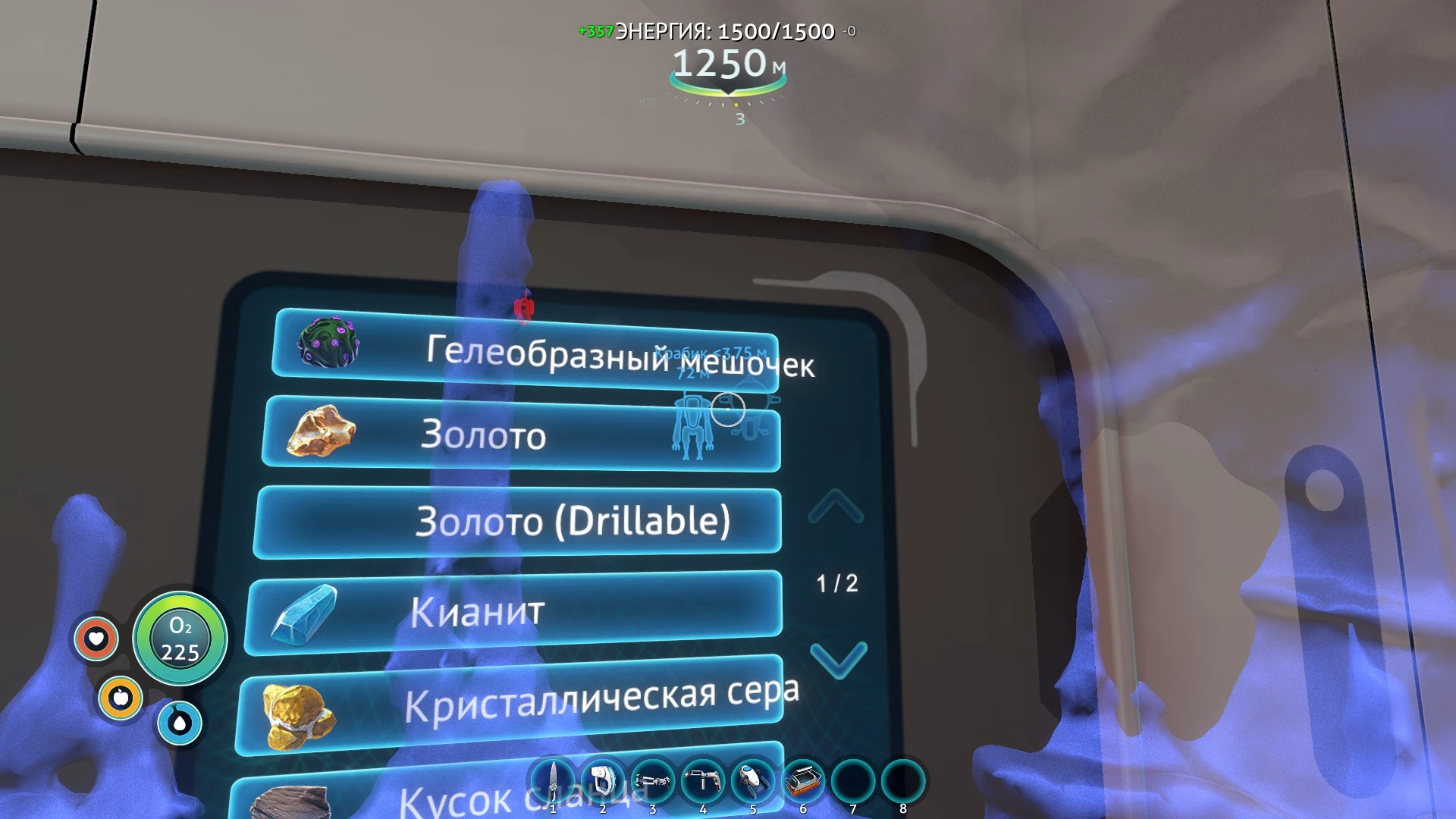
But the scanner room search for everything, so I had to go to each resource blip and see if it's a large or not.
This mod solves this problem. Something tells me that there won't be much people using it, but still =)
Installation:
1. Install the QModManager
2. Unzip the folder "DrillableScan" from the archive to the Subnautica\QMods folder.
3. Have fun =)
This mod adds the "(Drillable)" suffix to the resource deposits. Also works with SubnauticaMap mod.
DrillableScan is a UI mod for Subnautica that separates large resource deposits from regular resources in the scanner room, allowing you to filter your search to only one type. It's a simple quality-of-life improvement for players who want more control over resource scanning.
✨ Key Features
📊 Pros & Cons
✅ Pros
- Community-approved with 2,040 endorsements.
- Streamlines resource scanning, saving time for players hunting for specific materials.
- Lightweight UI mod that doesn't affect gameplay balance.
⚠️ Cons
- Last updated in 2018, so may not be compatible with the latest Subnautica versions.
- No detailed documentation or install instructions provided by the author.
- Only affects the scanner room UI, so it's a niche feature for players who use it frequently.
For Subnautica players who spend a lot of time in the scanner room and want to efficiently find large deposits without sifting through regular resources. Skip if you rarely use the scanner or prefer a more comprehensive UI overhaul.
💡 Beginner Tips
- Ensure you have the latest version of Subnautica and any required mod loader (like QMods) installed before adding this mod.
- If you're using a mod manager, let it handle the installation to avoid file conflicts.
- Test the mod in a new game or save to see if the scanner room UI updates correctly.
📊 Mod Details
- Game
- Subnautica Mods
- Author
- Vlad-00003
- Version
- 1.0.0
- Downloads
- 56,533
- Endorsements
- 2,040
- Category
- User Interface
- Created
- 3/15/2018
- Updated
- 3/15/2018
🧩 Commonly Used Together
Users add these mods to the same collections — a real compatibility signal, not an AI guess.
🔧 How to Install Subnautica Mods
Download from Nexus.
📖 Full step-by-step install guide for Subnautica →
Visit the official mod page for specific installation instructions for this mod.
🎮 Need cheat codes or console commands? Check ur gaming wiki for Subnautica commands, item IDs, and more.
Keep browsing — more Subnautica mods await