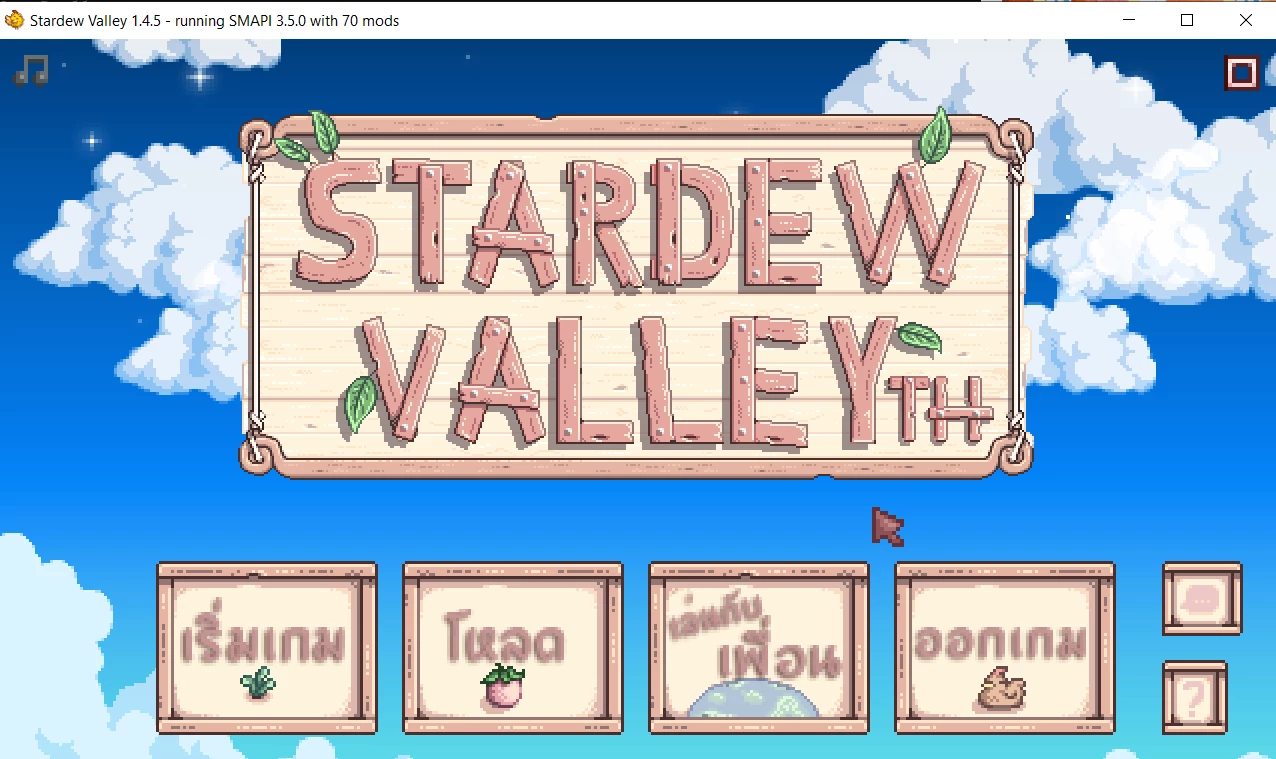
UI 3 in 1 theme color (Interface)
⚪ Last updated 2023⚠️ Install Order · 2 steps
Install in this order, then this mod last — most mods fail to load without their framework and dependencies in place.
Preview
🔍 Analysis
- 👍 2.8% endorsement rate — high engagement, a strong quality signal
- 🏆 #126 of 179 User Interface mods in this game by downloads
📋 About This Mod
ภาษาไทย อยู่ข้างล่าง!!01. OCT. 2020
Good News for Android user!!!
Now you can change your Color in Config Menu like PC.
No need to install in separate folder anymore!! Hooreyyyyyyy!!!
Compatible with SMAPI for Android version 3. 6. 2 or higher
If you have older version (1. 2) please delete file Name " MobileAtlas_manually_made"
in CustomLocalizaton Mods > Content > LooseSprite > MobileAtlas_manually_made.xnb by yourself.
for PC
1. Install SMAPI and Content patcher in you PC
2. Download Main file "UI 3 in 1 theme color for PC"
3. Unzip file and place the folder : UI 3 in 1 theme color for PC in your Mods folder location --> Steamapps/Common /Stardew Velley/ Mods
for configulation
in config.json you can choose your theme by put the color code as : Pink, Choco, Paddlepop
"UI theme Color": "Pink" <----------default
for Android
1. Install SMAPI and Content patcher in you phone
2. Download Main file "UI 3 in 1 theme color for Android"
3. Unzip file and place the folder : UI 3 in 1 theme color for Android in your Mods folder location --> phone/ Internal storage / Stardew Velley / Mods
for configulation
1. Go to SMAPI installer APP in your phone
2.in Config Tab tab on edit icon (paper with pen) then choose your theme by put the color code as : Pink, Choco, Paddlepop and Save
"UI theme Color": "Pink" <----------default
Note
If you have older version (1. 2) please delete file Name " MobileAtlas_manually_made" in CustomLocalizaton Mods > Content > LooseSprite > MobileAtlas_manually_made.xnb by yourself.
for Android (SMAPI for Android version 3. 6. 0 or older
1. Install SMAPI / Content patcher / and Custom Localization (actually it'
UI 3 in 1 theme color is a compact interface mod for PC and Android that changes the theme color of the UI, compatible with both English and Thai languages. With over 1,200 endorsements and 44k downloads, it's a popular choice for players seeking a quick visual refresh.
✨ Key Features
📊 Pros & Cons
✅ Pros
- Community favorite with 1,245 endorsements and 44k downloads.
- Works on both PC and Android, so you can use it wherever you play.
- Simple color change that doesn't mess with your gameplay.
⚠️ Cons
- Only changes theme colors—no other UI tweaks or features.
- Last updated in June 2023, so it might not work with the latest game patches.
For players who want a quick, easy way to change the look of their UI without overhauling the whole interface. If you're on PC or Android and want a fresh color scheme, this is a simple pick. Skip if you need deeper UI customization or gameplay changes.
💡 Beginner Tips
- If you're on Android, make sure you have file access enabled to place the mod correctly.
- Check the mod's file structure to see if it replaces existing UI files—back up the originals just in case.
- Since it's a UI mod, it should work with most versions, but if the game updates, reinstall the mod to be safe.
📊 Mod Details
- Game
- Stardew Valley Mods
- Author
- SabiMiyato
- Version
- 1.5.2
- Downloads
- 44,372
- Endorsements
- 1,245
- Category
- User Interface
- Created
- 6/4/2020
- Updated
- 6/18/2023
🔧 How to Install Stardew Valley Mods
Download from Nexus.
📖 Full step-by-step install guide for Stardew Valley →
Visit the official mod page for specific installation instructions for this mod.
🎮 Need cheat codes or console commands? Check ur gaming wiki for Stardew Valley commands, item IDs, and more.
Keep browsing — more Stardew Valley mods await