Tool Smart Switch (Updated)
⚪ Last updated 2024⚠️ Install Order · 2 steps
Install in this order, then this mod last — most mods fail to load without their framework and dependencies in place.
Preview
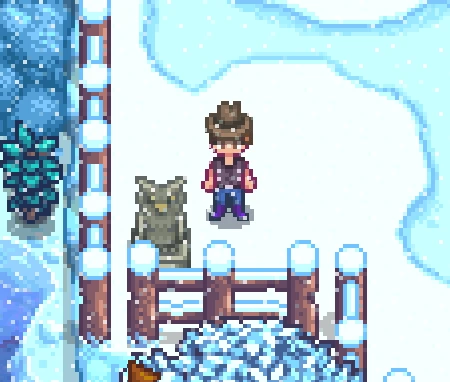
🔍 Analysis
- 👍 2.4% endorsement rate — high engagement, a strong quality signal
- 🏆 #225 of 382 Gameplay Mechanics mods in this game by downloads
📋 About This Mod
This is an update to the Tool Smart Switchl mod by aedenthorn following their retirement from modding. This has been updated to work with Stardew Valley 1. 6 and SMAPI 4. 0. 0. This was updated primarily for personal use but I decided to publish it in case anyone else used this mod and wished to do so with 1. 6.
To be clear at this time the only work by me is updating a few parts to work with 1. 6 the majority of the work here is by aedenthorn.
Original Mod Description
This mod checks when you use a tool whether the tool is appropriate for the target. If not, it will try to switch to another tool in the current
Tools will switch when used on the following if an appropriate tool exists in the current tool bar:
-
[]Stones (Pickaxe)
[
]Sticks (Axe)[]Weeds (Scythe)
[]Scythe Crops (Scythe)
[]Dry Tilled Farm Soil (Watering Can)
[]Artifacts Spots (Hoe)
[]Trees (Axe if mature, otherwise Scythe)
[]Stumps (Axe)
[]Boulders (Pickaxe)
[]Grass (Scythe)
[]Ore Panning Spots (Pan)
[]Watering Can Fill Spots (Watering Can)
[]Pet Bowls (Watering Can)
[]Water tiles (Fishing Rod) - this is ignored in favour of watering cans
[]Farm Animals (Shears or Milk Pail)
[]Monsters (Melee Weapon) - only if facing monster, default 128 pixels away or less
- Tillable Soil (Hoe)
Auto-switching can be tweaked in the config.
You can set a toggle key to turn the mod on and off in the config.
Config
You can customize this mod by editing the config file or using Generic Mod Config Menu.
Current State
The mod currently works with 1. 6 and all features seem to work, there does seem to be a bit of a detection issue if you are off centre of the block you are trying to harvest which results in the wrong tool being selected. This is fairly minor but will look into updating to resolve soon.
Repo can be found here: https://github.com/NTaylor1993/ToolSmartSwitch
Tool Smart Switch (Updated) is a maintenance update of aedenthorn's mod, adapted for Stardew Valley 1.6 after the original author retired. It preserves the original functionality of automatically switching to the correct tool for the job, now compatible with the latest game version. With 1,396 endorsements and 58,236 downloads, it's a community-supported fix.
✨ Key Features
📊 Pros & Cons
✅ Pros
- Keeps a beloved mod alive for 1.6 (1,396 endorsements)
- High download count (58,236) shows real demand
- Simple quality-of-life improvement that saves clicks
⚠️ Cons
- Not a new feature set, just a compatibility patch
- Potential overlap with other tool-switching mods—check for conflicts
For Stardew Valley players who relied on Tool Smart Switch and upgraded to 1.6. Also for new players who want automatic tool selection without manual switching. Skip if you prefer manual control or use a different automation mod.
💡 Beginner Tips
- Ensure you have Stardew Valley 1.6 installed, as this mod is specifically updated for that version.
- If you use a mod manager like SMAPI, install this mod into the Mods folder and run the game via SMAPI.
- Check the original mod's page for configuration options, as this update doesn't change the original settings.
📊 Mod Details
- Game
- Stardew Valley Mods
- Author
- Fiorbeth
- Version
- 1.0.3
- Downloads
- 58,236
- Endorsements
- 1,396
- Category
- Gameplay Mechanics
- Created
- 3/22/2024
- Updated
- 4/23/2024
🧩 Commonly Used Together
Users add these mods to the same collections — a real compatibility signal, not an AI guess.
🔧 How to Install Stardew Valley Mods
Download from Nexus.
📖 Full step-by-step install guide for Stardew Valley →
Visit the official mod page for specific installation instructions for this mod.
🎮 Need cheat codes or console commands? Check ur gaming wiki for Stardew Valley commands, item IDs, and more.
Keep browsing — more Stardew Valley mods await