Precise Furniture
⚪ Last updated 2024⚠️ Install Order · 2 steps
Install in this order, then this mod last — most mods fail to load without their framework and dependencies in place.
Preview
🔍 Analysis
- 👍 1.0% endorsement rate
- 🏆 #5 of 217 Furniture mods in this game by downloads
📋 About This Mod
-
[]Install the latest version of SMAPI
[
]Download this mod and unzip it into Stardew Valley/Mods[]Run the game using SMAPI.
Press one of the Arrow Keys while hovering your mouse over the already placed furniture you want to move.
Hold Left Alt while pressing one of the Arrow Keys to move even faster.
You can lock furniture in place by holding Left Alt, then Right Click on the furniture you want to lock.
When furniture is locked, you cannot pick it up or move it with the arrow keys.
You can disable the collision of the hovered furniture in the same way that you can lock. There is no default key, you have to set a key in the config.
You can configure all of these options like locking behavior and move speed with Generic Mod Config Menu or by editing the config.json in the mod folder directly.
THIS WILL NOT WORK WITH OBJECTS. You can tell if something is an object or furniture by hovering over it with your mouse. Furniture will have a purple tag that says "Furniture", "Decoration" or something else. Objects will not have this tag.
This mod is a continuation of Furniture Adjustment
Will the furniture positions reset when migrating from Furniture Adjustment to this mod?
- []No, moving mods will not reset the furniture positions.
- []Yes, but fish tanks may look wrong.
- []No, not at this moment
-
[]Stardew Valley 1. 6. 0 or later.
[
]Singleplayer and Multiplayer (even if other players don’t have it).-
[] French by ElfeDeLune
- [
- Particle Framework
-
[] French by ElfeDeLune
-
[]Stardew Valley 1. 6. 0 or later.
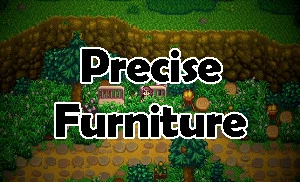
Precise Furniture, by Espy, is a quality-of-life mod for moving furniture with pixel-perfect precision using hotkeys, plus a lock feature. It's a continuation of Furniture Adjustment and has strong community support with 3,457 endorsements and 346,579 downloads, last updated May 2024.
✨ Key Features
📊 Pros & Cons
✅ Pros
- Huge community trust: 3,457 endorsements and 346k downloads.
- Pixel-perfect placement is a game-changer for detailed builds.
- Lock feature saves you from accidentally nudging that perfect sofa.
⚠️ Cons
- No compatibility notes for other furniture mods or game updates.
- Hotkey setup might require tweaking to avoid conflicts with other mods.
For base-building enthusiasts who obsess over interior design and want precise control. If you're tired of furniture snapping to grid or floating half a block off, this is for you. Skip if you're fine with vanilla placement or don't build much.
💡 Beginner Tips
- Check your keybindings in the mod settings to set hotkeys that don't clash with your movement keys.
- Use the faster movement option for large adjustments, then switch to pixel-by-pixel for fine-tuning.
- Lock furniture after placing to avoid accidental shifts during gameplay.
📊 Mod Details
- Game
- Stardew Valley Mods
- Author
- Espy
- Version
- 1.1.1
- Downloads
- 346,579
- Endorsements
- 3,457
- Category
- Furniture
- Created
- 5/1/2024
- Updated
- 5/26/2024
🧩 Commonly Used Together
Users add these mods to the same collections — a real compatibility signal, not an AI guess.
🔧 How to Install Stardew Valley Mods
Download from Nexus.
📖 Full step-by-step install guide for Stardew Valley →
Visit the official mod page for specific installation instructions for this mod.
🎮 Need cheat codes or console commands? Check ur gaming wiki for Stardew Valley commands, item IDs, and more.
Keep browsing — more Stardew Valley mods await