Object Progress Bars
⚪ Last updated 2021⚠️ Install Order · 3 steps
Install in this order, then this mod last — most mods fail to load without their framework and dependencies in place.
Preview
🔍 Analysis
- 👍 2.9% endorsement rate — high engagement, a strong quality signal
- 🏆 #81 of 179 User Interface mods in this game by downloads
📋 About This Mod
Object Progress Bars
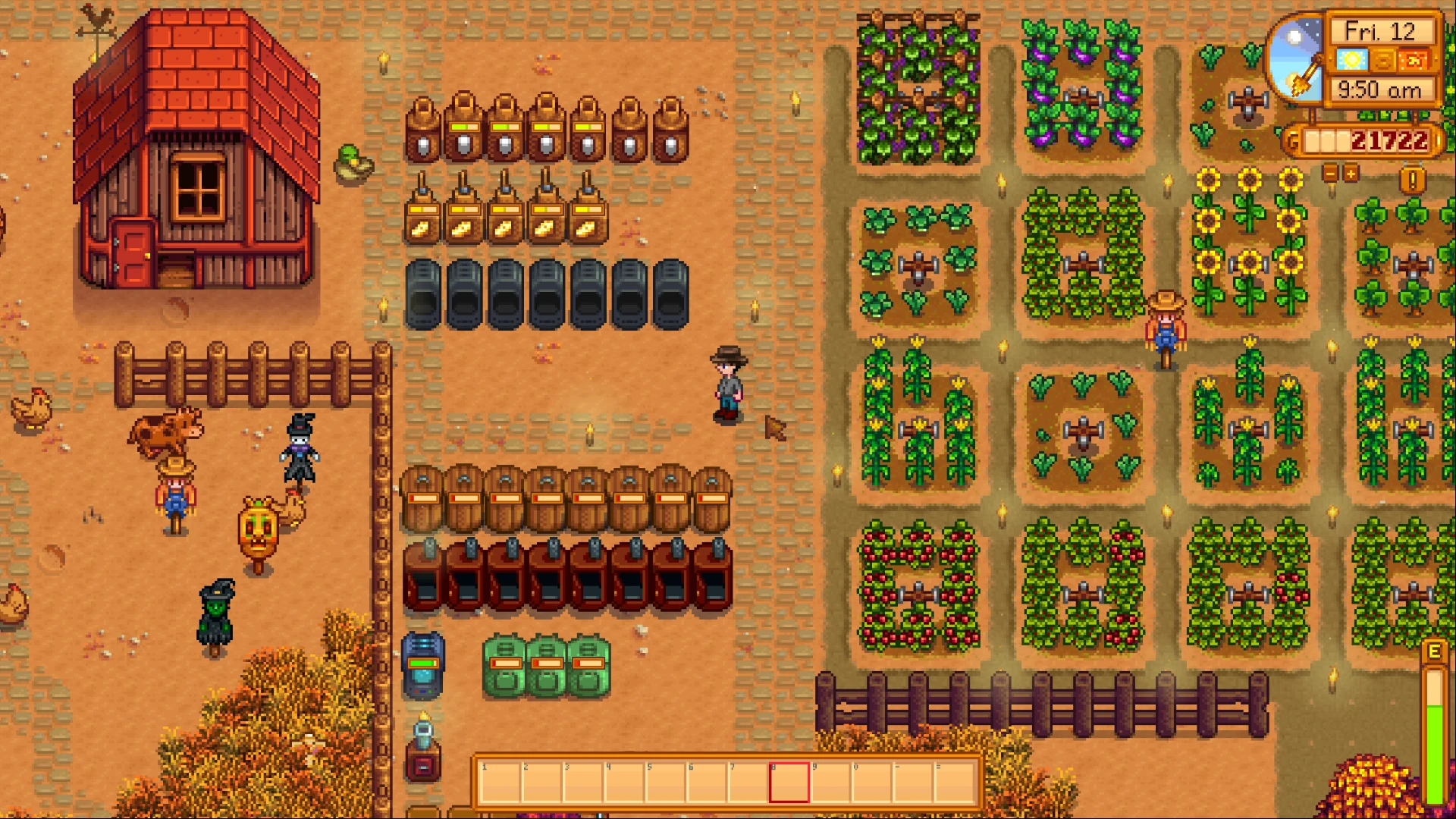
Shows progress bars on refining or artisan goods machines. Use keyboard key 'P' to toggle progress bars (configurable).
REQUIREMENTS:
• Stardew Valley 1. 3. 3 or later
• SMAPI 2. 10 or later
INSTALLATION:
• Unzip the mod folder into Stardew Valley/Mods
FEATURES:
• Shows accurate progress bars that can be toggled on/off with a shortcut key.
• Calculates progress based on the time left until processing will be complete and total time a machine takes for completion, according to the wiki.
• Guesses progress for the few machines (Worm Bin, Oil Maker, Cask(?)) that don't have a determinable total time.
• Progress bars resemble original game UI.
CAVEATS:
• Worm Bin and Oil Maker progress might look inconsistent every time game is loaded since the total time is being guessed. However they do sort of provide a correct estimation of time left on processing.
• Cask wasn't tested since I don't have a cellar. It's behavior might be weird.
• Mod was only tested on Linux.
CREDITS:
♦ spacechase0's Object Time Left 1. 0. 1 was used as a starting point.
Object Progress Bars is a UI mod for Stardew Valley that displays progress bars on refining and artisan goods machines. With 2,225 endorsements and 76,610 downloads, it's a popular quality-of-life addition. Last updated in April 2021, it may require compatibility checks with newer game versions.
✨ Key Features
📊 Pros & Cons
✅ Pros
- Huge community trust with 2,225 endorsements and 76k downloads.
- Solves the 'when is it done?' problem for kegs and furnaces.
- Lightweight UI mod that doesn't touch gameplay balance.
⚠️ Cons
- Last updated in 2021 — might break with Stardew Valley 1.6.
- Only covers machines, not crops or other timed events.
For Stardew Valley farmers who hate guessing when their kegs or furnaces are done. Perfect for min-maxers and casual players who want a cleaner UI. Skip if you play vanilla without mods or prefer a more immersive HUD.
💡 Beginner Tips
- Make sure you have SMAPI installed and run the game through SMAPI, not the default launcher.
- If you're on the latest Stardew Valley version, check the mod's compatibility page for updates or patches.
- Use a mod manager like Vortex or manually drop the folder into your Mods directory.
📊 Mod Details
- Game
- Stardew Valley Mods
- Author
- Adeel Tariq
- Version
- 1.3
- Downloads
- 76,610
- Endorsements
- 2,225
- Category
- User Interface
- Created
- 9/15/2018
- Updated
- 4/10/2021
🧩 Commonly Used Together
Users add these mods to the same collections — a real compatibility signal, not an AI guess.
🔧 How to Install Stardew Valley Mods
Download from Nexus.
📖 Full step-by-step install guide for Stardew Valley →
Visit the official mod page for specific installation instructions for this mod.
🎮 Need cheat codes or console commands? Check ur gaming wiki for Stardew Valley commands, item IDs, and more.
Keep browsing — more Stardew Valley mods await