Ace's Expanded Farms
⚪ Last updated 2021⚠️ Install Order · 2 steps
Install in this order, then this mod last — most mods fail to load without their framework and dependencies in place.
Preview
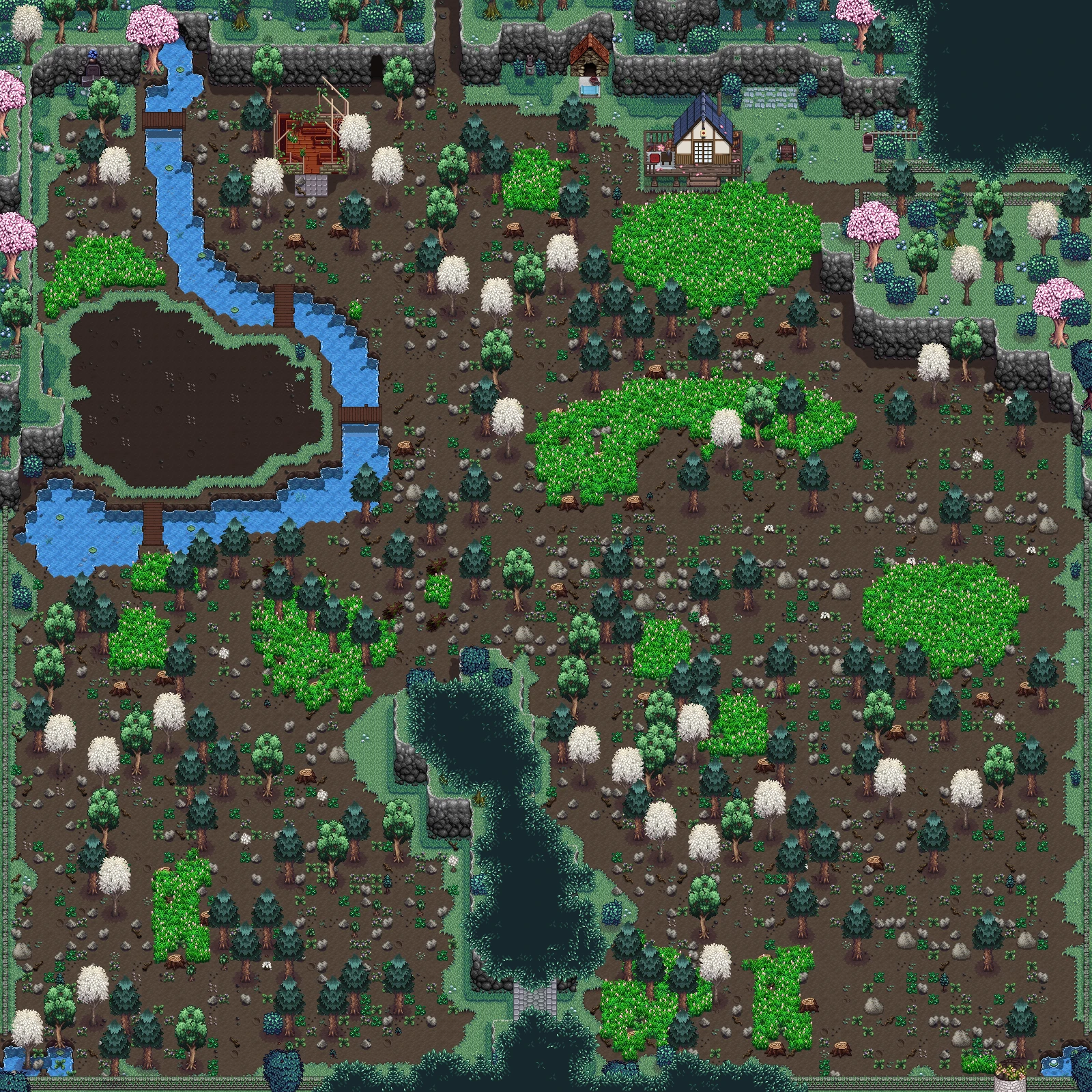
🔍 Analysis
- 👍 2.8% endorsement rate — high engagement, a strong quality signal
- 🏆 #12 of 32 Locations mods in this game by downloads
📋 About This Mod
areas and extra farming space to new ponds and waterfalls. There’s something
for every taste. Plus, after a trip to the pet store, your pets now have a more
comfortable living area.
Choose the farms you want, for every farm type, mix and match to make
your farm fit you.
REQUIREMENTS:
SMAPI
Content Patcher
HOW TO INSTALL:
1. Download "Ace's Expanded Farms" from the files menu and extract the zip file the "Mods" folder.
2. Run the game to generate a config file inside the " Ace Farms Expanded" folder.
3. Open the config file and replace the word "Vanilla" by the farm type(s) of your choice with whichever
version you wish to use. For example: if you want to use Cherryblossonhh's farm, change the following
"Farm Style Foraging": "Vanilla" to "Farm Style Foraging": "Cherryblossonhh".
EXTRA NOTES:
-Are you on an old save and having trouble with bushes being in the way? Download and
use this mod to reset them: Entoarox Framework's "world_bushreset" command in the
SMAPI console.
- Be ABSOLUTELY SURE to keep a backup of your save games. ALWAYS make backups.
- For Robin to build on new farm areas, you must scroll to it, either right or down. See the video below.
- If using a map recolor, download the compatibility patch for your recolor and my mod.
- If you would like to have a .png of my pet bed, bowls, and house go here. You are free to
use them for personal use or mods, but please credit me and/or give a link back here.
- Quarries included in these farms will work properly if you download the "Ace's Expanded Farms FTM Beta Pack"
include found in the optional downloads and install Farm Type Manager.
0_XXqpT-56A
Ace's Expanded Farms is a collection of expanded farm layouts for Stardew Valley, covering the default farm and all farm types from the 1.1 update. With over 3,000 endorsements and 114k downloads, it's a popular choice for players wanting more space and customization. Last updated in 2021, it remains a staple for farm layout enthusiasts.
✨ Key Features
📊 Pros & Cons
✅ Pros
- Community favorite with 3,167 endorsements and 114k downloads
- Covers every farm type from the 1.1 update, so you're not left out
- Simple concept—just bigger farms—but it does exactly what it says
⚠️ Cons
- Last updated in 2021, so it might not be compatible with the latest game patches
- Only expands farms—no new mechanics or visual overhauls, so if you wanted more than space, this isn't it
For Stardew Valley players who feel cramped on the standard farm and want more room to plan layouts. Also for those who enjoy the 1.1 farm types but wish they were bigger. Skip if you're looking for new farm mechanics or visual overhauls—this is purely about space.
💡 Beginner Tips
- Make sure you have the latest version of SMAPI installed, as most farm mods require it to load properly.
- Back up your save file before installing, just in case the expanded layout causes issues with existing objects.
- Check the mod's comments section on Nexus for any reported issues with the latest game version, since it hasn't been updated since 2021.
📊 Mod Details
- Game
- Stardew Valley Mods
- Author
- Acerbicon
- Version
- 9.2.9
- Downloads
- 114,901
- Endorsements
- 3,167
- Category
- Locations
- Created
- 3/11/2017
- Updated
- 1/26/2021
🧩 Commonly Used Together
Users add these mods to the same collections — a real compatibility signal, not an AI guess.
🔧 How to Install Stardew Valley Mods
Download from Nexus.
📖 Full step-by-step install guide for Stardew Valley →
Visit the official mod page for specific installation instructions for this mod.
🎮 Need cheat codes or console commands? Check ur gaming wiki for Stardew Valley commands, item IDs, and more.
Keep browsing — more Stardew Valley mods await