A Main Menu Loading Screen Replacement - To Oblivion
⚪ Last updated 2010⚠️ Install Order · 3 steps
1🛠️ OBSE — Oblivion Script Extender Download ↗
2🔧 UOP — Unofficial Oblivion Patch Download ↗
3📦 DarkUId DarN Find it →
Install in this order, then this mod last — most mods fail to load without their framework and dependencies in place.
Preview
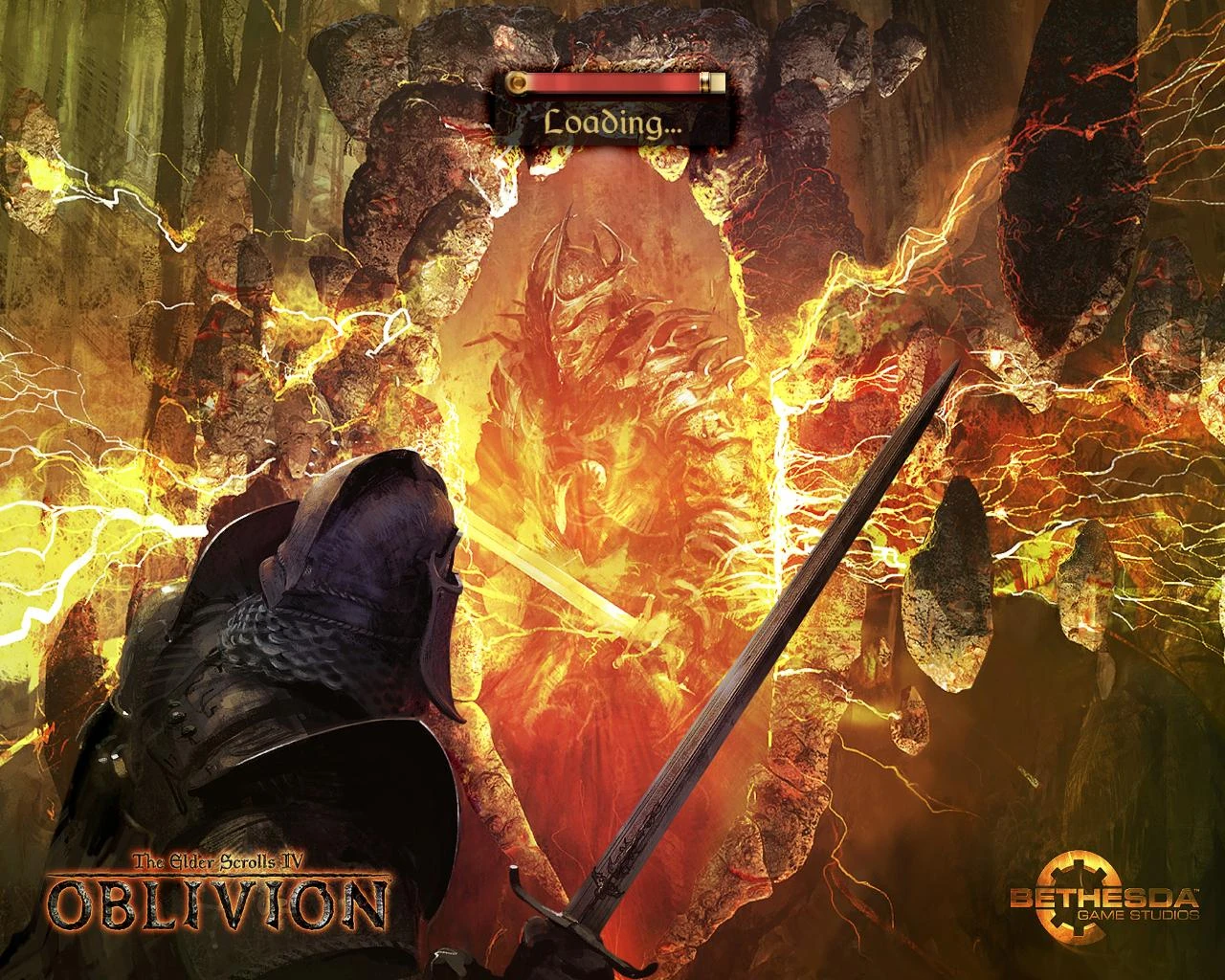
🔍 Analysis
- 👍 2.5% endorsement rate — high engagement, a strong quality signal
- 🏆 #71 of 85 User Interfaces mods in this game by downloads
📋 About This Mod
- <span style="color
- #c6f535">Author:</span> SnowyOmen
- <span style="color
- #c6f535">Name:</span> Main Menu Loading Screen - To Oblivion!
- <span style="color
- #c6f535">Version:</span> 1. 0
- <span style="color
- #c6f535">Date:</span> 8/8/2009
- <span style="color
- #c6f535">Category:</span> User Interfaces
- <span style="color
- #c6f535">Required:</span> DarkUId DarN w/ loading bar at top.
- <span style="color
- #c6f535">Source:</span> http://www.tesnexus.com/downloads/file.php?id=26353
- <span style="color
- #c6f535">For:</span> The Elder Scrolls Nexus. DO NOT UPLOAD ELSEWHERE.
🤖 AI-enhanced — based on mod data
A simple UI mod that swaps the DarkUId DarN loading screen for a high-quality, edited Bethesda wallpaper at 2048x2048 resolution. For Oblivion players using DarkUId DarN who want a cleaner, more polished loading screen. With 135 endorsements and 5,357 downloads, it's a niche but appreciated cosmetic tweak.
✨ Key Features
Replaces the DarkUId DarN loading screen with an edited Bethesda wallpaper
High-quality 2048x2048 resolution image
📊 Pros & Cons
✅ Pros
- Sharp 2048x2048 resolution — looks crisp on modern displays
- Simple drop-in replacement for DarkUId DarN users, no extra setup
- Community-tested with 135 endorsements and over 5,000 downloads
⚠️ Cons
- Only works if you have DarkUId DarN installed — not for vanilla UI users
- Last updated in 2010, so it may not be compatible with newer Oblivion patches or mods
- No preview images or detailed install instructions in the description
🎯 Is This For You?
For Oblivion players who use DarkUId DarN and want a more polished, high-res loading screen. Skip if you're on vanilla UI or want more than a cosmetic swap.
For Oblivion players who use DarkUId DarN and want a more polished, high-res loading screen. Skip if you're on vanilla UI or want more than a cosmetic swap.
📦 Install:Easy· Under 1 minute
💡 Beginner Tips
- Make sure DarkUId DarN is installed first, then just drop the file into your Data folder and overwrite when prompted.
- If you're using a mod manager like OBMM or Wrye Bash, you can install this as a mod for easy removal.
- Check your load order — this mod doesn't add an ESP, so it should work without conflicts, but keep it active in your mod list.
📊 Mod Details
- Game
- Oblivion Mods
- Author
- SnowyOmen
- Version
- 1.0
- Downloads
- 5,357
- Endorsements
- 135
- Category
- User Interfaces
- Created
- 8/9/2009
- Updated
- 7/9/2010
🔧 How to Install Oblivion Mods
Download from Nexus.
📖 Full step-by-step install guide for Oblivion →
Visit the official mod page for specific installation instructions for this mod.
🎮 Need cheat codes or console commands? Check ur gaming wiki for Oblivion commands, item IDs, and more.
Keep browsing — more Oblivion mods await