No More Blinking Icons
⚪ Last updated 2023Preview
🔍 Analysis
- 👍 4.2% endorsement rate — high engagement, a strong quality signal
- 🏆 #12 of 28 User Interface mods in this game by downloads
📋 About This Mod
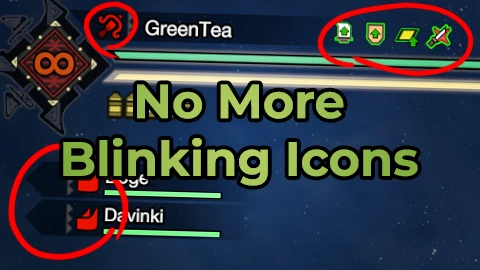
A mod that fixes blinking of Status Icons and Weapon Icons for the player, other players, buddies and followers. No more epilepsy.
If you like my mods, please consider making a small donation! That would be very helpful for me to maintain existing mods and create new ones in the future!
Links:
Buy Me a Tea
Requirements:-
[]REFramework;
[]Custom In-Game Mod Menu API (Optional).
How to install:
-
[]Install REFramework;
[
] Install Custom In-Game Mod Menu API (Optional);[]Download the mod;
[]Extract the mod from the archive and place it in MonsterHunterRise folder.
How to use:
-
[]Open REFramework menu by pressing Insert key (default one);
[
]Go to "Script Generated UI" tab;[]Press "No More Blinking Icons" button and configure everything to your preference.
Or (if Custom In-Game Mod Menu API is installed):
-
[]Go to in-game Options Menu;
[]Open Mods Menu;
[]Open "No More Blinking Icons" and configure everything to your preference.
-
[]Go to in-game Options Menu;
-
[]Open REFramework menu by pressing Insert key (default one);
No More Blinking Icons is a UI fix for Remnant 2 that stops status and weapon icons from blinking for the player, other players, buddies, and followers. With 1,390 endorsements and 32,926 downloads, it's a popular quality-of-life mod for players bothered by the flashing effect.
✨ Key Features
📊 Pros & Cons
✅ Pros
- Community-approved with 1,390 endorsements and over 32k downloads.
- Simple fix for a common annoyance—no more flashing icons.
- Works for all character types including buddies and followers.
⚠️ Cons
- Last updated in May 2023—may not be compatible with the latest game patches.
- Only addresses blinking icons; no other UI improvements.
For Remnant 2 players who find the blinking status and weapon icons distracting or uncomfortable. If you're sensitive to flashing UI elements, this mod is a must-have. Skip if you're looking for broader UI overhauls—this only fixes the blinking.
💡 Beginner Tips
- Since it's a UI mod, place the files in the game's mod folder or use a mod manager if you have one.
- If the game updates, check the mod page for updates to ensure it still works.
- Test in the shooting range to see the effect immediately.
📊 Mod Details
- Game
- Monster Hunter Rise Mods
- Author
- GreenComfyTea
- Version
- 2.1
- Downloads
- 32,911
- Endorsements
- 1,386
- Category
- User Interface
- Created
- 1/21/2022
- Updated
- 5/18/2023
🧩 Commonly Used Together
Users add these mods to the same collections — a real compatibility signal, not an AI guess.
🔧 How to Install MHRise Mods
Install REFramework. Drop mod files into game directory.
📖 Full step-by-step install guide for MHRise →
Visit the official mod page for specific installation instructions for this mod.
🎮 Need cheat codes or console commands? Check ur gaming wiki for MHRise commands, item IDs, and more.
Keep browsing — more MHRise mods await