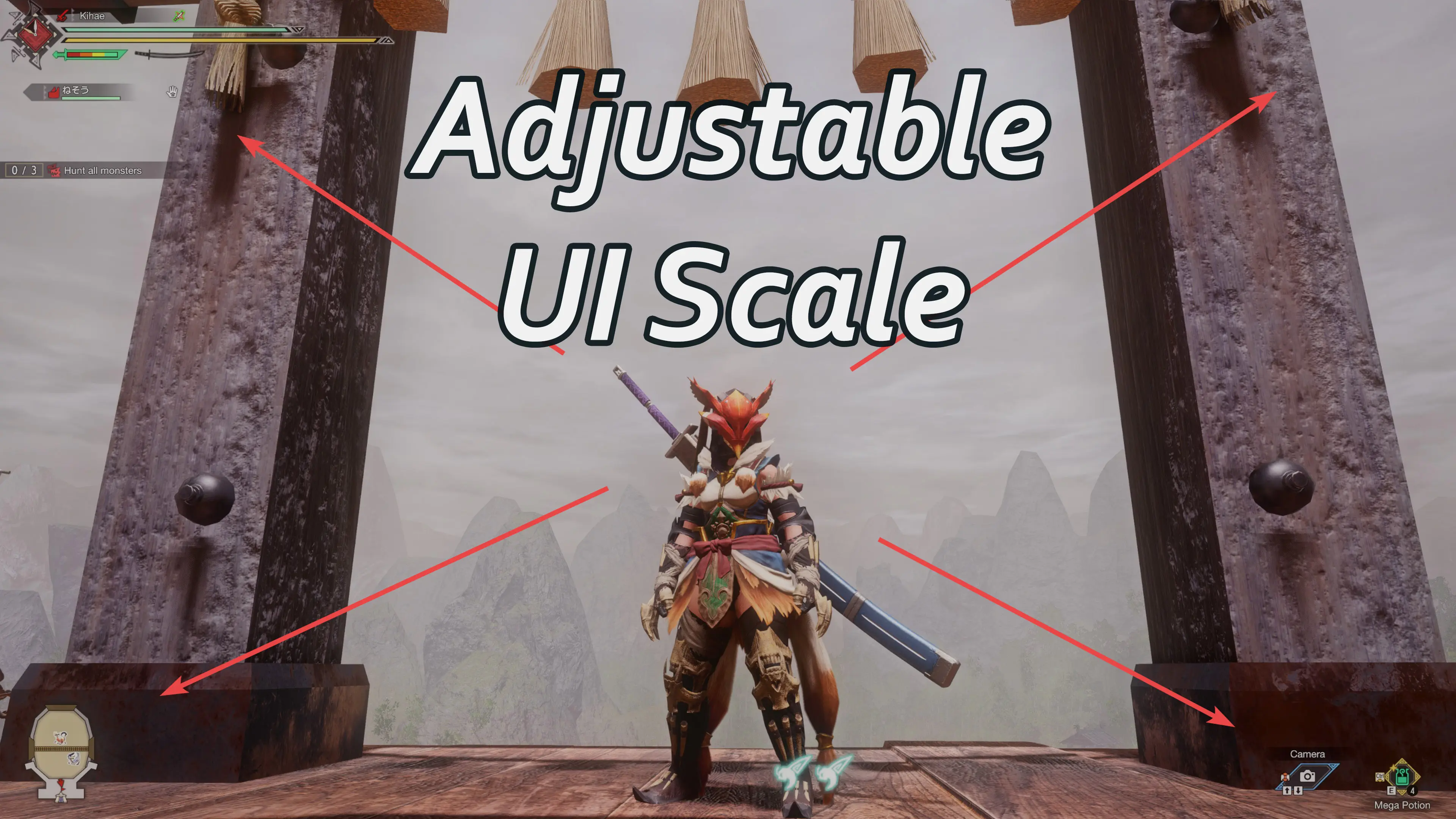
Adjustable UI Scale
⚪ Last updated 2022This mod may not work until the author updates it. Check for an update, or see the rollback guide.
Preview
🔍 Analysis
- 👍 3.4% endorsement rate — high engagement, a strong quality signal
- 🏆 #7 of 28 User Interface mods in this game by downloads
📋 About This Mod
The UI in the game is TOO BIG and there's NO OPTION to scale it in the base game.
So I FIXED IT BY MYSELF and am typing in STAGGERED CAPS because it was NOT EASY and was VERY TEDIOUS because I had to set up EACH UI ELEMENT INDIVIDUALLY because there's NO GLOBAL SCALE OPTION buried in the game code, well maybe there is but it's well hidden.
But it's probably better this way ANYWAY because now I get control to scale only the stuff that really needs to be.
Mostly focused on scaling the UI during quests and doesn't touch many of the menus because that stuff is fine.
Now contains a ridiculously overengineered feature to adjust every aspect of every UI element.
Requirements:
1) REFramework V1. 1. 1 or greater
Installation:
1) Install REFramework;
2) Download the mod;
3) Extract the folder from the archive and place it in MonsterHunterRise folder.
Final path to the mod should be like this: MonsterHunterRise/reframework/autorun/UI_Scaler.lua
Customization:
You can change the scale values through the REFramework UI.
And I mean all the scale values.
Notes:
-No Idea about ultrawide or non 16x9 resolutions. But if you have an ultrawide the UI size is probably less of a bother anyway.
-Might be missing something. Let me know if anything is not scaled that should be. Feel free to suggest changes you find from the overkill stuff or submit a pull request if you want to implement them into the default stuff in the .lua file.
Thanksies:
NONE I did it ALL BY MYSELF.
Jk, at least thanks to the dev(s) over at REFramework and praydog for helping me figure out how to deal with all the lists and ValueType creation nonsense necessary for this.
Contributions: Github project
Contributors:
-connection-lost
Adjustable UI Scale by Bolt lets players shrink or enlarge most UI elements that feel oversized. With 3,475 endorsements and 100,451 downloads, it's a popular quality-of-life mod for those who find the default interface too bulky. Last updated in August 2022.
✨ Key Features
📊 Pros & Cons
✅ Pros
- Community favorite with 3,475 endorsements and 100k downloads
- Solves a common complaint about oversized UI
- Simple concept, likely easy to use
⚠️ Cons
- Last updated in 2022 — may not work with the latest game version
- Scaling might break certain UI elements or mods that rely on default sizes
For players who find the default UI too large and want a quick fix. If you're tired of menus and HUD elements taking up too much screen space, this mod is for you. Skip if you're happy with the default UI size or want more comprehensive UI customization.
💡 Beginner Tips
- Make sure to check if the mod is compatible with your game version, as it hasn't been updated since 2022.
- If you use other UI mods, test them together to ensure no conflicts.
- Start with a small scale adjustment and tweak from there to find your sweet spot.
📊 Mod Details
- Game
- Monster Hunter Rise Mods
- Author
- Bolt
- Version
- 3.2
- Downloads
- 100,452
- Endorsements
- 3,464
- Category
- User Interface
- Created
- 2/5/2022
- Updated
- 8/2/2022
🧩 Commonly Used Together
Users add these mods to the same collections — a real compatibility signal, not an AI guess.
🔧 How to Install MHRise Mods
Install REFramework. Drop mod files into game directory.
📖 Full step-by-step install guide for MHRise →
Visit the official mod page for specific installation instructions for this mod.
🎮 Need cheat codes or console commands? Check ur gaming wiki for MHRise commands, item IDs, and more.
Keep browsing — more MHRise mods await