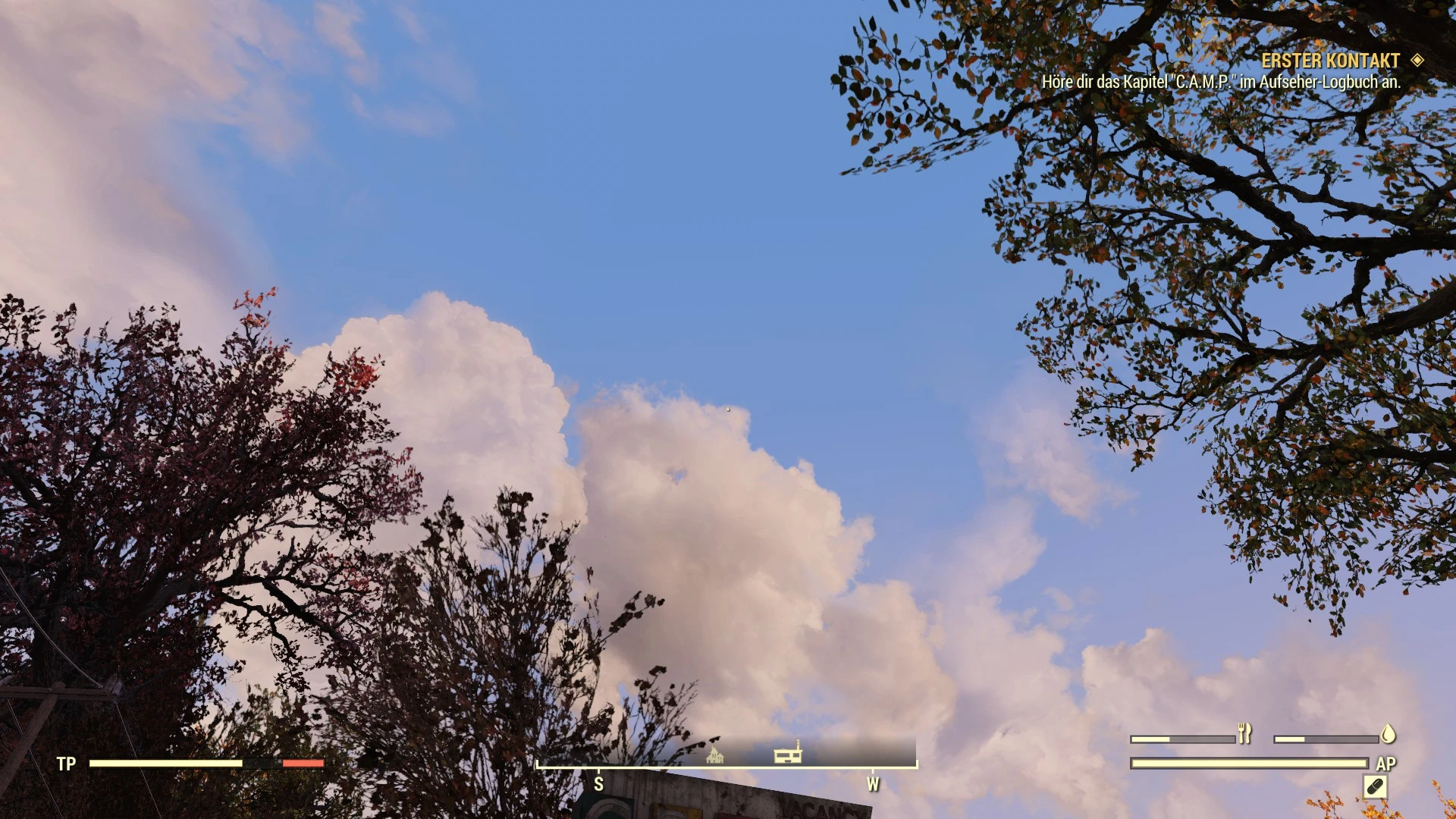
Radiant Clouds and Skys - A Cloud and Sky overaul for Fallout 76
⚪ Last updated 2018Preview
🔍 Analysis
- 👍 2.9% endorsement rate — high engagement, a strong quality signal
- 🏆 #2 of 12 Environment mods in this game by downloads
📋 About This Mod
This mod adds different Cloud textures to Fallout 76 as well as new Star and Galaxy textures.
Installation
You have two options to install this mod.
Option 1. Simply drag the ba2 file into your data folder in fallout76.
Add following line to your FalloutCustom.ini in oyur "Documents/My Games/Fallout 76/ " folder.
sResourceIndexFileList=SeventySix - Textures01.ba2, SeventySix - Textures02.ba2, SeventySix - Textures03.ba2, SeventySix - Textures04.ba2, SeventySix - Textures05.ba2, SeventySix - Textures06.ba2, Radiant_Clouds.ba2
If you do not have the Custom ini file use the one provided with this mod.
Option 2. Use the Baka File tool: https://www.nexusmods.com/fallout76/mods/9
Download and install it and drag the content of the Option 2 folder in the Data Directors of your Fallout76.
Run the Baka Tool as described on the modpage (see comments for detailed instructions)
When fading into morning or Evenings some clouds can have a blackish border. That happens cus the game darkens the cloud layers.
I will try to fix this in future releaes by brightnening the texture but it effectivley only can be removed as soon plugin files are allowed.
Please join and support us
Radiant Clouds and Skys is an environment overhaul for Fallout 76 that replaces cloud textures and adds new star and galaxy textures. It offers two installation methods, including a manual approach and a tool-based option, and is popular with over 500 endorsements and 18,000 downloads.
✨ Key Features
📊 Pros & Cons
✅ Pros
- Community favorite with 526 endorsements and over 18k downloads.
- Simple visual upgrade that changes the sky feel without heavy performance cost.
- Two install paths—manual for purists, tool for convenience.
⚠️ Cons
- Known visual bug: blackish cloud borders during dawn/dusk transitions.
- Last updated in 2018—may not be compatible with current game patches.
- Requires manual INI editing if not using the Baka tool, which can trip up newcomers.
For Fallout 76 players who want a fresh sky without overhauling the whole game. If you're tired of the default clouds and want a bit more cosmic flair, this is a quick win. Skip if you're on the latest patch and worried about mod compatibility—this hasn't been updated in years.
💡 Beginner Tips
- If you go manual, make sure to back up your FalloutCustom.ini before editing, and add the line exactly as written.
- The Baka File tool is the easier route—install it, drag the Option 2 folder contents into Data, and run the tool as described.
- Since the mod is old, test it after a game update to ensure it still works; if clouds look weird, you know why.
📊 Mod Details
- Game
- Fallout 76 Mods
- Author
- Mangaclub
- Version
- 0.8
- Downloads
- 18,108
- Endorsements
- 526
- Category
- Environment
- Created
- 11/16/2018
- Updated
- 11/16/2018
🧩 Commonly Used Together
Users add these mods to the same collections — a real compatibility signal, not an AI guess.
🔧 How to Install Fallout 76 Mods
Use Vortex. Place .ba2 files in Data folder. Use cautiously online.
📖 Full step-by-step install guide for Fallout 76 →
Visit the official mod page for specific installation instructions for this mod.
🎮 Need cheat codes or console commands? Check ur gaming wiki for Fallout 76 commands, item IDs, and more.
Keep browsing — more Fallout 76 mods await