Weedkiller
⚪ Last updated 2021Preview
🔍 Analysis
- 👍 5.8% endorsement rate — high engagement, a strong quality signal
- 🏆 #11 of 12 Environment mods in this game by downloads
📋 About This Mod
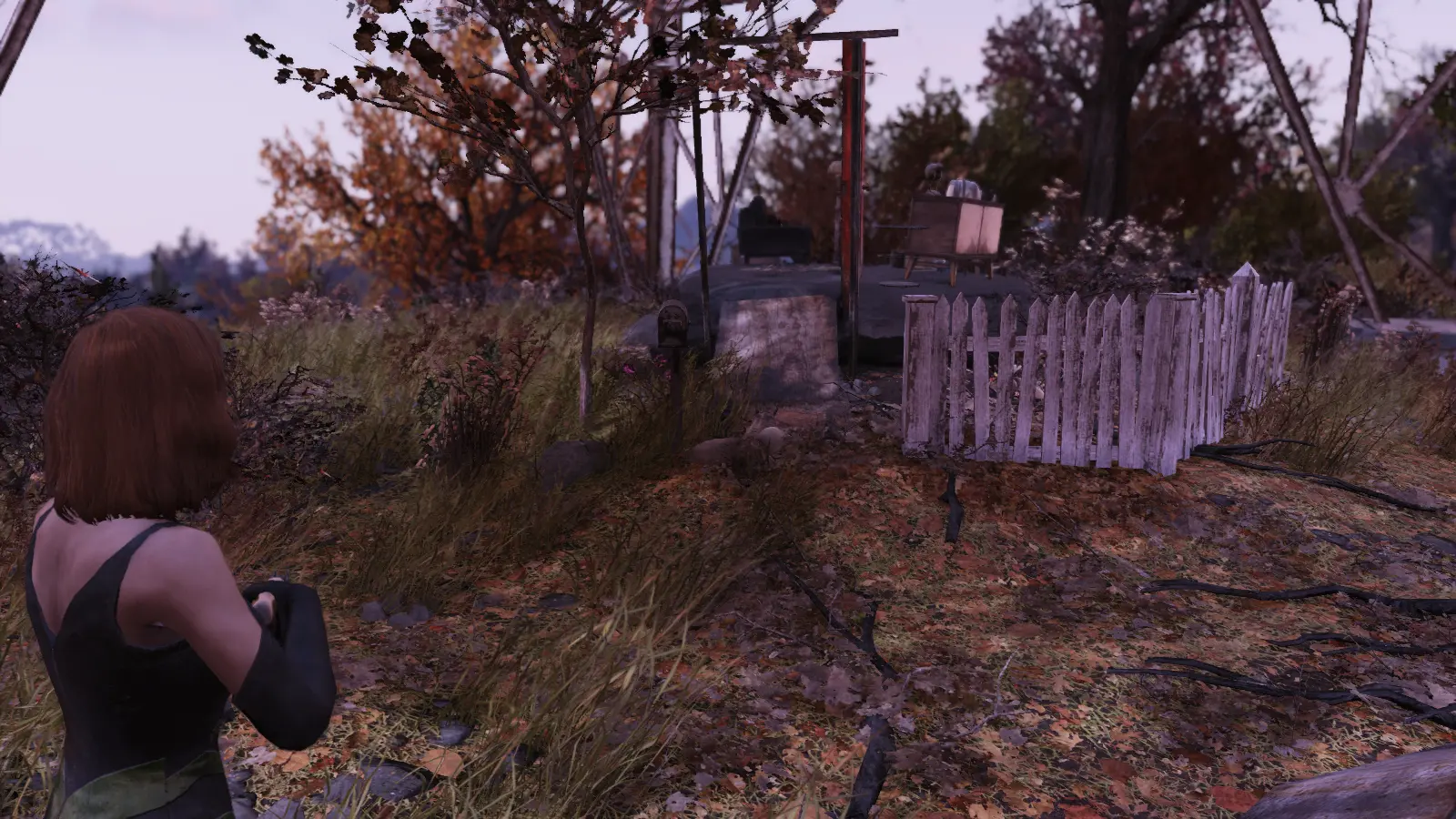
This is a simple .ini file designed to eliminate all the procedurally generated grass in Fallout 76. This makes it easy to find corpses after a chaotic fight, helps when fighting bugs and other small vermin hiding in the undergrowth, and also helps older PCs run the game at higher framerates.
Weedkiller is a simple .ini file that removes all procedurally generated grass in Fallout 76, making it easier to spot corpses and bugs while boosting performance on older PCs. It has 209 endorsements and 3,578 downloads, last updated in August 2021.
✨ Key Features
📊 Pros & Cons
✅ Pros
- Community-approved with 209 endorsements and 3,578 downloads
- Lightweight .ini tweak that can boost FPS on older hardware
- Practical QoL improvement for spotting loot and enemies in grass
⚠️ Cons
- Last updated in 2021 — may not be compatible with current game patches
- Requires manual merging if you already have a custom ini file
- Removes all grass, which can make the world look barren and less immersive
For Fallout 76 players on older PCs who want better performance and easier looting after fights. Also for anyone who finds grass annoying when hunting bugs or small enemies. Skip if you prefer a lush, natural wasteland or if you're not comfortable editing ini files.
💡 Beginner Tips
- Place the file in Documents\My Games\Fallout 76 as Fallout76Custom.ini, or merge its contents if you already have one.
- If you're using a mod manager, you can still install this manually — just ensure the file path is correct.
- Test the game after installation to see if the grass removal improves your framerate; if not, you can easily revert by deleting the added lines.
📊 Mod Details
- Game
- Fallout 76 Mods
- Author
- Jhelzei
- Version
- 1.0
- Downloads
- 3,578
- Endorsements
- 209
- Category
- Environment
- Created
- 8/3/2021
- Updated
- 8/3/2021
🔧 How to Install Fallout 76 Mods
Use Vortex. Place .ba2 files in Data folder. Use cautiously online.
📖 Full step-by-step install guide for Fallout 76 →
Visit the official mod page for specific installation instructions for this mod.
🎮 Need cheat codes or console commands? Check ur gaming wiki for Fallout 76 commands, item IDs, and more.
Keep browsing — more Fallout 76 mods await