Winter in Appalachia (and Ohio) 2026
🟡 Updated this year🖼️ Gallery (6 images)




🔍 Analysis
- 👍 2.6% endorsement rate — high engagement, a strong quality signal
- 🏆 #3 of 12 Environment mods in this game by downloads
📋 About This Mod
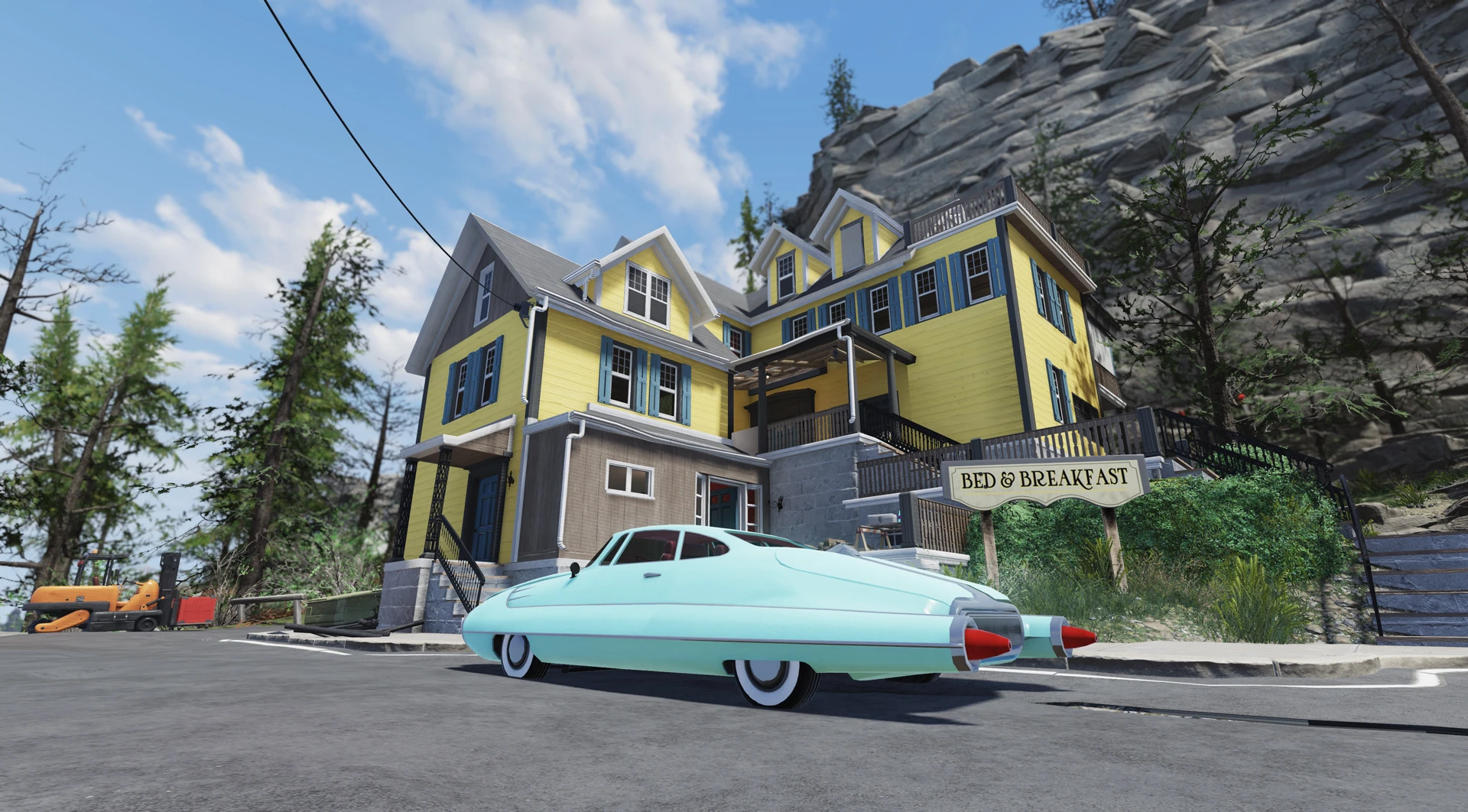
This global-conversion mod turns Appalachia (and Ohio) into winter wonderland with Christmas trees, festive lights, decor and whole lot of snow everywhere! (Decorations are optional!)
Now Compatible with the Burning Springs update!
Important note: This mod is a work in progress. There are some areas of the game that aren't winterized properly as of yet and you may encounter snow on the inner parts of the buildings and interior cells. Unfortunately, this is not something we can fully fix in absence of full plugin-level modding support, so that's going to stay this way until Bethesda will offer such functionale and we're gonna be able to use it to our advantage. Nevertheless, we encourage you to brave Appalachia in winter and have fun exploring the winter wonderland!
Please follow the following installation instructions carefully and install the latest version of the mod AND hotfixes before reporting any issues.
Main Features
-
[]Snowy landscape! (Now for both Appalachia and Ohio)[/]
[]New weather effects in Ohio (Toxic snow-storms and blizzards. Please refrain from eating the yellow snow!)[/]
[]Snowfall (Lite version) (Adds light snowfall to the Burning Springs, Toxic Valley and Ash Heap areas)[/]
[]Christmas lights and decor everywhere! (This is optional if you're not in a festive mood, but give it a try and it'll definitely come to you! :D)[/]
[]Animated collectible flora (With snowflakes flying off of it in the wind!)[/]
[]Altered sounds of nature and even footsteps and ambient wildlife sounds (Which are almost nonexistent during winter, so we removed 'em)[/]
[]Snowfall - greatly adds up to the atmosphere of winter Appalachia! Be aware: this is a resource-intensive feature, you might encounter performance hits.[/]
Recommendations List
-
[]Enchanted Forests mod greatly adds to the holiday cheer adding a lot of lights to the trees around the map![/]
[]We highly recommend playing without grass for more immersion (there still gonna be brambles and some lesser vegetation, but not too much). Just add this to your Fallout76Custom.ini (Steam) or Project76Custom.ini (MS Store) file:[/]
bAllowCreateGrass=0
-
[]Main Menu and Atomshop SoundTrack for Winter in Appalachia - pretty self-explanatory :D
Installation v. 0. 6. 2 - Please read carefully
It is strongly recommended to NOT use any mod managers to install this, as they simply don't know the proper load order (which is mandatory to have as listed below) and tend to repack many files into one which will only lead to issues on your end.
We won't troubleshoot any installations with mod managers.
Please read and follow the instructions below carefully to avoid any possible issues.
1. Extract the ba2 files from the main archive you've downloaded to your Fallout76/Data folder.
1a. Download and extract all hotfixes into your Fallout76/Data folder if there are any.
2. Check whether you've got the Fallout76Custom.ini file under Documents/My Games/Fallout 76 folder, and if not, create it. (If you got Microsoft Store version of the game, you're looking for Project76Custom.ini instead)
2a. If you've just created the .ini file, you need to open it and input this string in it:
3. Find sResourceArchive2List = line under the section of your .ini file or type it down if there is no such line.
4. Add " ,Sn_M.ba2 , Sn_T.ba2, Sn_Snd.ba2, Sn_T_Upd.ba2, Sn_M_Upd.ba2 ,Sn_Dec.ba2, Sn_Dec_T.ba2, Sn_F_M.ba2, Sn_F_Dec_Patch.ba2, Sn_Flora_M.ba2, Sn_Flora_T.ba2, Sn_Weather.ba2" to the end of the sResourceArchive2List line.
Please note that this line includes all mod's components and it's totally fine if you haven't downloaded all of them. (While it's highly recomme
-
[]Main Menu and Atomshop SoundTrack for Winter in Appalachia - pretty self-explanatory :D
-
[]Enchanted Forests mod greatly adds to the holiday cheer adding a lot of lights to the trees around the map![/]
This global-conversion mod transforms Appalachia and Ohio into a winter wonderland, adding snow, Christmas decorations, and new weather effects. It's a work in progress with some interior snow issues, but offers a festive overhaul for Fallout 76 players. Compatible with the Burning Springs update.
✨ Key Features
📊 Pros & Cons
✅ Pros
- Community favorite with 449 endorsements and over 17k downloads
- Adds a massive seasonal overhaul with snow, decorations, and weather variety
- Optional decorations let you tailor the experience to your mood
⚠️ Cons
- Work in progress: some interior cells have snow inside buildings, which can break immersion
- Snowfall feature is resource-intensive and may cause performance hits on lower-end systems
- Requires careful installation of the latest version and hotfixes; missing them may cause issues
For Fallout 76 players who want a festive winter atmosphere and don't mind some rough edges. If you're a completionist who explores every interior, the snow inside buildings might annoy you. Skip if you prefer a vanilla experience or have performance concerns.
💡 Beginner Tips
- Install the latest version and all hotfixes in order to avoid bugs.
- If you experience performance issues, consider disabling the Snowfall feature or using the Lite version.
- Check the mod's page for the recommended Enchanted Forests mod to enhance the holiday lights.
📊 Mod Details
- Game
- Fallout 76 Mods
- Author
- Rigell - Vivec7 - Tantrano
- Version
- 0.6.2
- Downloads
- 17,105
- Endorsements
- 449
- Category
- Environment
- Created
- 12/23/2021
- Updated
- 12/24/2025
🔧 How to Install Fallout 76 Mods
Use Vortex. Place .ba2 files in Data folder. Use cautiously online.
📖 Full step-by-step install guide for Fallout 76 →
Visit the official mod page for specific installation instructions for this mod.
🎮 Need cheat codes or console commands? Check ur gaming wiki for Fallout 76 commands, item IDs, and more.
Keep browsing — more Fallout 76 mods await