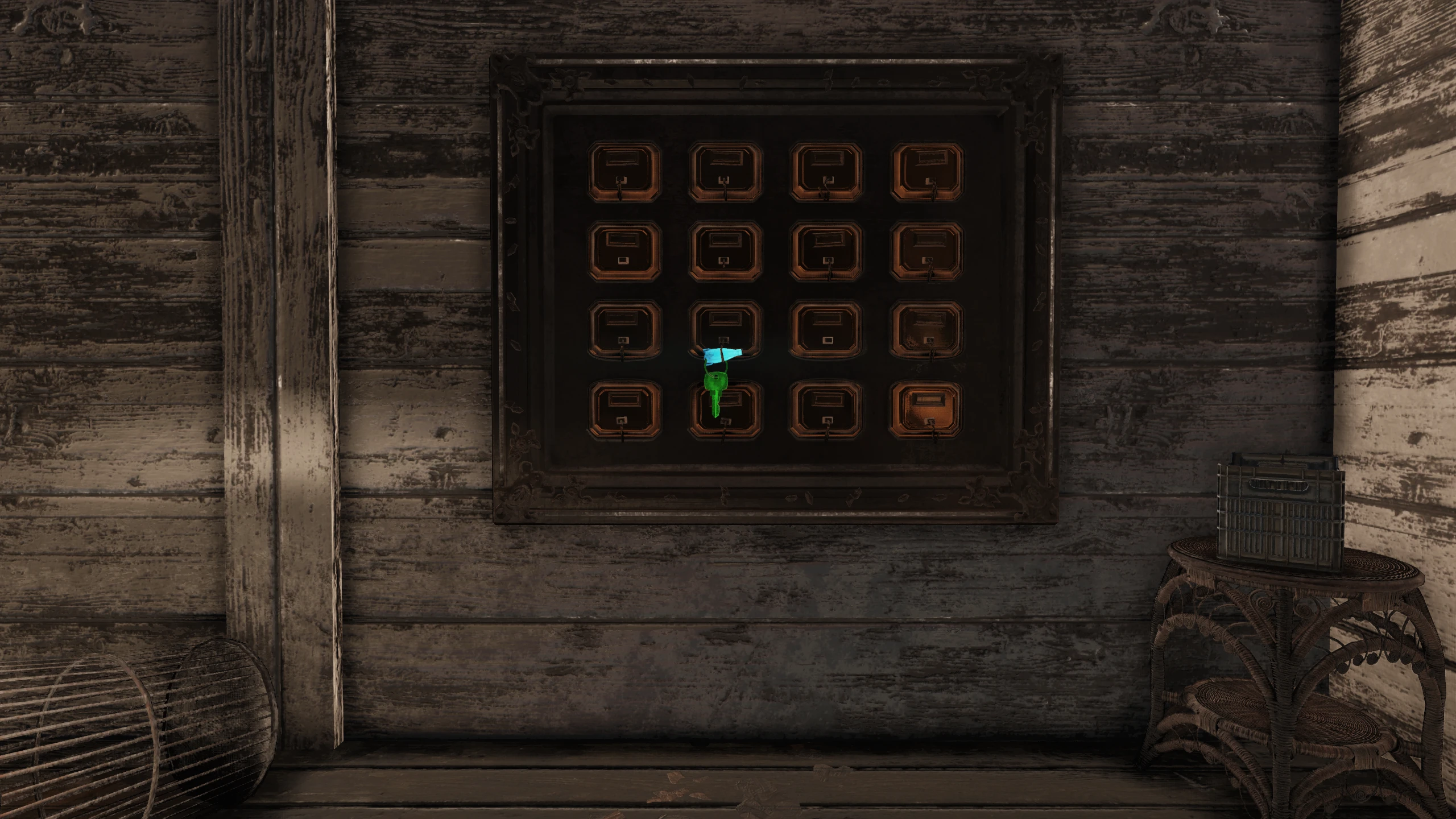
Glowing Keys
⚪ Last updated 2020Preview
🔍 Analysis
- 👍 2.7% endorsement rate — high engagement, a strong quality signal
- 🏆 #15 of 247 Models and Textures mods in this game by downloads
📋 About This Mod
Default game location
Bethesda: C:\Program Files (x86)\Bethesda.net Launcher\games\Fallout76
Steam: C:\Program Files (x86)\Steam\steamapps\common\Fallout76
DESCRIPTION:
Glowing Keys
INSTALLATION:
-
[]Extract the contents of the ZIP file into your "Fallout76\Data" folder.
[
]Navigate to your "Documents\My Games\Fallout 76" folder. - Copy and paste the following two lines into your "Fallout76Custom.ini" (if it doesn't exist, create one)
sResourceArchive2List=GlowingKeys.ba2
Note: If you already have this line, append "GlowingKeys.ba2" to the end of the existing line. Entries are separated by a comma.MY OTHER MODS:
Glowing Notes
No Silo Doors
Glowing Keys is a simple texture mod for Fallout 76 that makes key items glow, making them easier to spot in the wasteland. It requires manual installation via the Data folder and an INI edit. With 835 endorsements and 31,312 downloads, it's a popular quality-of-life cosmetic improvement.
✨ Key Features
📊 Pros & Cons
✅ Pros
- Popular with the community (835 endorsements, 31k downloads)
- Simple quality-of-life improvement for finding keys
- Lightweight texture mod that doesn't affect gameplay balance
⚠️ Cons
- Last updated in 2020 — may not work with the latest game patches
- Manual installation and INI editing required, which can be tricky for beginners
- Only affects keys, not other items like notes or holotapes
For Fallout 76 players who are tired of squinting to find keys in dark corners or cluttered environments. It's a must-have for looters and completionists who want to speed up their scavenging. Skip if you prefer a vanilla experience or want more comprehensive visual overhauls.
💡 Beginner Tips
- Make sure to disable the game's anti-cheat (if any) before modding, as Fallout 76 may flag modified files.
- When editing Fallout76Custom.ini, use a text editor like Notepad++ to avoid formatting issues.
- If you already have other .ba2 mods, append GlowingKeys.ba2 to the existing sResourceArchive2List line with a comma separator.
📊 Mod Details
- Game
- Fallout 76 Mods
- Author
- JustAnOrdinaryGuy
- Version
- 1.0
- Downloads
- 31,312
- Endorsements
- 835
- Category
- Models and Textures
- Created
- 12/23/2020
- Updated
- 12/23/2020
🧩 Commonly Used Together
Users add these mods to the same collections — a real compatibility signal, not an AI guess.
🔧 How to Install Fallout 76 Mods
Use Vortex. Place .ba2 files in Data folder. Use cautiously online.
📖 Full step-by-step install guide for Fallout 76 →
Visit the official mod page for specific installation instructions for this mod.
🎮 Need cheat codes or console commands? Check ur gaming wiki for Fallout 76 commands, item IDs, and more.
Keep browsing — more Fallout 76 mods await