Tabby Shalquoir HD
⚪ Last updated 2014Preview
🔍 Analysis
- 👍 8.0% endorsement rate — high engagement, a strong quality signal
- 🏆 #10 of 241 Models and Textures mods in this game by downloads
📋 About This Mod
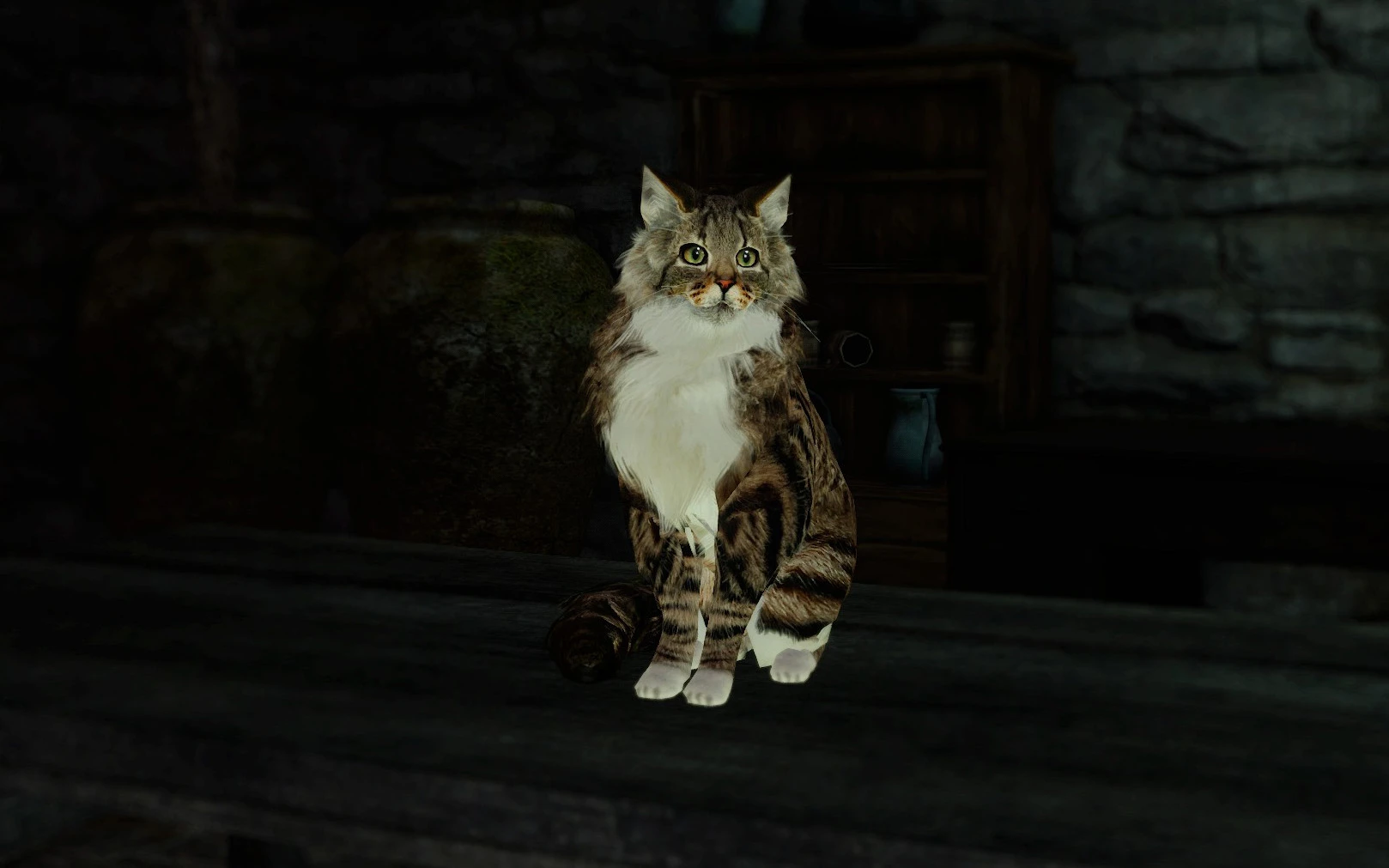
As much as I loved Sweet Shalquoir since the first time I've met her, I couldn't feel satisfied with her low-res textures... so I made her textures twice as large, and turned her into a white chest tabby
All textures made from scratch, using several photos from the internet
Installation: 1) Download GeDoSaTo 2) Enable 'Texture Override' in GeDoSaTo.ini 3) Unpack into the folder GeDoSaTo/textures/DarkSoulsII/
Uninstall: Delete the files d87ae46b.png and dedcea89.png from the folder GeDoSaTo/textures/DarkSoulsII/override
Tabby Shalquoir HD is a simple texture mod for Dark Souls II that changes Sweet Shalquoir from her default appearance into a white chest tabby cat. With over 1,000 endorsements and 13,000 downloads, it's a popular cosmetic tweak for players who want a more classic tabby look for the character.
✨ Key Features
📊 Pros & Cons
✅ Pros
- Community favorite with over 1,000 endorsements and 13k downloads.
- Gives Shalquoir a fresh, more traditional tabby look that stands out.
- Lightweight texture mod that won't impact performance.
⚠️ Cons
- Only affects Shalquoir's appearance—no other changes.
- Last updated in 2014, so it may not be compatible with newer game patches or mods.
- Potential conflicts with other texture mods that alter Shalquoir's model.
For Dark Souls II players who want a subtle visual upgrade to Sweet Shalquoir, especially cat lovers. If you're looking for gameplay tweaks or more extensive visual overhauls, this isn't it—it's purely cosmetic.
💡 Beginner Tips
- Place the texture files in the game's 'mods' folder or use a mod manager like Mod Organizer 2 for easy installation.
- If you're using other texture mods, load this one after them to ensure it takes priority.
- Check the mod's comments section for any known compatibility issues with specific game versions.
📊 Mod Details
- Game
- Darksouls2 Mods
- Author
- ToadR
- Version
- 1.0
- Downloads
- 13,178
- Endorsements
- 1,056
- Category
- Models and Textures
- Created
- 5/22/2014
- Updated
- 5/22/2014
🔧 How to Install Dark Souls 2 Mods
Download from Nexus Mods.
📖 Full step-by-step install guide for Dark Souls 2 →
Visit the official mod page for specific installation instructions for this mod.
🎮 Need cheat codes or console commands? Check ur gaming wiki for Dark Souls 2 commands, item IDs, and more.
Keep browsing — more Dark Souls 2 mods await