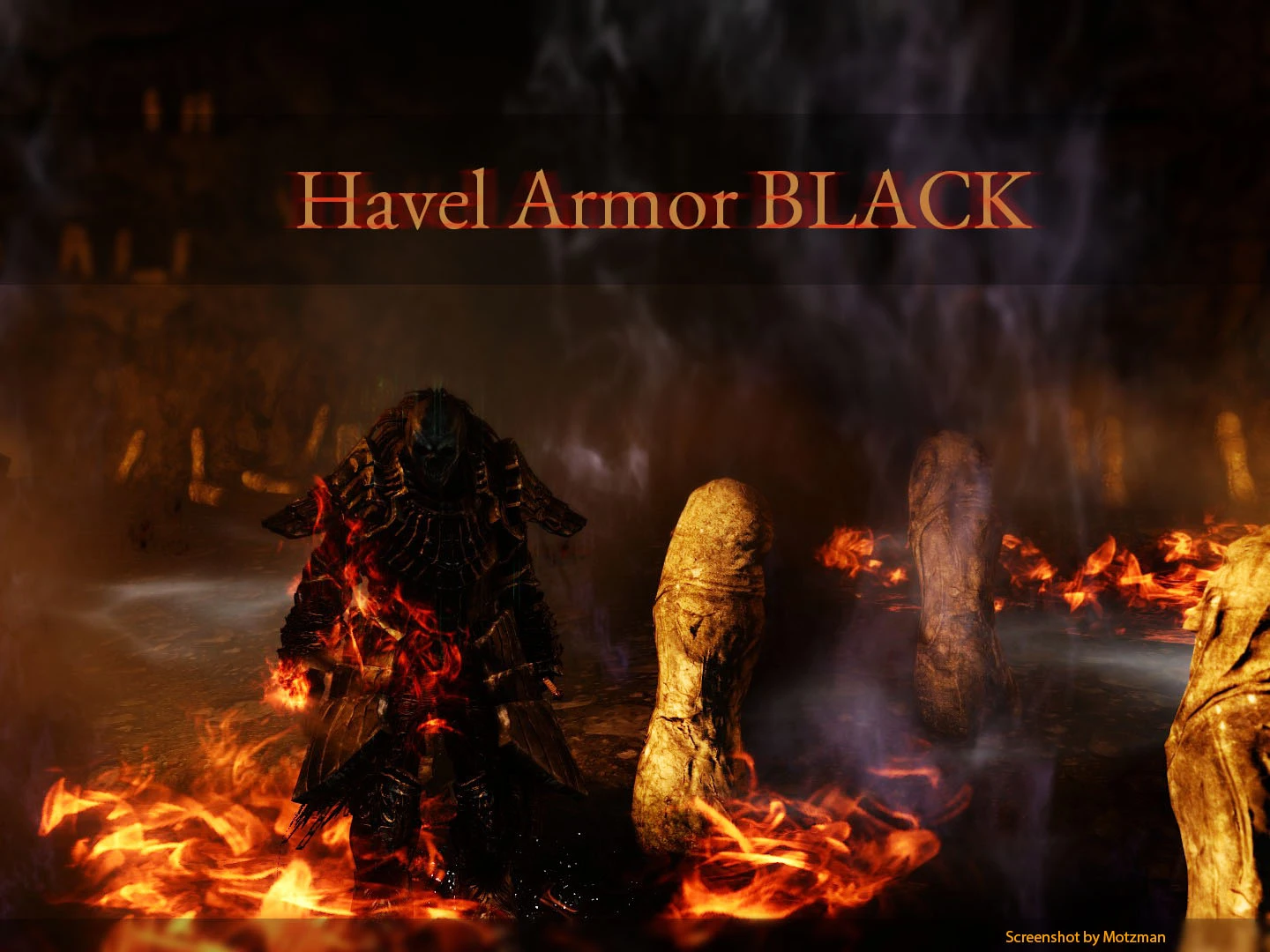
Mossy Havel Armor resp STONED or BLACK
⚪ Last updated 2014Preview
🔍 Analysis
- 👍 7.4% endorsement rate — high engagement, a strong quality signal
- 🏆 #23 of 241 Models and Textures mods in this game by downloads
📋 About This Mod
✅ Copy file to "textures/DarkSoulsII/override" inside your GeDoSaTo directory (Dark Souls II game directory)
✅ Open GeDoSaTo.ini and set "enableTextureOverride true"
✅ Have fun! :D
Removes reflection to make the armor no longer looks like a gummi bear :P
- Copy file to "textures/DarkSoulsII/override" inside your GeDoSaTo directory (Dark Souls II game directory)
- Open GeDoSaTo.ini and set "enableTextureOverride true"
- Have fun! :D
First Update Havel Armor MOSSED :P
Second Update Havel Armor BLACK
Third Update Havel Armor Semi-STONED
Special Thanks to Motzman for the nice idea concerning "Mossy Havel Style"
🤖 AI-enhanced — based on mod data
This small texture mod for Dark Souls removes the shiny reflection from Havel's armor, giving it a more grounded, non-gummy look. It includes two optional variants: a mossy edition and a black edition. With 453 endorsements and over 6,000 downloads, it's a community favorite for players who want a more realistic armor appearance.
✨ Key Features
Removes the reflective shine from Havel's armor to eliminate the 'gummi bear' look.
Includes a Mossy Edition variant for a weathered, overgrown appearance.
Includes a Black Edition variant for a darker, more subdued color scheme.
📊 Pros & Cons
✅ Pros
- Community-approved with 453 endorsements and over 6,000 downloads.
- Simple texture swap that fixes a common visual complaint without changing gameplay.
- Two extra variants give you options to match your preferred aesthetic.
⚠️ Cons
- Only affects Havel's armor, so the rest of the game's shiny textures remain unchanged.
- Last updated in 2014, so it may not be compatible with newer game versions or mods.
- No screenshots or detailed previews in the description, so you'll have to test it to see the result.
🎯 Is This For You?
For Dark Souls players who want a more realistic, non-reflective look for Havel's armor and enjoy having cosmetic variants. Skip if you're looking for gameplay changes or if you're fine with the original shiny appearance.
For Dark Souls players who want a more realistic, non-reflective look for Havel's armor and enjoy having cosmetic variants. Skip if you're looking for gameplay changes or if you're fine with the original shiny appearance.
📦 Install:Easy· Under 1 minute
💡 Beginner Tips
- Since this is a texture mod, make sure to back up your original armor textures before replacing them.
- If you're using a mod manager like DSfix or a texture override tool, place the files in the correct override folder to avoid conflicts.
- Test the mod in-game after installation to confirm the armor looks as expected, especially if you're using other texture mods.
📊 Mod Details
- Game
- Darksouls2 Mods
- Author
- MelekTaus
- Version
- 1.1
- Downloads
- 6,141
- Endorsements
- 453
- Category
- Models and Textures
- Created
- 5/4/2014
- Updated
- 5/9/2014
🔧 How to Install Dark Souls 2 Mods
Download from Nexus Mods.
📖 Full step-by-step install guide for Dark Souls 2 →
Visit the official mod page for specific installation instructions for this mod.
🎮 Need cheat codes or console commands? Check ur gaming wiki for Dark Souls 2 commands, item IDs, and more.
Keep browsing — more Dark Souls 2 mods await