No Camera Auto Centering
⚪ Last updated 2023⚠️ Install Order · 6 steps
Install in this order, then this mod last — most mods fail to load without their framework and dependencies in place.
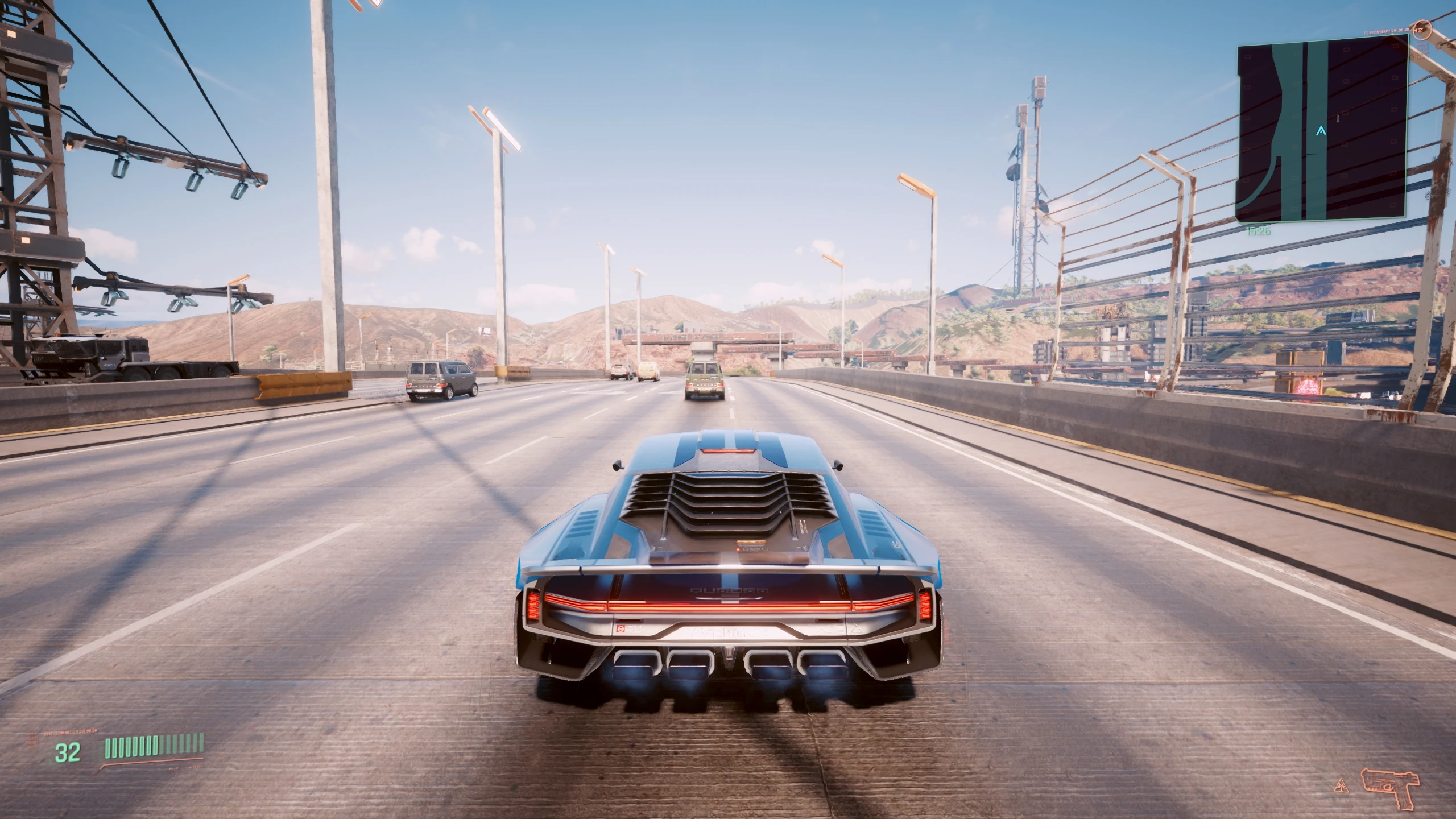
Preview
🔍 Analysis
- 👍 0.5% endorsement rate
- 🏆 #18 of 100 User Interface mods in this game by downloads
📋 About This Mod
But what is auto centering exactly?
-
[]Camera position reset if there is no mouse or gamepad input in 2 seconds timespan
[
]Short demo gifInstallation
-
[]Install Red4Ext and TweakXL
[
]Download the mod archive and unpack it to the game folderFirst person camera
No Camera Auto Centering - FPP module still works so just install it if you want to disable autocentering for FPP view
Third person camera
Since patch 2. 0 TPP camera tweak no longer works because the patch introduced a new ingame option to control camera reset timeout (check Settings - Controls - Camera Auto Reset Time).
Max threshold there is 10 seconds but as a temp solution you can tweak the upper threshold inside this file:
Cyberpunk 2077\r6\config\settings\options.json:
1. Open this file with Notepad++ or any other text editor
2. Search for VehicleTPPCameraAutoResetTimeV2 line
3. Change max_value below from 10. 0 to 100. 0 for example
4. You may also want to change step_value from 0. 1 to 1. 0 for better option slider behavior.
5. Save the file, run the game again and tweak reset time as you like.
(Go to Settings - Controls - Vehile and change Camera Auto Reset Time option).
Uninstallation
-
[]Delete Cyberpunk 2077\r6\tweaks\NoCameraAutoCentering folder
My mods
[
]Always First Equip[]Custom Map Markers
[]Enhanced Craft
[]Faster Iguana Hatch
[]Game Time Tweaks
[]Hide Read Shards
[]Holster By Hotkey
[]HUD Painter
[]HUDitor
[]Immersive Timeskip
[]Improved Minimap Zoom
[]Limited Fast Travel
[]Limited HUD
[]Mark To Sell
[]Metro Pocket Guide
[]Mizutani Shion Targa MZT
[]Muted Markers
[]Named Saves
[]No Camera Auto Centering
[]No Intro Videos
[]No Scanner Time Dilation
[]Quickhack Hotkeys
[]Real Vendor Names
[]Reduced Loot
-
[]Delete Cyberpunk 2077\r6\tweaks\NoCameraAutoCentering folder
-
[]Install Red4Ext and TweakXL
No Camera Auto Centering is a lightweight UI mod for 7 Days to Die that disables the camera's automatic centering while driving in both third-person and first-person views. With over 5,000 endorsements and nearly a million downloads, it's a popular quality-of-life fix for players who find the default camera behavior annoying.
✨ Key Features
📊 Pros & Cons
✅ Pros
- Huge community trust with 5,277 endorsements and nearly a million downloads.
- Simple, focused fix that solves a common annoyance for drivers.
- Works for both third-person and first-person driving views.
⚠️ Cons
- Last updated in November 2023, so may not be compatible with the latest game versions.
- Only affects driving camera behavior—no other camera tweaks included.
For 7 Days to Die players who spend a lot of time driving vehicles and hate the camera snapping back to center. If you prefer manual camera control while driving, this mod is a must-have. Skip if you rarely drive or don't mind the default auto-centering.
💡 Beginner Tips
- Since this is a UI mod, make sure to place the files in the correct Mods folder for 7 Days to Die (usually %AppData%/7DaysToDie/Mods).
- If you're using a mod manager, you can install it directly, but manual installation is just as simple.
- Check if the mod is compatible with your current game version—if you're on a newer build, test it in a single-player world first.
📊 Mod Details
- Game
- Cyberpunk 2077 Mods
- Author
- DJ_Kovrik
- Version
- 0.9
- Downloads
- 994,262
- Endorsements
- 5,277
- Category
- User Interface
- Created
- 4/4/2021
- Updated
- 11/14/2023
🧩 Commonly Used Together
Users add these mods to the same collections — a real compatibility signal, not an AI guess.
🔧 How to Install Cyberpunk 2077 Mods
Download from Nexus.
📖 Full step-by-step install guide for Cyberpunk 2077 →
Visit the official mod page for specific installation instructions for this mod.
🎮 Need cheat codes or console commands? Check ur gaming wiki for Cyberpunk 2077 commands, item IDs, and more.
Keep browsing — more Cyberpunk 2077 mods await