Next Generation LOD BETA
⚪ Last updated 2020⚠️ Install Order · 2 steps
Install in this order, then this mod last — most mods fail to load without their framework and dependencies in place.
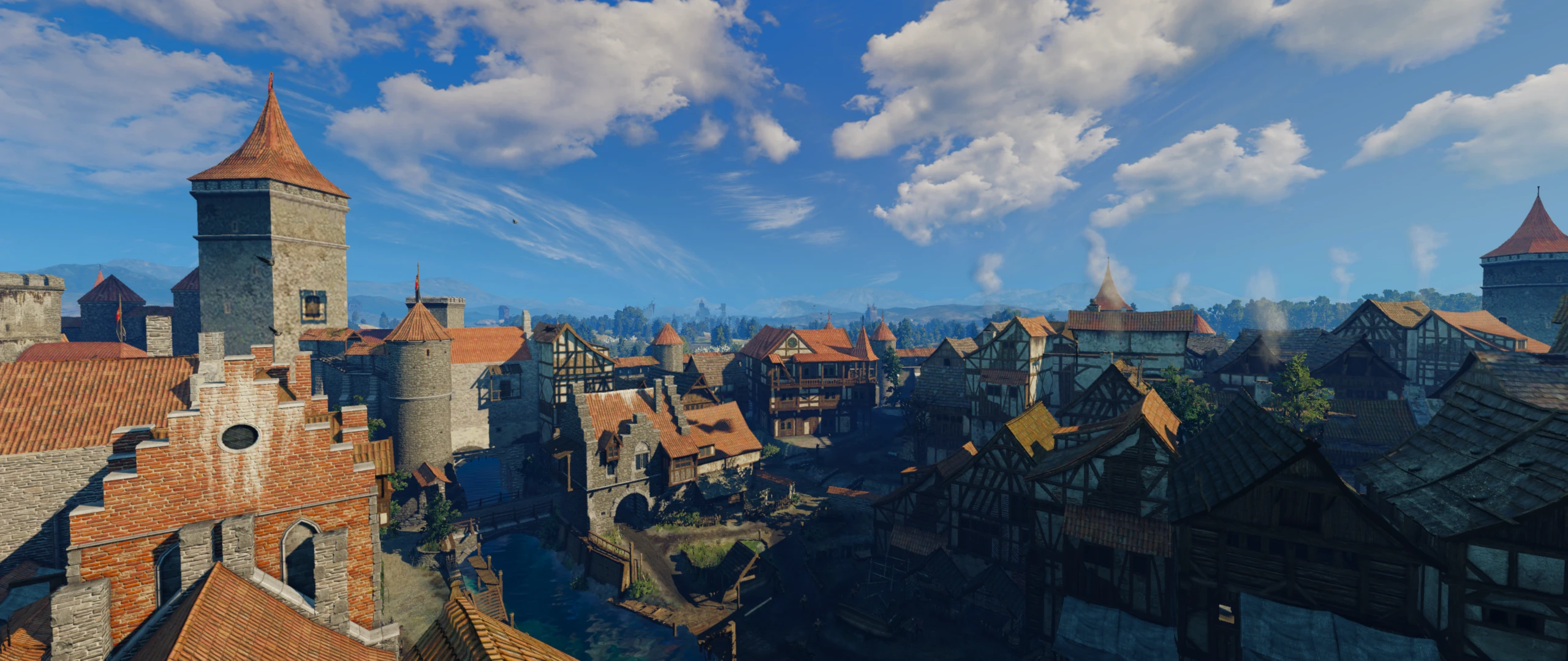
Preview
🔍 Analysis
- 👍 2.6% endorsement rate — high engagement, a strong quality signal
- 🏆 #56 of 264 Visuals and Graphics mods in this game by downloads
📋 About This Mod
Changes low proxy meshes for high quality meshes. No more pop-in, you can also see custom textures, such as HD Reworked Project from any distance now.
This mod replaces low-quality LOD meshes with high-quality versions, eliminating pop-in and allowing custom textures like HD Reworked Project to be visible from any distance. It's a performance-friendly visual upgrade for players who want a more immersive world without sacrificing frame rates.
✨ Key Features
📊 Pros & Cons
✅ Pros
- Huge community trust with 3,000 endorsements and over 113k downloads.
- Solves the annoying pop-in problem, making the world feel more solid and immersive.
- Lets you see your fancy HD textures from afar, so your modded setup actually shows off.
⚠️ Cons
- Last updated in March 2020 — might not play nice with the latest game patches or newer mods.
- Could be a performance hit on lower-end rigs since it's pushing higher-quality meshes.
For modders who've invested in HD texture packs and hate seeing pop-in ruin their screenshots. Also great for anyone wanting a more seamless world without overhauling the whole game. Skip if you're on a potato PC or prefer vanilla LODs for max FPS.
💡 Beginner Tips
- Since it's a LOD mod, make sure to place it after your texture mods in the load order so it overrides correctly.
- If you're using a mod manager, let it handle the file placement to avoid overwriting conflicts.
- Test in a dense area like a city or forest to see the LOD improvements immediately.
📊 Mod Details
- Game
- Witcher 3 Mods
- Author
- Boostin4kix Linas ScoutBr0
- Version
- 0.8
- Downloads
- 113,476
- Endorsements
- 3,000
- Category
- Visuals and Graphics
- Created
- 7/31/2018
- Updated
- 3/14/2020
🧩 Commonly Used Together
Users add these mods to the same collections — a real compatibility signal, not an AI guess.
🔧 How to Install Witcher 3 Mods
Download from Nexus.
📖 Full step-by-step install guide for Witcher 3 →
Visit the official mod page for specific installation instructions for this mod.
🎮 Need cheat codes or console commands? Check ur gaming wiki for Witcher 3 commands, item IDs, and more.
Keep browsing — more Witcher 3 mods await