Natural Torchlight (NEXT GEN)
⚪ Last updated 2024⚠️ Install Order · 2 steps
Install in this order, then this mod last — most mods fail to load without their framework and dependencies in place.
Preview
🔍 Analysis
- 👍 1.8% endorsement rate — high engagement, a strong quality signal
- 🏆 #94 of 151 Immersion mods in this game by downloads
📋 About This Mod
ALL CREDITS GO TO woodbyte, the original creator of the same 1. 32 mod.
If the author updates the mod, I will gladly put down the mod.
What's the purpose?
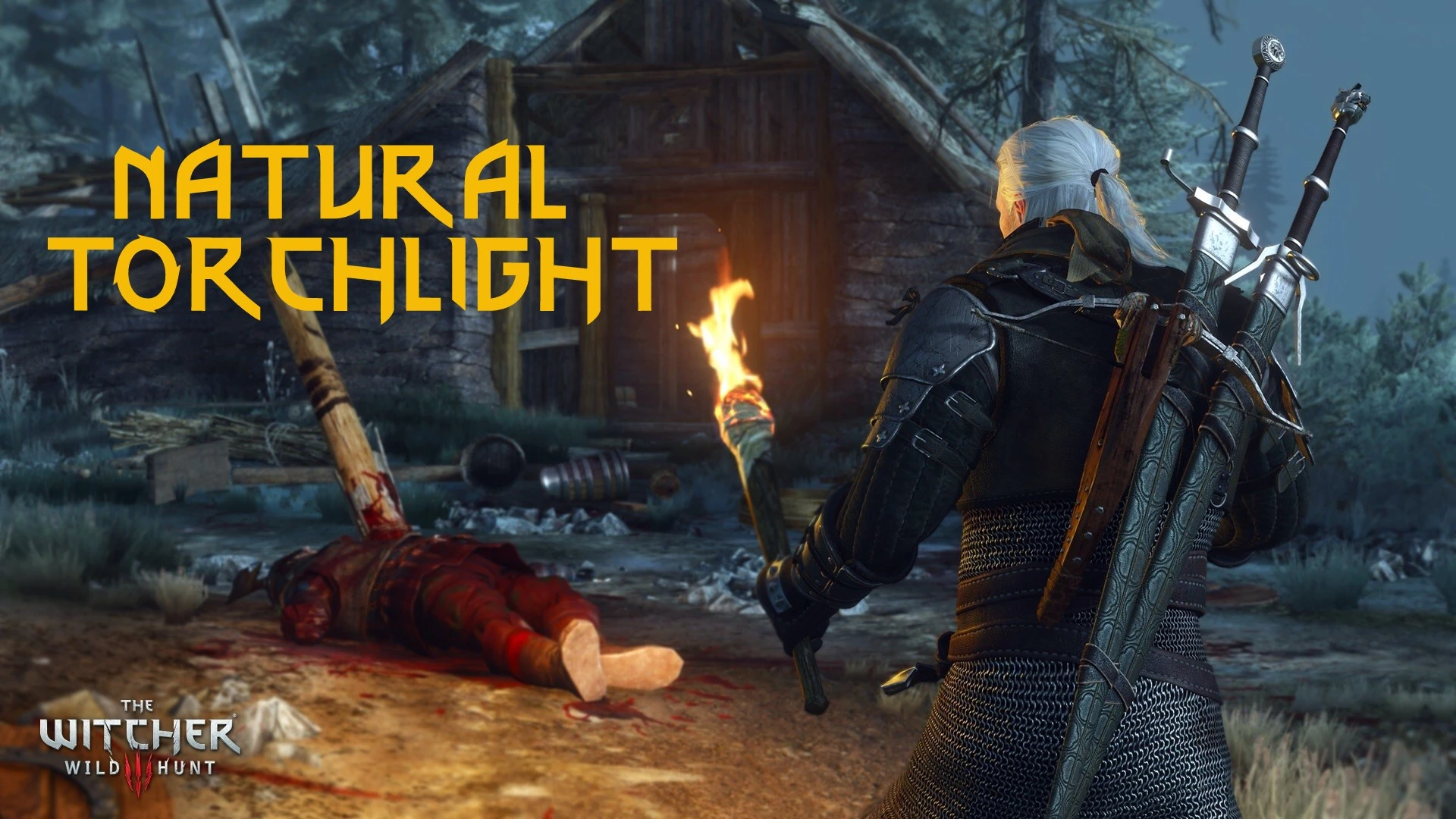
Natural Torchlight allows changing the distant light modifier and shadows of the torch firelight.
You can increase the light density near your foot or make it possible to see far away. You can either change whether the shadow is cast near, far, both or not at all and how it's blending.
Being Next Gen version, I took the liberty to add three presets:
Improve the light density around Geralt. Much more immersive
Light travels at higher distances, suitable in caves.
Get away from the darkness so you don't need Cat potion.
The second setting section was meant for lighting mods, because firelight doesn't behave the same depending on the region.
Feel free to share any preference setting based on the lighting mod you're using.
Recommend setting Ray-Tracing OFF.
There is unfortunately a side effect where the surrounding area becomes too yellow. This is due to the light source changing its properties; the light beams take a bit of time to recalculate.
Unless we got Ray Reconstruction from Cyberpunk2077.
4. 04 Next-Gen Compatible!
Installation
For newcomers/beginners: I invite you to reading The Tome of Witcher 3 Modding
0 DON'T USE VORTEX!!
1. Install Community Patch - Shared Imports. [ IMPORTANT!! ]
2. Use Witcher 3 Mod Manager, or extract the files in your game's directory, Witcher 3 Wild Hunt GOTY Edition.
3. Launch Script Merger and merge the script if it conflicts.
4. Run Menu Filelist Updater.
(Optional) How to fix broken Mods Settings?
Install Menu Organizer. You may also combine it with Mods Menu Category (follow the instruction in the description).
How to uninstall?
Delete the folder "modNaturalTorchlight" and the file "naturaltorchlight.xml" from the Bin folder.
Also delete "modSharedImport" if you don't need it.
Also delete "modSharedImport" if you don't need it.
Then run Menu Filelist Updater and launch Script Merger to merge again.
Compatibility and Conflict
Reminder: Next-Gen Compatible!
This is a scripted/bundled mod that affects the following file:
- content\scripts\game\gameplay\items\itemEntity.ws
- items\usable\torch\torch.w2ent
It's dependent on Share
Natural Torchlight (NEXT GEN) by woodbyte enhances torch light range and density in the game, with a config setting for customization. With 345 endorsements and over 18,000 downloads, it's a popular immersion mod for players seeking more atmospheric lighting.
✨ Key Features
📊 Pros & Cons
✅ Pros
- Community-approved with 345 endorsements
- Over 18,000 downloads show it's widely used
- Config setting lets you tweak the effect to your liking
⚠️ Cons
- Last updated March 2024—may not be compatible with the latest game patches
- Only affects torchlight—if you wanted other light sources, this won't help
For immersion-focused players who want more realistic torch lighting without overhauling the whole lighting system. If you're a purist who likes to tweak settings, the config option is a plus. Skip if you're looking for broader lighting changes or don't use torches often.
💡 Beginner Tips
- Check the config file after installing to adjust the light range and density to your preference.
- If you're using other lighting mods, test for conflicts—torchlight changes can clash with global lighting overhauls.
- Since the mod is from 2024, verify it works with your current game version before relying on it.
📊 Mod Details
- Game
- Witcher 3 Mods
- Author
- woodbyte
- Version
- 1.1
- Downloads
- 18,668
- Endorsements
- 345
- Category
- Immersion
- Created
- 3/21/2024
- Updated
- 3/24/2024
🧩 Commonly Used Together
Users add these mods to the same collections — a real compatibility signal, not an AI guess.
🔧 How to Install Witcher 3 Mods
Download from Nexus.
📖 Full step-by-step install guide for Witcher 3 →
Visit the official mod page for specific installation instructions for this mod.
🎮 Need cheat codes or console commands? Check ur gaming wiki for Witcher 3 commands, item IDs, and more.
Keep browsing — more Witcher 3 mods await