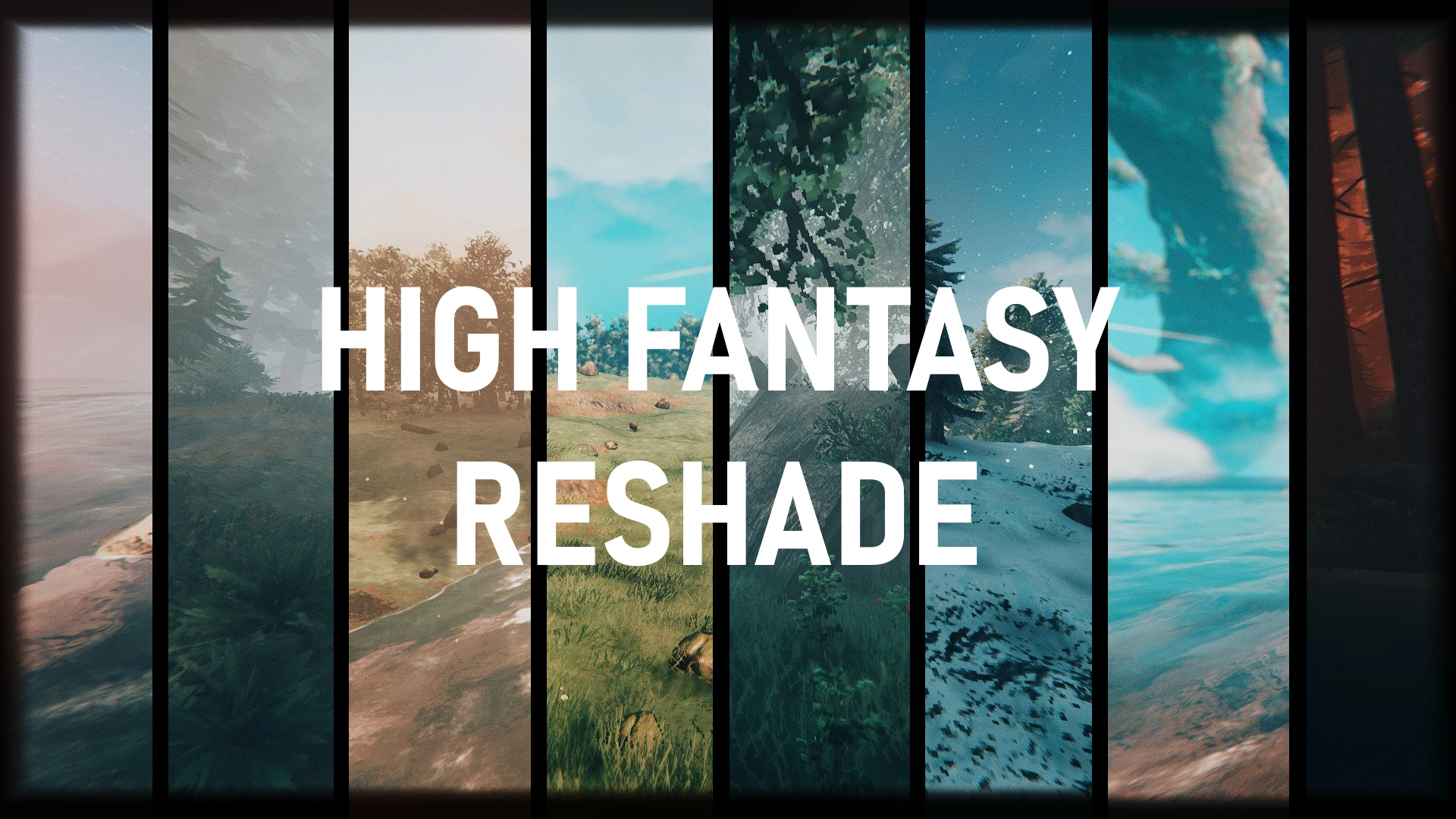
Valheim High Fantasy Preset for ReShade.
⚪ Last updated 2021⚠️ Install Order · 2 steps
Install in this order, then this mod last — most mods fail to load without their framework and dependencies in place.
Preview
🔍 Analysis
- 👍 3.1% endorsement rate — high engagement, a strong quality signal
- 🏆 #11 of 80 Visuals and Graphics mods in this game by downloads
📋 About This Mod
Vivid colors, darker shadows (Optional), sharp textures\environments and a subtle cinematic like vignette.
(Everything can be turned ON and OFF)
-
[]1. You need to download ReShade, I can't provide you directly with the files, it is against the terms of service.
- [
- []3. Once step 2 is done, launch ReShade_Setup_5. 6. 0.exe, you should see this :
- []4. Click on "Click here to select a game", a new window appear, click on "Browse" at the bottom right, go to your Valheim folder "SteamLibrary\steamapps\common\Valheim" and select valheim.exe, a window should appear with the text "Which rendering API does Valheim use" click on Direct3D 10/11/12.
- 5. Now we're going to select the effects category we want to download and use, select them like on the picture below :
Press Ok when this is done. Now its time to only select the effects I used to avoid cluttering your computer with useless files. Follow the pictures below. (Press "uncheck all" at the bottom of every window to avoid downloading unwanted effects)SweetFXWhat is CAS? CAS, or Contrast Adaptive Sharpening can deliver crisp visuals at 'virtually' no performance cost, this is something that most GPU can do natively but why not include it here so you don't have to fiddle with your graphic card control panel.
Color effects
What is Color Gradients? A very simple shader that lets you apply a color gradient to the image while preserving luminosity.
FXShaders
What is Artistic Vignette? This is a highly customisable shader that lets you apply a vignette effect to your games (Black borders around the edge of the screen) I use it to highlight certain aspects of the scenery, focus more on the center of the screen and make the colors stick out a bit more.
Legacy standard effects[/siz
A ReShade preset for Valheim that applies High Fantasy themed visual settings. With 424 endorsements and over 13,000 downloads, it's a popular choice for players wanting a more vibrant, fantasy-like look. Last updated in February 2021, so it may not be optimized for the latest game patches.
✨ Key Features
📊 Pros & Cons
✅ Pros
- Community-approved with 424 endorsements — plenty of players dig this look
- Over 13,000 downloads shows it's a go-to preset for fantasy vibes
- Simple to install — just drop the preset file into your ReShade folder
⚠️ Cons
- Last updated in February 2021 — might not play nice with Valheim's latest updates
- Requires ReShade to be installed separately, which adds setup steps
- No before/after screenshots or detailed settings list in the description, so you're flying blind until you try it
For Valheim players who want a more vibrant, high-fantasy atmosphere without fiddling with ENB or complex shader configs. Perfect if you're into screenshotting your builds or just want a fresh look. Skip if you prefer a gritty, realistic aesthetic or don't want to mess with ReShade.
💡 Beginner Tips
- Make sure you have ReShade installed and configured for Valheim before adding this preset.
- After installing, press the ReShade hotkey (default Home) to open the menu and select the preset from the dropdown.
- If the game updates, check for a new version of the preset or tweak the settings manually to avoid visual glitches.
📊 Mod Details
- Game
- Valheim Mods
- Author
- CyginNEXUS
- Version
- 2.0
- Downloads
- 13,671
- Endorsements
- 424
- Category
- Visuals and Graphics
- Created
- 2/17/2021
- Updated
- 2/25/2021
🔧 How to Install Valheim Mods
Download from Nexus.
📖 Full step-by-step install guide for Valheim →
Visit the official mod page for specific installation instructions for this mod.
🎮 Need cheat codes or console commands? Check ur gaming wiki for Valheim commands, item IDs, and more.
Keep browsing — more Valheim mods await