GoVi HD Texture pack
⚪ Last updated 2022⚠️ Install Order · 1 step
Install in this order, then this mod last — most mods fail to load without their framework and dependencies in place.
Preview
🔍 Analysis
- 👍 2.7% endorsement rate — high engagement, a strong quality signal
- 🏆 #14 of 80 Visuals and Graphics mods in this game by downloads
📋 About This Mod
This is based on DJAurelius Texture pack, so credits for him.
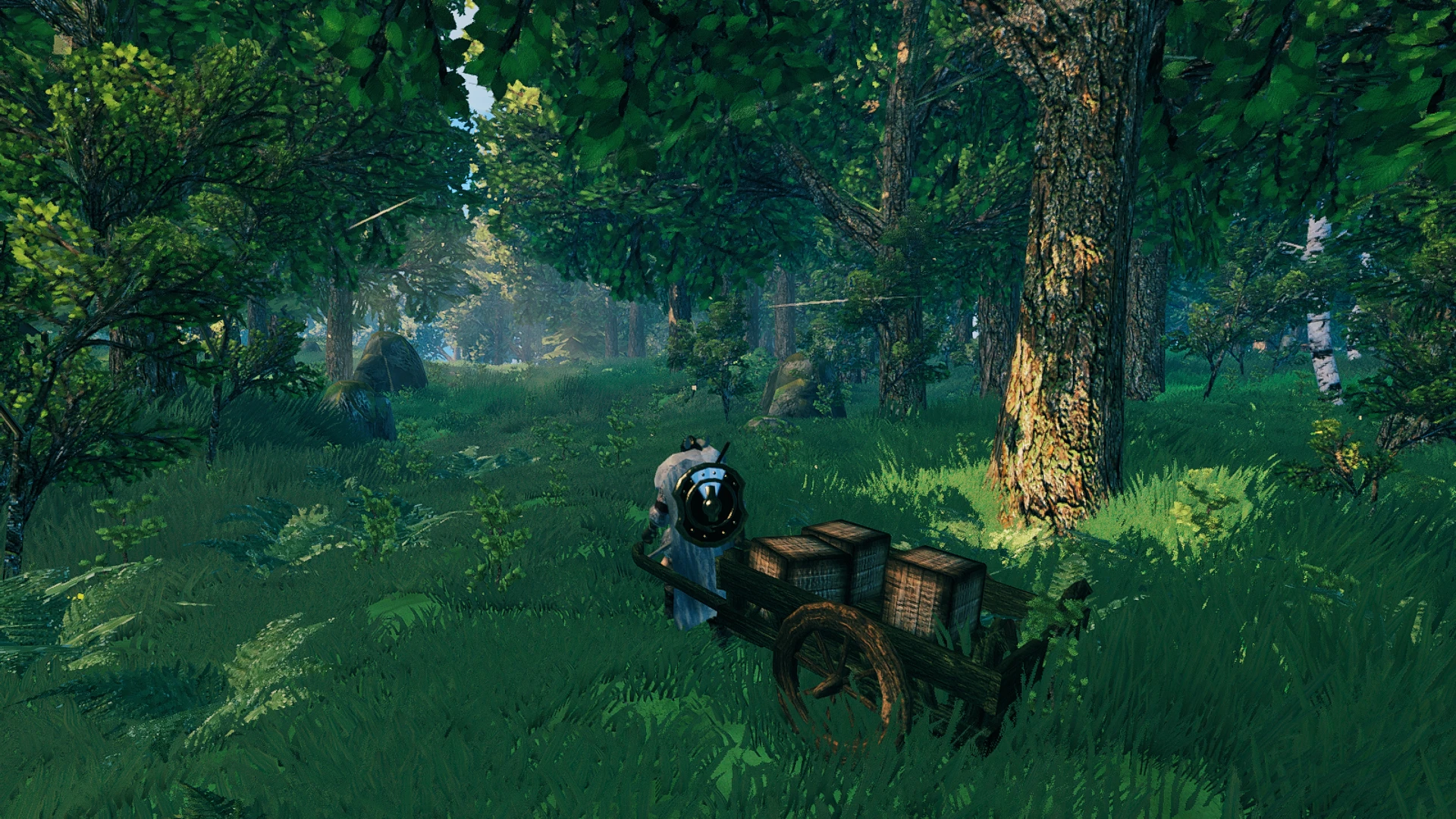
The textures are 4x the default resolution of the Game. Some are retexturized, some are new based on my likes. Respecting the feeling of the game though.
They are packaged into assets files. So you can use the mod "Custom textures" to change whatever texture.
Install Manually:
Make a backup of this files if you want to go back or just in case, if you want.
globalgamemanagers.assets
resources.assets
sharedassets0.assets
sharedassets1.assets
sharedassets3.assets
sharedassets4.assets
sharedassets7.assets
They are located in the "game folder/valheim_Data", usually located in Steam\steamapps\common\Valheim\valheim_Data.
After that, just unzip the mod file, paste and overwrite all files into the "game folder".
Install via Vortex Mod Manager:
Install it and before enabling it double click the mod in Vortex and change the type from "default" to "engine injection".
(thanks to blnk2007)
Uninstall:
If you didn't make a backup and want to uninstall the mod just delete the .assets files and verify the game on Steam.
To do so, go to your Steam Library
right click on Valheim > Properties > Local Files > Verify Integrity of Game Files.Steam will download the default files.
GoVi HD Texture pack quadruples the default resolution of the game's textures, offering a visual upgrade for players seeking sharper graphics. With 308 endorsements and over 11,500 downloads, it's a moderately popular choice, though it hasn't been updated since April 2022.
✨ Key Features
📊 Pros & Cons
✅ Pros
- Solid community backing with 308 endorsements.
- Over 11,500 downloads show it's been tried by many.
- Straightforward 4x resolution boost for crisper visuals.
⚠️ Cons
- Last updated in April 2022 — may not be compatible with the latest game version.
- Only a resolution bump — no other visual enhancements or fixes.
For players who want a quick and easy visual upgrade without messing with complex ENB or reshade setups. If you're after sharper textures and don't mind a mod that hasn't been updated in a while, this is for you. Skip if you need compatibility with the newest game patches or want more than just a resolution increase.
💡 Beginner Tips
- Check if your game version is still compatible, as the mod hasn't been updated since 2022.
- If you use a mod manager, install it through that for easy removal.
- Back up your original textures if you manually replace files, so you can revert if needed.
📊 Mod Details
- Game
- Valheim Mods
- Author
- GoVi48
- Version
- 1.24
- Downloads
- 11,562
- Endorsements
- 308
- Category
- Visuals and Graphics
- Created
- 4/27/2021
- Updated
- 4/14/2022
🔧 How to Install Valheim Mods
Download from Nexus.
📖 Full step-by-step install guide for Valheim →
Visit the official mod page for specific installation instructions for this mod.
🎮 Need cheat codes or console commands? Check ur gaming wiki for Valheim commands, item IDs, and more.
Keep browsing — more Valheim mods await