Furniture Adjustment
🟡 Updated this year⚠️ Install Order · 2 steps
Install in this order, then this mod last — most mods fail to load without their framework and dependencies in place.
Preview
🔍 Analysis
- 👍 2.2% endorsement rate — high engagement, a strong quality signal
- 🏆 #90 of 217 Furniture mods in this game by downloads
📋 About This Mod
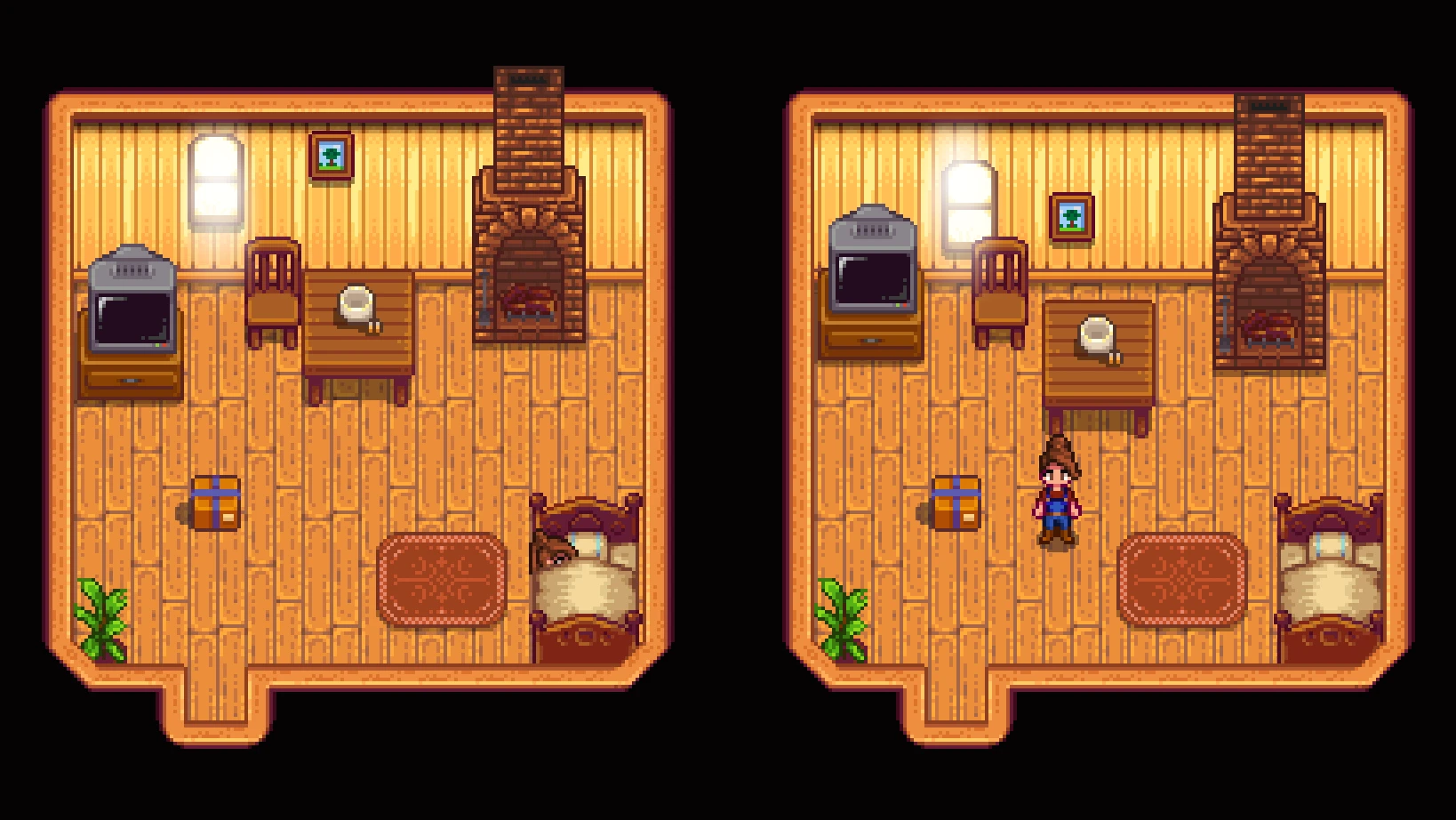
This mod lets you move individual furniture pieces and wall-hangings in four directions.
To move a piece of furniture, hover over it with the mouse, then press one of the hotkeys.
Default hotkeys are:
-
[]Move Up: NumPad 8
[
]Move Down: Num Pad 2[]Move Left: Num Pad 4
[]Move Right: Num Pad 6
Pressing these keys shifts the furniture by one pixel. If you hold down a mod key (default Left Alt), it shifts it by an increased amount (default 5 pixels).
You can edit all the config variables using Generic Mod Config Menu, or editing the config.json file.
See also Furniture Recolor for changing color of individual furniture pieces.
Technical
Requires SDV 1. 5. 5+
Requires SMAPI, doesn't use Harmony.
Compatible with Mod Updater for automatic updates.
Code is at https://github.com/aedenthorn/StardewValleyMods.
If you want to complain or ask for help or help me test my mods, you can visit my Discord server.
A list of all my mods for Stardew Valley is available at https://www.nexusmods.com/stardewvalley/articles/895.
Furniture Adjustment is a compact utility mod that lets you move furniture pixel-by-pixel using hotkeys, offering precise placement control. With 1,502 endorsements and 67,946 downloads, it's a popular tool for players who want fine-tuned furniture positioning.
✨ Key Features
📊 Pros & Cons
✅ Pros
- Community-approved with 1,502 endorsements
- High download count (67,946) shows real demand
- Simple concept that solves a common frustration
⚠️ Cons
- No detailed instructions or feature list provided
- May require learning hotkeys to use effectively
- Last updated May 2026 – check compatibility with your game version
For players who obsess over furniture placement and want pixel-perfect alignment. Also great for builders who want to fine-tune decorations without wrestling with the game's default snapping. Skip if you're fine with the base placement system.
💡 Beginner Tips
- Test the hotkeys in a safe save to get a feel for the movement speed before using it in your main build.
- If the mod doesn't work, make sure your game is updated to the latest version, as the mod was last updated in May 2026.
- Use the faster movement option for large adjustments, then switch to pixel-by-pixel for fine-tuning.
📊 Mod Details
- Game
- Stardew Valley Mods
- Author
- aedenthorn
- Version
- 0.4.1
- Downloads
- 67,946
- Endorsements
- 1,502
- Category
- Furniture
- Created
- 11/27/2021
- Updated
- 5/27/2026
🧩 Commonly Used Together
Users add these mods to the same collections — a real compatibility signal, not an AI guess.
🔧 How to Install Stardew Valley Mods
Download from Nexus.
📖 Full step-by-step install guide for Stardew Valley →
Visit the official mod page for specific installation instructions for this mod.
🎮 Need cheat codes or console commands? Check ur gaming wiki for Stardew Valley commands, item IDs, and more.
Keep browsing — more Stardew Valley mods await