Sekiro Borne-Souls Reshade
⚪ Last updated 2019⚠️ Install Order · 1 step
Install in this order, then this mod last — most mods fail to load without their framework and dependencies in place.
Preview
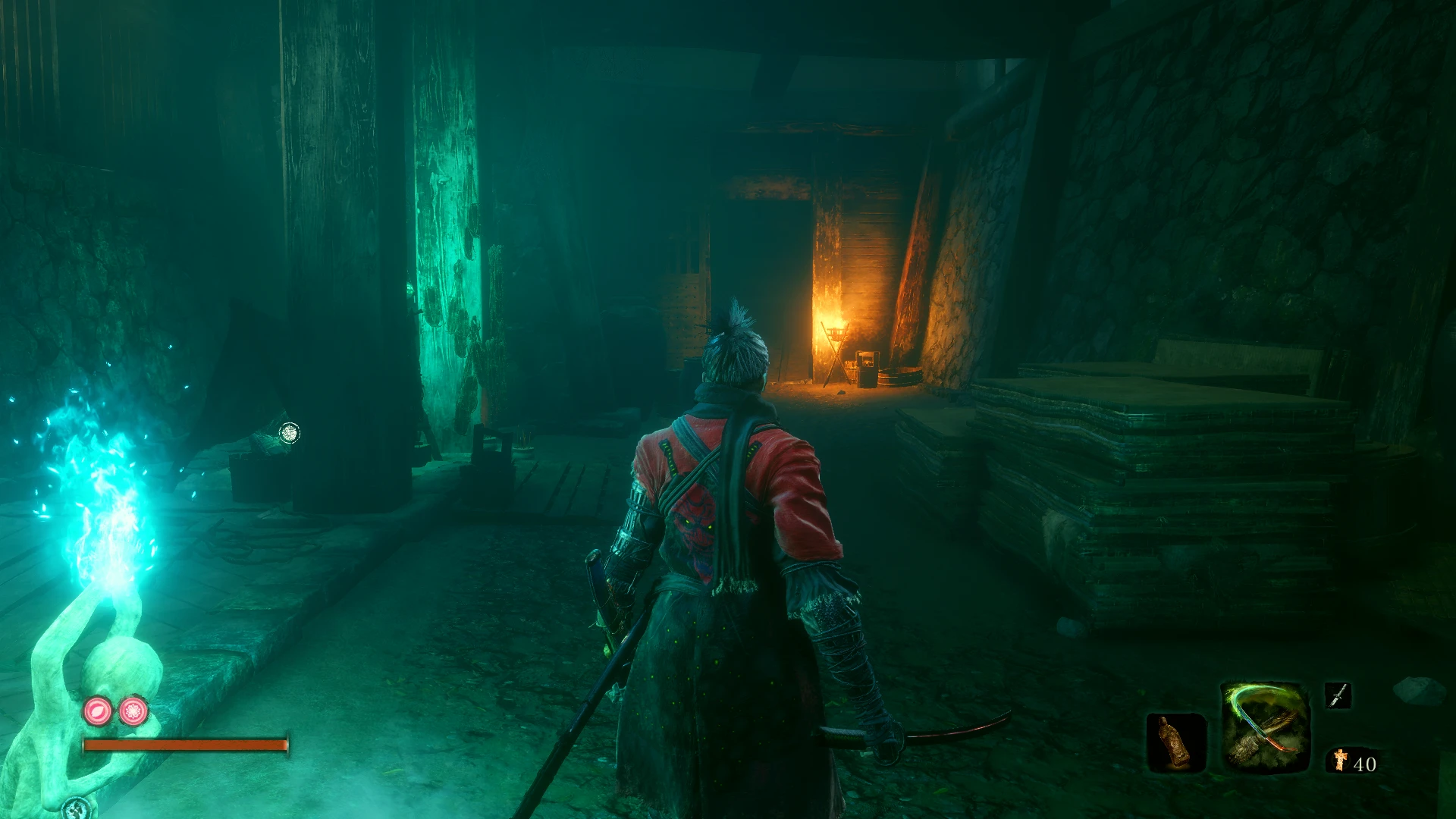
🔍 Analysis
- 👍 4.1% endorsement rate — high engagement, a strong quality signal
- 🏆 #38 of 138 Visuals and Graphics mods in this game by downloads
📋 About This Mod
I made this mod for myself and decided to share it now that I'm satisfied with the results.
I was inspired by Dark Souls and Bloodborne and I tried to capture the vibes of both.
Instructions:
-
[]Download the latest Reshade from: https://reshade.me/
[
]Run the executable to install the Reshade > click on Select Game > Find and select "sekiro.exe" from your game's folder.[]Copy and paste the "Sekiro Borne-Souls.ini" file in the game's folder and run the game.
[]While in-game press the "Home" button to enable the ReShade menu interface and then select the preset "Sekiro Borne-Souls.ini".
Your game's directory should look like this:
List of techniques used on the Reshade are the following:
-
[]AmbientLight
[
]Chromatic aberration[]Colourfulness
[]Curves
[]FilmGrain
[]HighPassSharp
[]Levels
[]MagicBloom
[]Tint
- Tonemap
-
[]AmbientLight
A ReShade preset that aims to give Sekiro: Shadows Die Twice a Bloodborne and Dark Souls-inspired visual atmosphere. With 117 endorsements and 2,866 downloads, it's a niche choice for players wanting a darker, moodier look. Last updated in 2019, so it may not be compatible with current game versions.
✨ Key Features
📊 Pros & Cons
✅ Pros
- Community-tested with 117 endorsements and 2,866 downloads
- Gives Sekiro a darker, more atmospheric look reminiscent of FromSoftware's other titles
- Simple to install if you already have ReShade set up
⚠️ Cons
- Last updated in April 2019 — may not work with current game patches or ReShade versions
- Visual presets are subjective — the effect may not suit everyone's taste
For Sekiro players who want to recapture the gothic, grim atmosphere of Bloodborne and Dark Souls. If you're into visual overhauls and don't mind tweaking settings, this is worth a try. Skip if you prefer the game's original look or want gameplay changes.
💡 Beginner Tips
- Make sure you have ReShade installed and set up for Sekiro before using this preset.
- If the preset doesn't look right, try adjusting the in-game brightness and contrast settings.
- Check the mod's comments section for any user-reported fixes or compatibility notes.
📊 Mod Details
- Game
- Sekiro Mods
- Author
- Neverbliss
- Version
- 1.1
- Downloads
- 2,866
- Endorsements
- 117
- Category
- Visuals and Graphics
- Created
- 4/7/2019
- Updated
- 4/10/2019
🔧 How to Install Sekiro Mods
Download from Nexus.
📖 Full step-by-step install guide for Sekiro →
Visit the official mod page for specific installation instructions for this mod.
🎮 Need cheat codes or console commands? Check ur gaming wiki for Sekiro commands, item IDs, and more.
Keep browsing — more Sekiro mods await