Cinematic Reshade
⚪ Last updated 2023⚠️ Install Order · 1 step
Install in this order, then this mod last — most mods fail to load without their framework and dependencies in place.
Preview
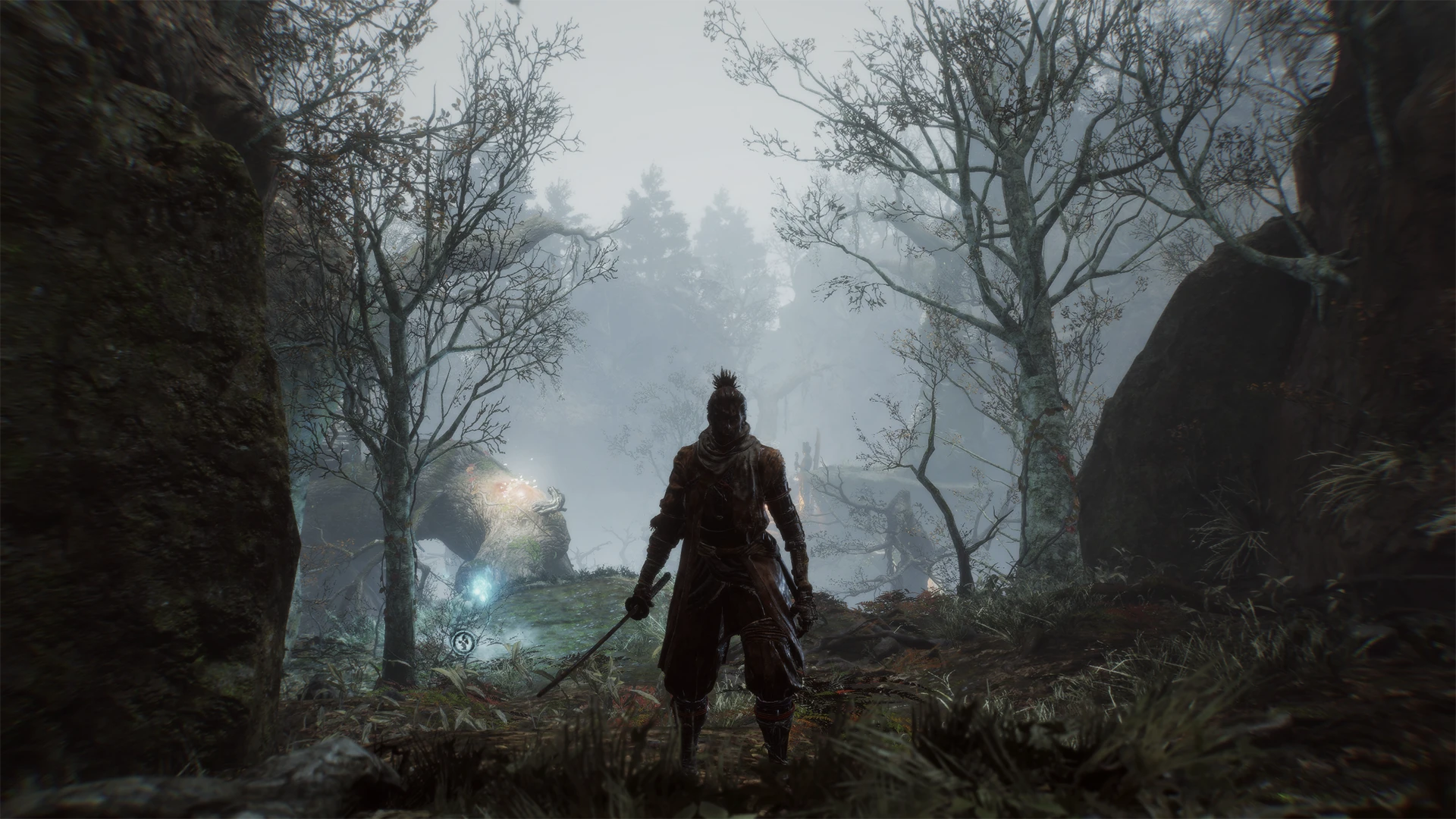
🔍 Analysis
- 👍 3.6% endorsement rate — high engagement, a strong quality signal
- 🏆 #8 of 138 Visuals and Graphics mods in this game by downloads
📋 About This Mod
Ver. 1. 2 - Updated to work with ReShade 4. 5. 3 (should work with any 4. 5 ReShade)
Ver. 1. 3 - Updated README.txt
- Decreased Contrast and Vibrance
- Updated to work with ReShade 5. 7. 0 (if there is a newer version, download this version from the repository)
This mod requires:
ReShade 5. 7. 0If there is a newer version of ReShade:
Go here: ReShade Repository
"CLICK HERE" under "ReShade Repository"
"ReShade 5. 0"
"ReShade_Setup_5. 7. 0.exe"
Many thanks for all of the downloads, this will be the last update!
Cinematic Reshade is a lightweight visual mod that darkens the image and makes colors pop, giving your game a more dramatic, film-like look. With 559 endorsements and over 15,000 downloads, it's a popular choice for players seeking a quick, no-fuss visual upgrade.
✨ Key Features
📊 Pros & Cons
✅ Pros
- Community-approved with 559 endorsements and over 15k downloads
- Does exactly what it says: darkens and boosts colors for a cinematic feel
- Lightweight and easy to install if you already use Reshade
⚠️ Cons
- No detailed description or screenshots provided by the author
- Last updated in March 2023 — may not be compatible with the latest game patches
- Requires Reshade to be installed separately, which isn't mentioned in the description
For players who want a quick, dramatic visual overhaul without fiddling with complex settings. If you're after a moody, film-like look with darker shadows and vibrant colors, this is for you. Skip if you prefer a natural or bright aesthetic.
💡 Beginner Tips
- Make sure you have Reshade installed first, then drop the preset file into your game's main folder.
- If the effect is too strong, tweak the settings in-game using the Reshade overlay (Home key by default).
- Check the mod's comments section for user screenshots and compatibility notes before installing.
📊 Mod Details
- Game
- Sekiro Mods
- Author
- ZPaladinGaming
- Version
- 1.3
- Downloads
- 15,493
- Endorsements
- 559
- Category
- Visuals and Graphics
- Created
- 3/26/2019
- Updated
- 3/22/2023
🔧 How to Install Sekiro Mods
Download from Nexus.
📖 Full step-by-step install guide for Sekiro →
Visit the official mod page for specific installation instructions for this mod.
🎮 Need cheat codes or console commands? Check ur gaming wiki for Sekiro commands, item IDs, and more.
Keep browsing — more Sekiro mods await