Sekiro Simple Realistic Reshade for NVIDIA Optimus v1.0
⚪ Last updated 2019⚠️ Install Order · 1 step
Install in this order, then this mod last — most mods fail to load without their framework and dependencies in place.
Preview
🔍 Analysis
- 👍 2.7% endorsement rate — high engagement, a strong quality signal
- 🏆 #1 of 138 Visuals and Graphics mods in this game by downloads
📋 About This Mod
CREDITS:
From Software Studio (for created this unique game)
Timothy Lottes (NVIDIA)
Reshade Team (Crosire, CeeJay, Marty McFly, Ganossa/Hawk, Bacondither, Ioxa, Otis, Jose Negrete, et al. ~ https://reshade.me)
What is this?
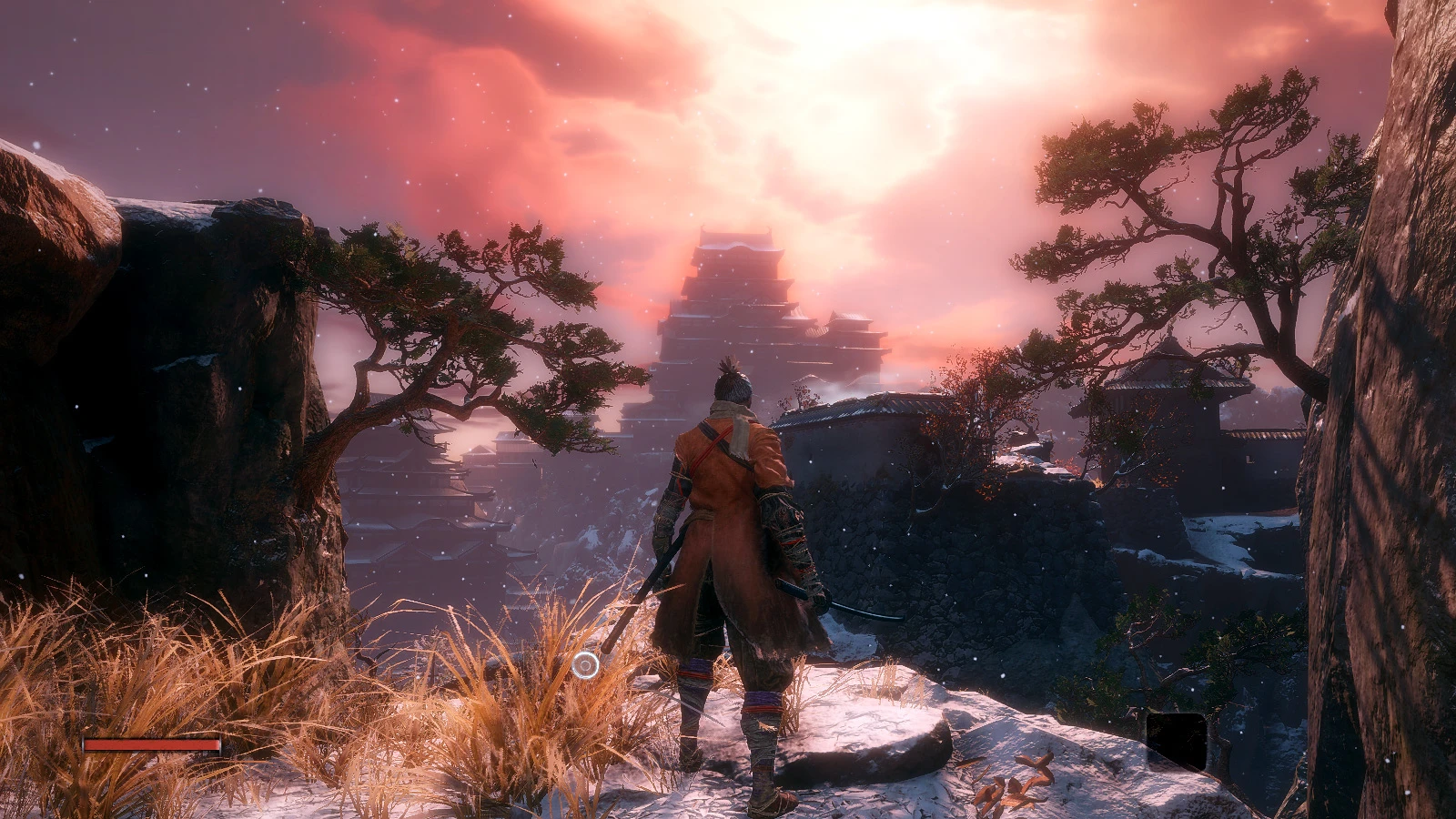
A simple Reshade preset and shaders pack for Sekiro Shadows Die Twice with special injector that allow to play with NVIDIA Optimus Laptops without problem.
This preset would give you simple realistic mimic with smaller performance hit.
It's NOT using heavy or complex shaders (e.g AO, HDR, Ambient Light, etc); just simple shaders.
Left = Vanilla vs Right = with mod ON
Lighting and colors improvement
Note:
- This mod is NOT compatible with any other Reshade version (please clean-up Reshade 3.x/4/x before apply this mod)
- Although this mod designed for laptop, you may try it with your PC (desktop)
- All screenshots were taken on office laptop with only GT 940MX (low-medium settings) at 1600x900. I was made it during office lunch/break hours and uploaded this from my office ... LOL! Therefore, the desktop version (with full shaders in highest in-game graphic settings) will follow after this version :)
How to Install:
- Clean-up/Move/Backup your previous SweetFX or Reshade files (dxgi.dll/d3d11.dll and their related files and folders) if you already installed it to your game.
- Extract this file into the same folder with your game executable (Sekiro.exe)
How to Un-install:
- Delete or move these files: d3d11.dll, ReShade.fx, and also /Reshade/ folder
Command Keys:
INSERT: Toggle Effects ON/OFF (default is ON)
PRINT-SCREEN: Take in-game Screenshot (in PNG format and it would be save to your game root folder)
END : Side by Side Comparison; where left = vanilla and right = with mod
DELETE (DEL): Toggle Light Boost ON/OFF (default is ON)
**Disable it if you may feel that scene become too bright
I hope you like this!
Chris Rubino
A lightweight Reshade preset for Sekiro: Shadows Die Twice, optimized for NVIDIA Optimus laptops. It delivers a simple realistic visual enhancement with 2,296 endorsements and 84,588 downloads, last updated in March 2019.
✨ Key Features
📊 Pros & Cons
✅ Pros
- Huge community trust (2,296 endorsements, 84,588 downloads)
- Specifically tuned for laptop users with NVIDIA Optimus
- Lightweight and simple—no complex setup
⚠️ Cons
- Last updated in 2019—may not work with current Sekiro patches
- Only one version available, no updates or alternatives
For Sekiro players on laptops with NVIDIA Optimus who want a subtle, realistic visual boost without heavy performance hits. Skip if you're on a desktop or want dramatic graphical overhauls.
💡 Beginner Tips
- Make sure your laptop is using the NVIDIA GPU for Sekiro, not the integrated Intel graphics.
- Backup your original game settings before applying the Reshade preset.
- If the game crashes, try running it in borderless windowed mode.
📊 Mod Details
- Game
- Sekiro Mods
- Author
- Chris Rubino
- Version
- 1.0
- Downloads
- 84,588
- Endorsements
- 2,296
- Category
- Visuals and Graphics
- Created
- 3/22/2019
- Updated
- 3/22/2019
🧩 Commonly Used Together
Users add these mods to the same collections — a real compatibility signal, not an AI guess.
🔧 How to Install Sekiro Mods
Download from Nexus.
📖 Full step-by-step install guide for Sekiro →
Visit the official mod page for specific installation instructions for this mod.
🎮 Need cheat codes or console commands? Check ur gaming wiki for Sekiro commands, item IDs, and more.
Keep browsing — more Sekiro mods await