Knight's Winterfox ReShade
⚪ Last updated 2020⚠️ Install Order · 1 step
Install in this order, then this mod last — most mods fail to load without their framework and dependencies in place.
Preview
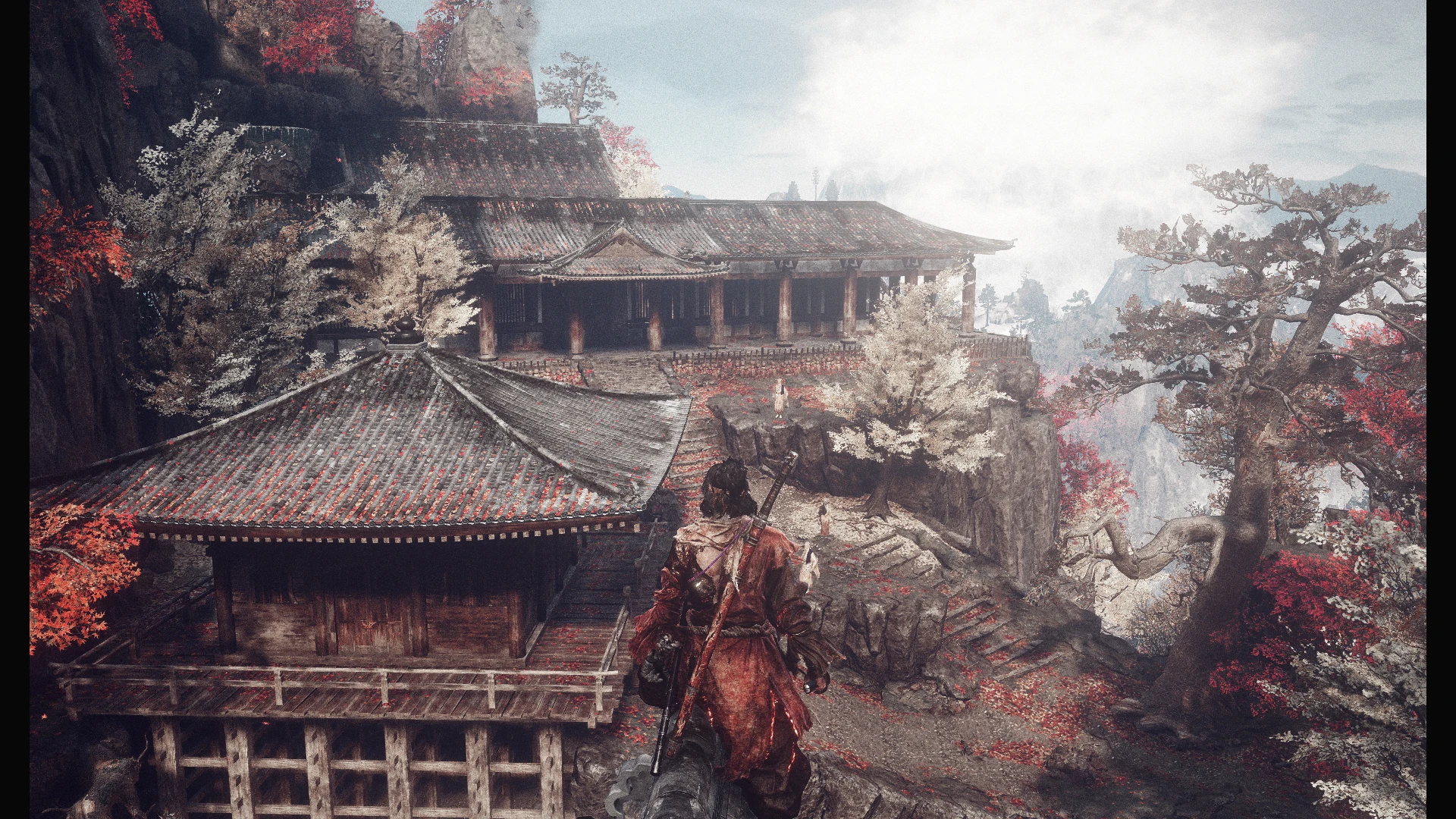
🔍 Analysis
- 👍 3.5% endorsement rate — high engagement, a strong quality signal
- 🏆 #26 of 138 Visuals and Graphics mods in this game by downloads
📋 About This Mod
Yes, this works in 1. 05 just fine. All ReShade presets should, I think.
Installation:
- Install ReShade for Sekiro.
- ReShade should automatically hover the Direct3D version you need, if not, Direct3D 10/11/12.
- Effects checklist is next; you can technically just install everything
without much stress, but if you'd like to be specific, the preset uses:
prod80_06_FilmGrain
Technicolor
ColorIsolation
- Once that's done, close ReShade.
- Download the preset here, open it up with WinRAR/7zip, and extract Knights_Winterfox.ini into your Sekiro game directory.
This can be found by right-clicking Sekiro in your Steam library and hitting
Manage -> Browse Local Files. Just drop it in there.
Knight's Winterfox ReShade is a stylistic ReShade preset that applies a red/blue/white isolated color scheme with heavy dark tones, giving games a moody, cinematic look. It's a simple visual enhancement for players who want a dramatic color grading without complex setup.
✨ Key Features
📊 Pros & Cons
✅ Pros
- Community-approved with 150 endorsements and over 4,300 downloads
- Easy to install if you already have ReShade
- Gives a unique, stylized look that stands out from vanilla
⚠️ Cons
- Last updated in 2020 — may not work with the latest ReShade versions
- No screenshots or detailed instructions provided by the author
- The heavy dark tones might make some games too dark for practical play
For players who want a dramatic, stylized visual overhaul without tweaking dozens of settings. If you're into moody, cinematic color grading, this preset is worth a try. Skip if you prefer vibrant, natural colors or if you're not familiar with ReShade.
💡 Beginner Tips
- Make sure you have ReShade installed and set up for your game before adding this preset.
- If the game looks too dark, adjust the exposure or gamma settings in ReShade's in-game overlay.
- Check the mod's comments section for any user-shared screenshots or compatibility notes.
📊 Mod Details
- Game
- Sekiro Mods
- Author
- Knightsundere
- Version
- 1.0
- Downloads
- 4,304
- Endorsements
- 150
- Category
- Visuals and Graphics
- Created
- 11/5/2020
- Updated
- 11/6/2020
🔧 How to Install Sekiro Mods
Download from Nexus.
📖 Full step-by-step install guide for Sekiro →
Visit the official mod page for specific installation instructions for this mod.
🎮 Need cheat codes or console commands? Check ur gaming wiki for Sekiro commands, item IDs, and more.
Keep browsing — more Sekiro mods await