Incandescent ReShade - SDT Edition
⚪ Last updated 2023⚠️ Install Order · 1 step
Install in this order, then this mod last — most mods fail to load without their framework and dependencies in place.
Preview
🔍 Analysis
- 👍 4.5% endorsement rate — high engagement, a strong quality signal
- 🏆 #59 of 138 Visuals and Graphics mods in this game by downloads
📋 About This Mod
Description
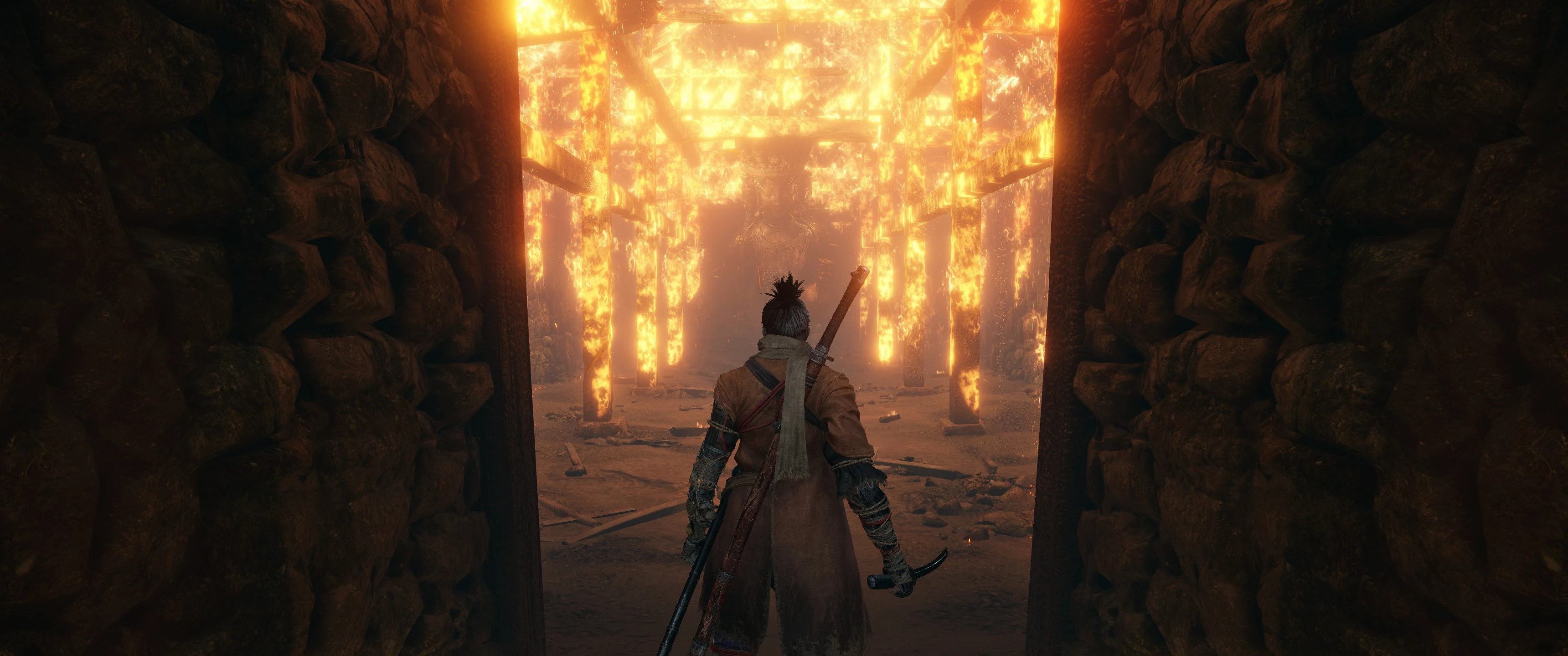
Want a ReShade that doesn't kill your fps? I agree that Sekiro is a good looking game, but there was just something that always looked a little off about it. Based off my popular Incandescent ReShade for Dark Souls III, this ReShade will remove the grey, washed out colours of the vanilla game, without over saturating or adding unnecessary effects so it still feels the same, giving you the full intended definitive Sekiro experience.
Tombs, nights, and shadows will be darker, and flames, candles, as well as torches will emit more light enhancing the over-all atmosphere.
Darks should be darker, lights should illuminate more, and fires should feel warmer. See screenshots for comparison, but please note that the screenshots and videos aren't entirely representative of the changes you'll experience in game, especially after undergoing compression.
Installation
Installing ReShade
1. Download the ReShade installer from https://reshade.me/
2. Run the installer, and select "Click here to select a game and manage its ReShade installation".
3. Wait for the list of .exe's to populate, or find the DarkSoulsIII.exe manually using the "Browse" button to the bottom right.
4. Click on "Direct3D 10/11/12".
5. From the list which pops up select only "SweetFX by CeeJay.dk", and "Legacy standard effects" (to be safe or simply if you'd like to play around with them yourself, you can enable all effects throughout the installation).
6. Ensure all effects are ticked in the following windows by pressing "Check all", and click "OK". Do this multiple times for each window that pops up. ReShade is now installed.
Installing Obanons Incandescent ReShade - SDT Edition preset
1. Download "Obanons Incandescent ReShade - SDT Edition" through NexusMods.
2. Un-zip "Obanons Incandescent ReShade - SDT Edition", and the "reshade-shaders" folder to your "Game" folder--the same location your Sekiro.exe is found. Overwrite if prompted.
3. Launch the game and if you installed ReShade correctly using the steps above, you'll find a notification in the top left of your screen.
4. When ReShade tells you it has loa
Incandescent ReShade - SDT Edition is a lightweight ReShade preset for Sekiro: Shadows Die Twice, based on the author's popular Dark Souls 3 mod. It aims to preserve the game's authentic atmosphere while minimizing performance impact. With 80 endorsements and 1,779 downloads, it's a modestly popular choice for players seeking a subtle visual enhancement.
✨ Key Features
📊 Pros & Cons
✅ Pros
- Performance-friendly by design—great for players who want visuals without the FPS hit
- Community-tested with 80 endorsements and nearly 1,800 downloads
- Authentic atmosphere—stays true to Sekiro's look, not a drastic overhaul
⚠️ Cons
- Last updated in January 2023—may not be compatible with the latest game patches
- Only 80 endorsements—smaller community compared to more popular presets
For Sekiro players who want a subtle visual upgrade without sacrificing performance. If you're a purist who values the game's original atmosphere, this preset is for you. Skip if you're looking for dramatic graphical overhauls or if you're on the latest game version and worried about compatibility.
💡 Beginner Tips
- Make sure you have ReShade installed and set to the Sekiro executable before applying this preset.
- If you're using the latest Sekiro patch, test the preset early to ensure it works—since it's from 2023, there might be compatibility issues.
- Adjust the preset's intensity in-game using the ReShade overlay if it feels too strong or too subtle.
📊 Mod Details
- Game
- Sekiro Mods
- Author
- Obanon
- Version
- 1.1
- Downloads
- 1,779
- Endorsements
- 80
- Category
- Visuals and Graphics
- Created
- 2/13/2021
- Updated
- 1/5/2023
🔧 How to Install Sekiro Mods
Download from Nexus.
📖 Full step-by-step install guide for Sekiro →
Visit the official mod page for specific installation instructions for this mod.
🎮 Need cheat codes or console commands? Check ur gaming wiki for Sekiro commands, item IDs, and more.
Keep browsing — more Sekiro mods await