Fushigiri ReShade
⚪ Last updated 2019⚠️ Install Order · 2 steps
Install in this order, then this mod last — most mods fail to load without their framework and dependencies in place.
Preview
🔍 Analysis
- 👍 3.8% endorsement rate — high engagement, a strong quality signal
- 🏆 #27 of 138 Visuals and Graphics mods in this game by downloads
📋 About This Mod
Update - v2. 0 Release:
- Improved contrast & bloom for more dramatic lighting
- Eye adaptation to better accommodate different lighting conditions
- Performance improvements
I0SmF97sOIU Xclz9Q6Cc8M
Update - v1. 1 Release:
- Performance improvements
- Misc. minor changes
- Mod page updates: uploaded higher quality images and videos to accurately represent in-game graphics
Y_NQRgVzc20 sgcUupSQAC4
nI_HYGQzxr4 5PZRBjD9Kio
Update - v1. 0 Release:
- Increased contrast
- Reduced sharpening and bloom
- Overall improvement in visibility in light and dark areas
- Misc. changes
Feedback is appreciated. Thank you.
Installation:
1. Download ReShade.
2. Install ReShade on Sekiro.
3. Extract archive contents and copy into Sekiro directory.
4. Start Sekiro and press 'Home' key to open ReShade Overlay.
5. Select Fushigiri.ini preset.
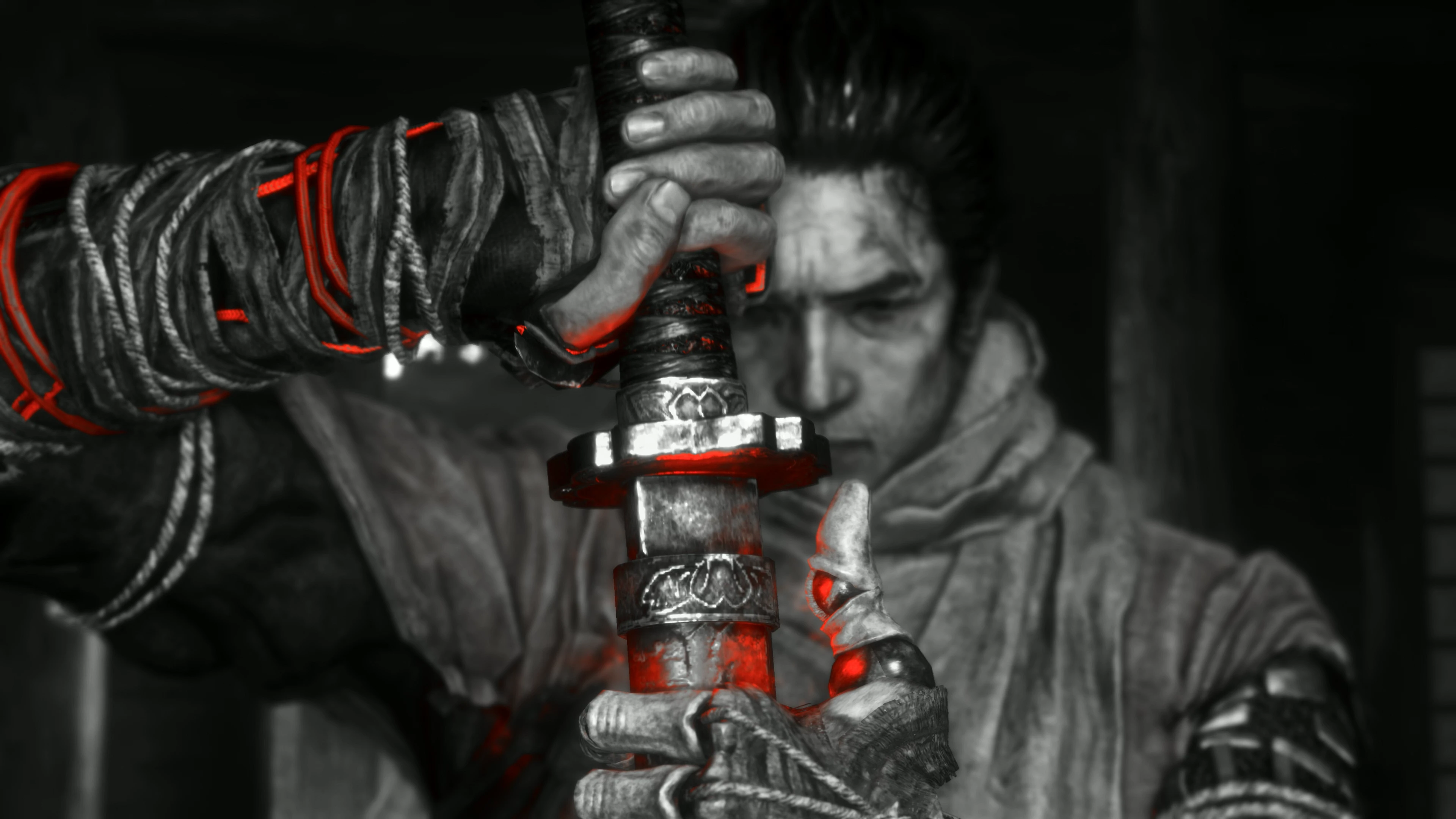
Fushigiri ReShade is a ReShade preset that transforms the game into high-contrast black and white while keeping bright reds intact, plus effects for improved lighting and sharpness. It's for players seeking a dramatic, cinematic look with selective color. With 162 endorsements and 4,237 downloads, it's a niche but appreciated visual overhaul.
✨ Key Features
📊 Pros & Cons
✅ Pros
- Community-tested with 162 endorsements and over 4,000 downloads
- Gives a unique, cinematic look that stands out from typical presets
- Lightweight preset that doesn't require heavy performance cost
⚠️ Cons
- Last updated in 2019, so may not be compatible with newer game versions or ReShade updates
- Black and white with selective red is a niche aesthetic that won't suit everyone
For players who want a dramatic, film-noir style with selective color pop. If you're into photography or cinematic screenshots, this preset is a quick way to achieve that look. Skip if you prefer vibrant, natural colors or need an actively maintained mod.
💡 Beginner Tips
- Make sure you have ReShade installed and set up for your game before applying this preset.
- If the preset doesn't show up in ReShade's preset list, double-check that the file is in the correct folder (usually the game's executable directory).
- Adjust the preset's intensity in-game using ReShade's in-game overlay if the effect is too strong or too weak.
📊 Mod Details
- Game
- Sekiro Mods
- Author
- MrBlackjack
- Version
- 2.0
- Downloads
- 4,237
- Endorsements
- 162
- Category
- Visuals and Graphics
- Created
- 7/28/2019
- Updated
- 8/6/2019
🔧 How to Install Sekiro Mods
Download from Nexus.
📖 Full step-by-step install guide for Sekiro →
Visit the official mod page for specific installation instructions for this mod.
🎮 Need cheat codes or console commands? Check ur gaming wiki for Sekiro commands, item IDs, and more.
Keep browsing — more Sekiro mods await