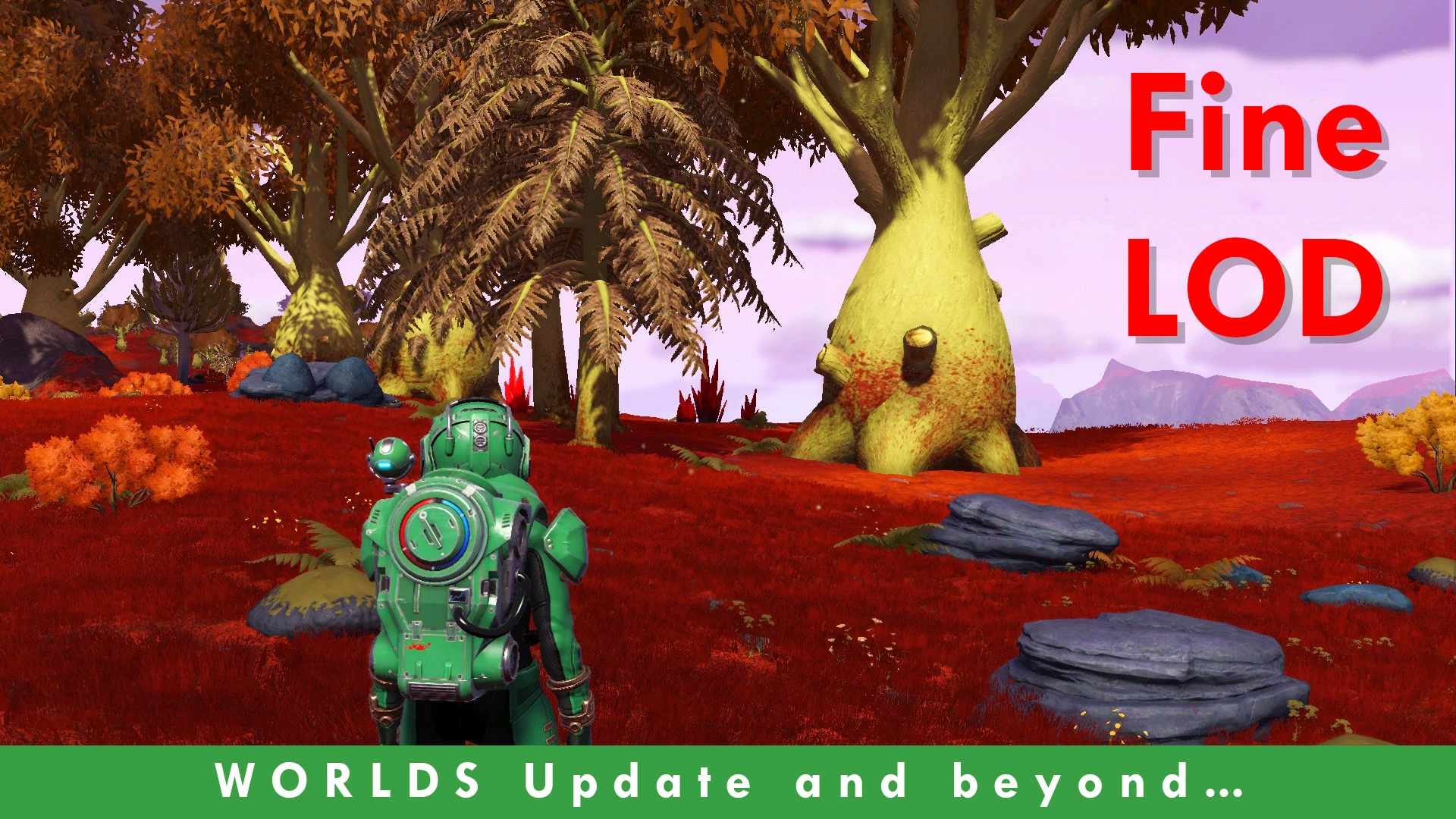
Fine LOD
🟠 Updated over a year ago⚠️ Install Order · 1 step
Install in this order, then this mod last — most mods fail to load without their framework and dependencies in place.
Preview
🔍 Analysis
- 👍 2.4% endorsement rate — high engagement, a strong quality signal
- 🏆 #1 of 43 Tweaks & Fixes mods in this game by downloads
📋 About This Mod
Fine LOD for Worlds Update II and beyond
The mod has not been updated in quite some time, but it should be compatible with the latest version of the game.
About Fine LOD Classic
-
[]Fixes the slight delay in loading high res textures that could happen when tessellation is enabled.[/]
[]Reduces the time taken to spawn rocks and flora around the player, making harder to 'outrun' them.[/]
[]Increases LOD switching distances making high res models to appear sooner (3x) - works only if planet quality is set to ultra.[/]
[]Removes third party logos from startup screen.[/]
About Fine LOD Lite
-
[]Reduces the time taken to spawn rocks and flora around the player, making harder to 'outrun' them.[/]
[]Increases LOD switching distances making high res models to appear sooner (2x) - works only if planet quality is set to ultra.[/]
[]Removes third party logos from startup screen.[/]
Side effects
- []Slightly lower fps.[/]
Notes
-
[]If you find the mod has an excessive impact on your framerate you can try the lite version, lower shadow quality, lower GTAO or any combination of these.[/]
[]If the game complains about your drivers being outdated, update them.[/]
Conflicts
This mod will conflict with any mod that changes these files:
-
[]GCGRAPHICSGLOBALS. GLOBAL (classic version only)[/]
[]GCENVIRONMENTGLOBALS. GLOBAL[/]
[]METADATA/UI/BOOTLOGOPC.[/]
Fine LOD is a performance and visual tweak mod for No Man's Sky that reduces texture loading delays, speeds up rock and flora spawning, and increases LOD switching distances for faster high-res model appearance. It offers Classic and Lite versions, with the Classic also fixing tessellation-related texture delays. The mod removes third-party logos from the startup screen and may slightly lower FPS.
✨ Key Features
📊 Pros & Cons
✅ Pros
- Huge community trust with 3,181 endorsements and over 133k downloads.
- Offers two versions so you can balance visual improvements against FPS impact.
- Fixes a real annoyance: texture pop-in and slow spawning of rocks and flora.
⚠️ Cons
- Slightly lower FPS is an explicit side effect, so you'll need to tweak other settings if your rig struggles.
- Conflicts with any mod that changes GCGRAPHICSGLOBALS.GLOBAL, GCENVIRONMENTGLOBALS.GLOBAL, or METADATA/UI/BOOTLOGOPC.
- Not updated in a while, so future game patches could break compatibility.
For No Man's Sky players who are tired of texture pop-in and want high-res models to appear faster, especially on ultra planet quality. Also for those who want to remove third-party logos from the startup screen. Skip if you're on a low-end PC and can't afford any FPS drop.
💡 Beginner Tips
- If you experience a big FPS hit, try the Lite version or lower shadow quality and GTAO settings.
- Make sure your planet quality is set to ultra to get the full LOD distance increase.
- If the game complains about outdated drivers, update them before installing.
📊 Mod Details
- Game
- No Mans Sky Mods
- Author
- Prof Horatio Hafnaugels
- Version
- 5.58
- Downloads
- 133,845
- Endorsements
- 3,181
- Category
- Tweaks & Fixes
- Created
- 12/17/2019
- Updated
- 3/10/2025
🧩 Commonly Used Together
Users add these mods to the same collections — a real compatibility signal, not an AI guess.
🔧 How to Install No Man\ Mods
Create /MODS/ folder in /GAMEDATA/PCBANKS/. Delete DISABLEMODS.TXT.
📖 Full step-by-step install guide for No Man\ →
Visit the official mod page for specific installation instructions for this mod.
🎮 Need cheat codes or console commands? Check ur gaming wiki for No Man\ commands, item IDs, and more.
Keep browsing — more No Man\ mods await