JIP Improved Recipe Menu
⚪ Last updated 2018⚠️ Install Order · 5 steps
Install in this order, then this mod last — most mods fail to load without their framework and dependencies in place.
Preview
🔍 Analysis
- 👍 2.8% endorsement rate — high engagement, a strong quality signal
- 🏆 #43 of 173 User Interfaces mods in this game by downloads
📋 About This Mod
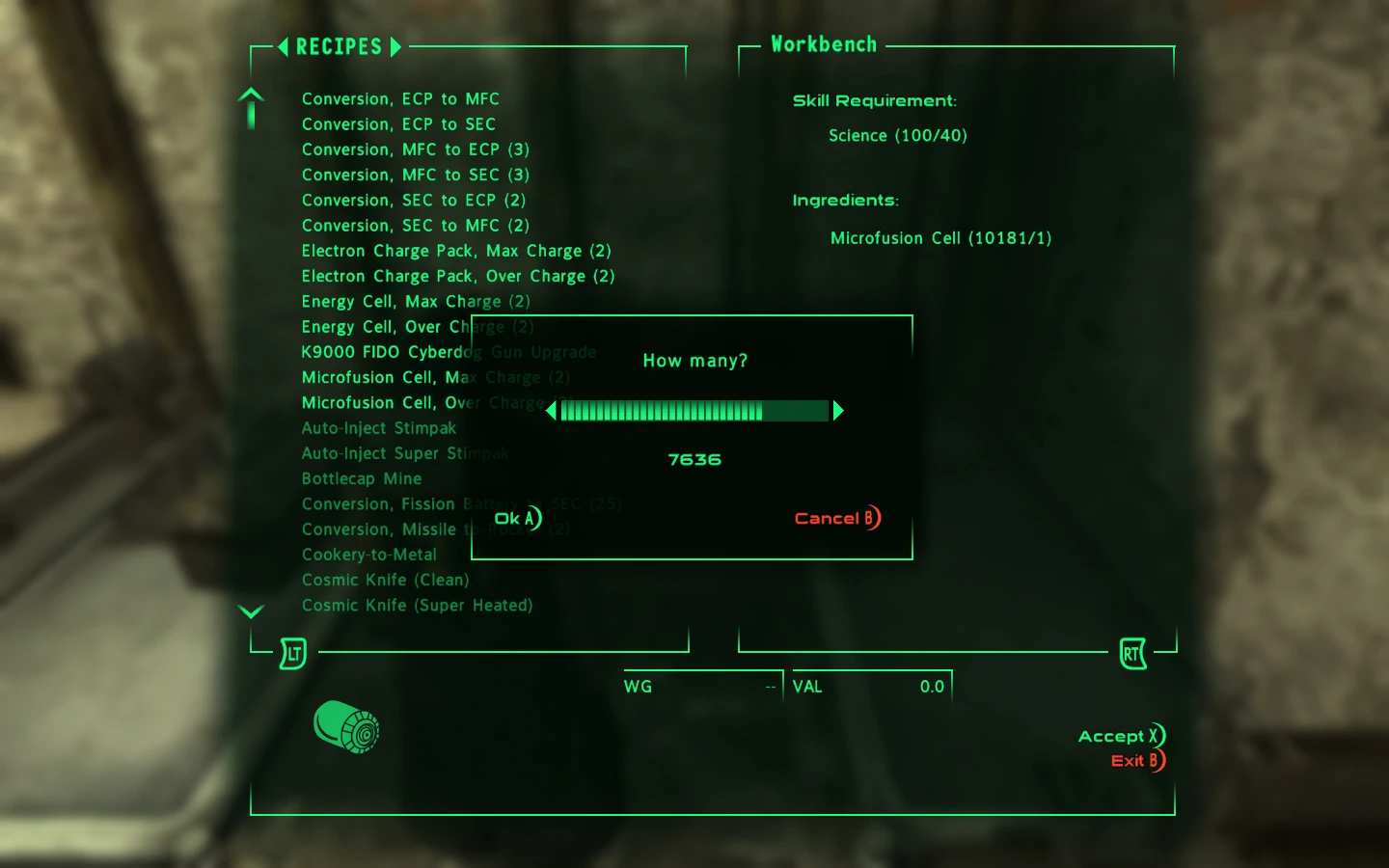
I was generally quite pleased with how Bethesda implemented the crafting system for Fallout: New Vegas. However, there were several "features" of the crafting interface (Recipe Menu) that made it tedious, and at times frustrating to use, namely:
-
[]Being limited to crafting a maximum of 100 items of a given recipe at a time, despite having the required components for much more.
- [
-
[]When using a mouse, you would first need to highlight the recipe on the left side, then carefully move the cursor over to the the opposite end, for the 'Accept' button - sometimes while accidentally highlighting another recipe.
With this mod:
- [
-
[]You can keep crafting, uninterrupted - the menu will remain open until you select to close it.
- [
-
[]No corner-message spam when closing the menu.
This is a tiny, purely scripted mod. It does not modify any UI files. It should work with any UI style (default-Vanilla, DarnUI, MTUI, etc.) and should not conflict with anything.
Requirements
- [
- JIP LN NVSE Plugin version 54. 80 (or newer).
Installation
Use the Nexus Mod Manager/Fallout Mod Manager/Mod Organizer, or manually extract the . 7z file into your Fallout: New Vegas 'Data' folder and enable JIP Improved Recipe Menu.esp in your mod manager.
JIP Improved Recipe Menu enhances the crafting interface in Fallout: New Vegas, making it more efficient and less tedious. With nearly 15,000 endorsements and over half a million downloads, it's a highly popular quality-of-life mod for players who frequently use crafting stations.
✨ Key Features
📊 Pros & Cons
✅ Pros
- Massive community trust: 14,878 endorsements and over half a million downloads.
- Directly addresses a common annoyance—crafting menu tedium—making it a must-have for crafters.
- Lightweight UI mod that doesn't overhaul the game, so it's safe for most load orders.
⚠️ Cons
- Last updated in 2018, so it may not be tested with the latest game patches or DLC.
- UI mods can conflict with other interface overhauls; check compatibility before adding.
For Fallout: New Vegas players who spend time crafting and want a smoother, less clunky menu. Skip if you rarely use crafting or prefer a complete UI overhaul.
💡 Beginner Tips
- Since it's a UI mod, install it with a mod manager like Nexus Mod Manager or Mod Organizer 2 to keep your load order clean.
- If you use other UI mods, load this one after them to ensure its changes take priority.
- Test the crafting menu at a workbench early to see the improvements and adjust if needed.
📊 Mod Details
- Game
- New Vegas Mods
- Author
- jazzisparis
- Version
- 1.20
- Downloads
- 527,571
- Endorsements
- 14,878
- Category
- User Interfaces
- Created
- 7/7/2015
- Updated
- 12/30/2018
🧩 Commonly Used Together
Users add these mods to the same collections — a real compatibility signal, not an AI guess.
🔧 How to Install New Vegas Mods
Download from Nexus.
📖 Full step-by-step install guide for New Vegas →
Visit the official mod page for specific installation instructions for this mod.
🎮 Need cheat codes or console commands? Check ur gaming wiki for New Vegas commands, item IDs, and more.
Keep browsing — more New Vegas mods await