High Priority LOD
🟠 Updated over a year ago⚠️ Install Order · 5 steps
Install in this order, then this mod last — most mods fail to load without their framework and dependencies in place.
Preview
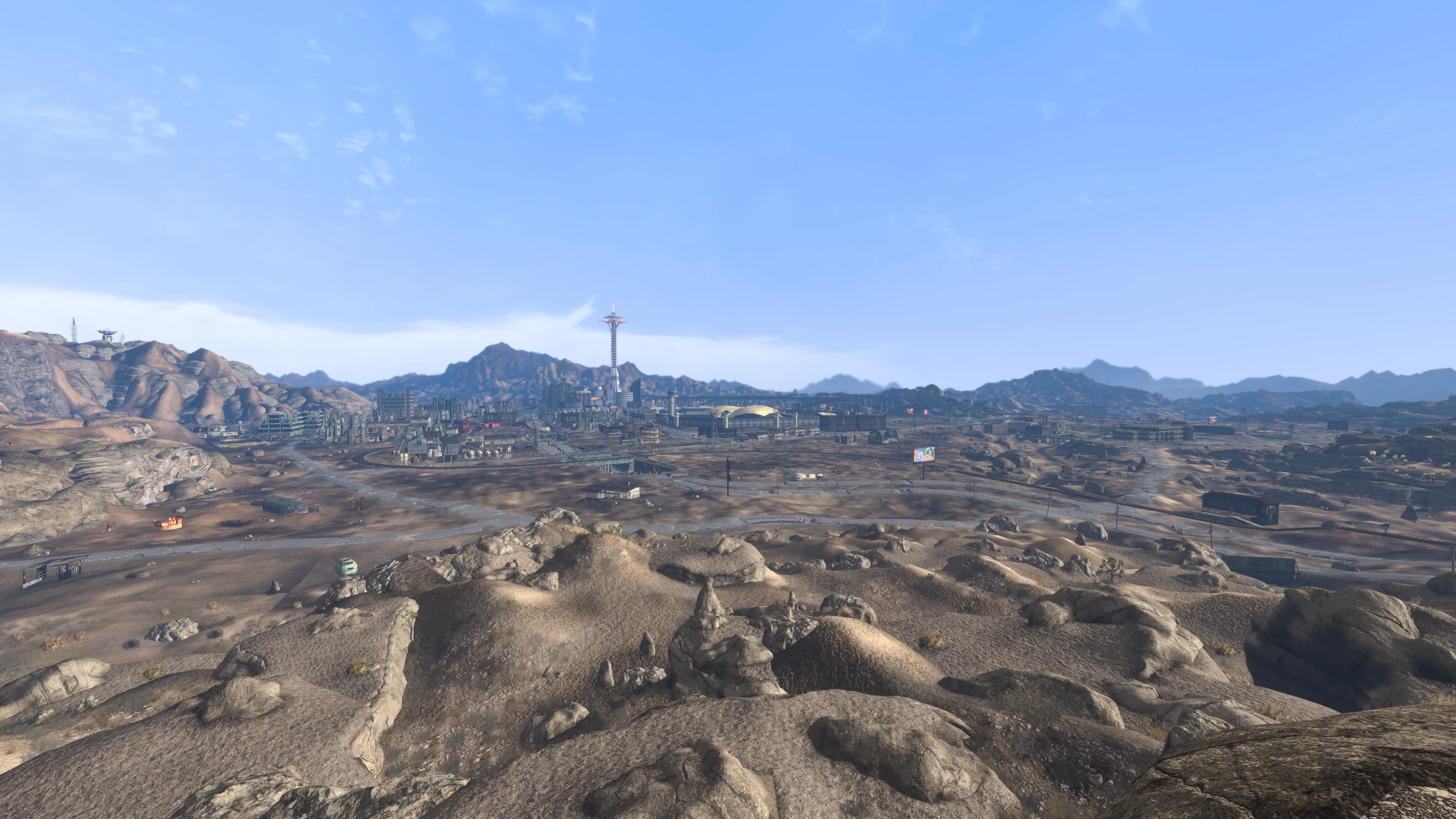
🔍 Analysis
- 👍 0.1% endorsement rate
- 🏆 #5 of 131 Visuals and Graphics mods in this game by downloads
📋 About This Mod
Optimise your LOD, loading only what's necessary at long distances, restricting non-essential LOD to the foreground and reducing LOD's memory usage. Minimal loss of real detail. Recommended to use with Nuclear LOD for further memory savings.
Requires the newest xLODGen build (aka newer FNVLODGen), build 126+.
Load the High Priority plugin/s at the end of your load order, but before your weather mod as per the guide. Order is all other mods, then LOD plugins, then HighPriority.esp + patches, then your weather mod. Your weather mod is last so that its climate changes apply atop High Priority LOD.
Change the following in your FalloutCustom.ini file (IMPORTANT):
; Increases the maximum distance of LOD
fBlockLoadDistanceLow=30000
fBlockLoadDistance=130000
Lastly, regenerate your LOD following the LOD Guide from Viva New Vegas. Then disable all High Priority LOD mods in Mod Organiser.
These plugins are only required whenever LOD is generated. Post-generation, High Priority flags on some meshes may cause visual issues, and for the best experience you should disable High Priority plugins until your next LOD gen.
This mod assumes you have all core Bug Fix mods from Viva New Vegas or The Best of Times, especially LOD Fixes and Improvements - NVSE. It also assumes you have all LOD mods from within that guide, else you may see missing resources in-game. If you have high quality terrain LOD already generated, you only need to regenerate your object LOD.
The LOD guide is for all users of all guides, VNV is however recommended to ensure you have all essential modern fix mods for New Vegas.
What even is this?
Fallout New Vegas provides two settings to control LOD distances, fBlockLoadDistanceLow and fBlockLoadDistance.
In vanilla, something like 98-99% of LOD is loaded within fBlockLoadDistanceLow. Only some very large meshes such as Hoover Dam, the Outpost statue and a few other meshes are flagged as 'High Priority' LOD. These LOD's are split off into a separate block, the 'High' block controlled by fBlockLoadDistance. Some LOD is instead handled as Imposters to appear at further distances, such as the low-quality 'Imposter' meshes that represent the Strip region in vanilla at a distance, however these are either excessively low detail (and can flicker requiring the Imposter Flicker Fix mod that removes them), or can be a compatibility nightmare when their use is expanded. The most important thing to remember, is that LOD can use a significant amount of RAM at higher fBlock settings.
At the moment, you'd have to pick betwen a high fBlockLow setting to see d
High Priority LOD is a performance mod for Skyrim that optimizes LOD rendering by prioritizing essential objects at far distances and restricting non-essential LOD to the foreground, reducing memory usage. With 2,451 endorsements and 1.9M downloads, it's a popular choice for players seeking smoother performance without major visual sacrifices.
✨ Key Features
📊 Pros & Cons
✅ Pros
- Huge community trust: 2,451 endorsements and 1.9M downloads
- Directly tackles performance by cutting memory usage
- Simple concept that can benefit any Skyrim setup
⚠️ Cons
- Last updated July 2025 — may need checking for latest Skyrim patches
- Potential visual pop-in for distant objects if not tuned correctly
For Skyrim players who want better performance without sacrificing visual quality. If you're tired of stutters in open world areas, this mod helps by managing LOD efficiently. Skip if you prefer maximum visual fidelity over performance.
💡 Beginner Tips
- Place the mod in your load order after any landscape or texture overhauls to ensure LOD changes apply correctly.
- If you use a mod manager, let it handle the file installation to avoid overwriting issues.
- Test in a heavy area like Riften or the Rift to see the performance difference.
📊 Mod Details
- Game
- New Vegas Mods
- Author
- FireKahuna
- Version
- 2.8
- Downloads
- 1,911,098
- Endorsements
- 2,451
- Category
- Visuals and Graphics
- Created
- 8/27/2024
- Updated
- 7/8/2025
🧩 Commonly Used Together
Users add these mods to the same collections — a real compatibility signal, not an AI guess.
🔧 How to Install New Vegas Mods
Download from Nexus.
📖 Full step-by-step install guide for New Vegas →
Visit the official mod page for specific installation instructions for this mod.
🎮 Need cheat codes or console commands? Check ur gaming wiki for New Vegas commands, item IDs, and more.
Keep browsing — more New Vegas mods await