DualShock 4 Controller Prompts
⚪ Last updated 2018⚠️ Install Order · 1 step
Install in this order, then this mod last — most mods fail to load without their framework and dependencies in place.
Preview
🔍 Analysis
- 👍 3.9% endorsement rate — high engagement, a strong quality signal
- 🏆 #6 of 40 User Interface mods in this game by downloads
📋 About This Mod
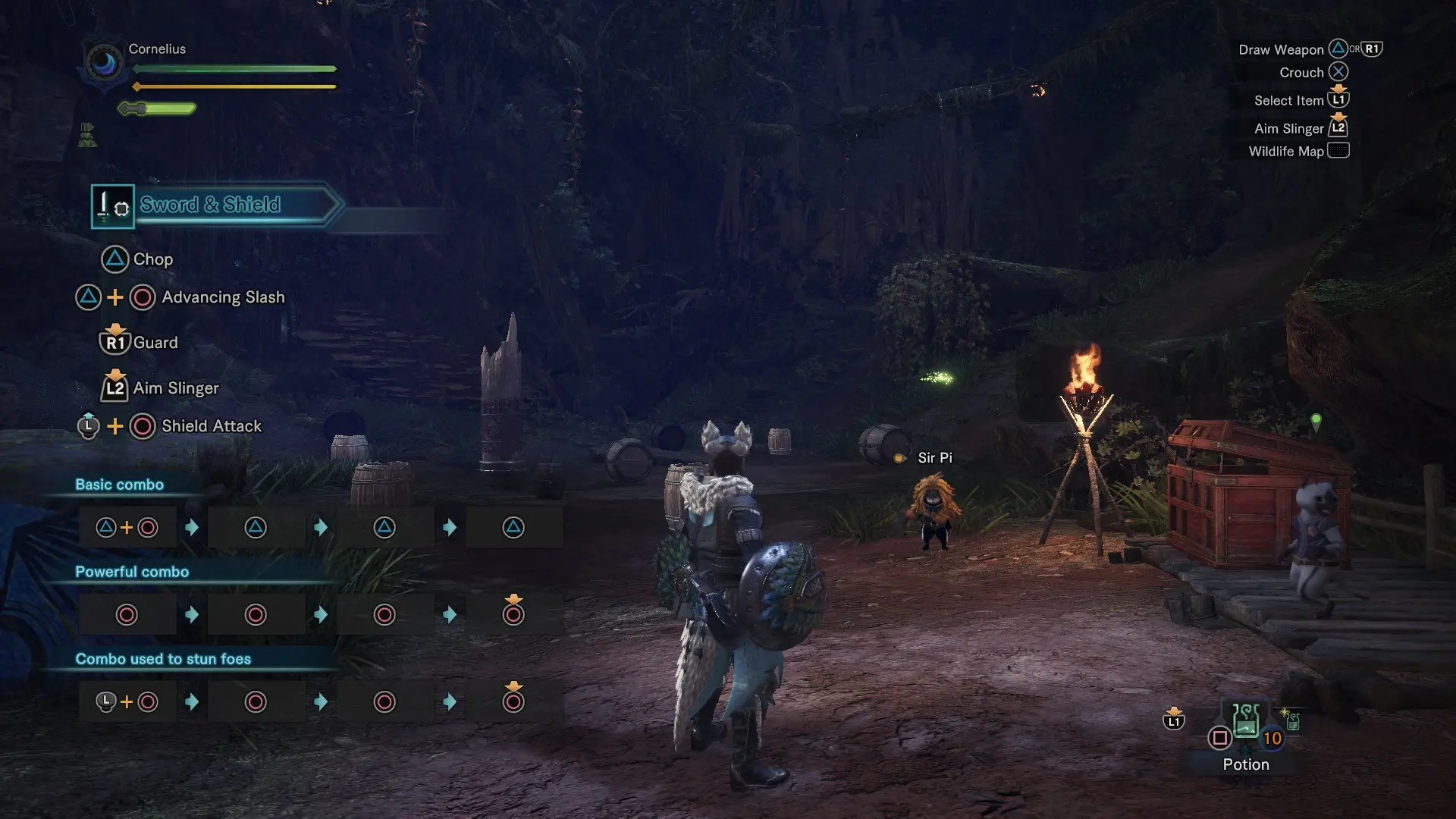
Monster Hunter: World - DualShock 4 Controller Prompts v1. 0
Mod by MHVuze
Tested and working with game build 151639.
Use at your own risk! Play in offline mode if you fear a ban or whatever.
Consider following this guide for the optimal experience (Vibration, Map via Touch Pad press etc).
How-to:
1. Move the nativePC folder from the downloaded archive to your install dir (i.e. D:\Steam\steamapps\common\Monster Hunter World)
If the controller detection is fixed in an upcoming patch or you want to get rid of it for some other reason, just remove the nativePC folder.
If you have other mods installed, remove the two files of this mod to keep the other mods intact.
If you downloaded this mod from anywhere but NexusMods or the release post linked below, be wary of malicious modifications.
Release Post @ ResetEra: https://resetera.com/posts/11334316/
Donations are appreciated: https://streamlabs.com/mhvuze
Twitter: https://twitter.com/mhvuze
Replaces Xbox One controller prompts with DualShock 4 prompts in Monster Hunter: World. Natively supported in Iceborne, so it's mainly for base game players. Highly endorsed with 8,243 endorsements and 210,133 downloads, last updated in 2018.
✨ Key Features
📊 Pros & Cons
✅ Pros
- Massive community approval (8,243 endorsements) — this is the go-to mod for PS4 pad users.
- Simple and effective: swaps Xbox button icons for PlayStation ones, no bloat.
- Huge download count (210k+) proves it works for a ton of hunters.
⚠️ Cons
- Last updated in 2018 — may not work with the latest game patches or the base game's current version.
- Iceborne already includes this feature, so it's redundant if you own the expansion.
For Monster Hunter: World players on PC who use a DualShock 4 controller and want the on-screen prompts to match their pad. Skip if you own Iceborne, since the feature is built-in.
💡 Beginner Tips
- If you own Iceborne, don't install this mod — the native support already does the job.
- Place the mod files in your Monster Hunter: World game directory, usually under nativePC, to override the default prompts.
- If you're using a mod manager, let it handle the file placement to avoid conflicts with other UI mods.
📊 Mod Details
- Game
- Monster Hunter World Mods
- Author
- MHVuze
- Version
- 1.0
- Downloads
- 210,144
- Endorsements
- 8,231
- Category
- User Interface
- Created
- 8/11/2018
- Updated
- 8/11/2018
🔧 How to Install MHW Mods
Install Stracker\
📖 Full step-by-step install guide for MHW →
Visit the official mod page for specific installation instructions for this mod.
🎮 Need cheat codes or console commands? Check ur gaming wiki for MHW commands, item IDs, and more.
Keep browsing — more MHW mods await