Bold Icon Pack for Dropped Items efx (Unique ver.)
⚪ Last updated 2020⚠️ Install Order · 2 steps
Install in this order, then this mod last — most mods fail to load without their framework and dependencies in place.
Preview
🔍 Analysis
- 👍 4.1% endorsement rate — high engagement, a strong quality signal
- 🏆 #4 of 69 Visuals and Graphics mods in this game by downloads
📋 About This Mod
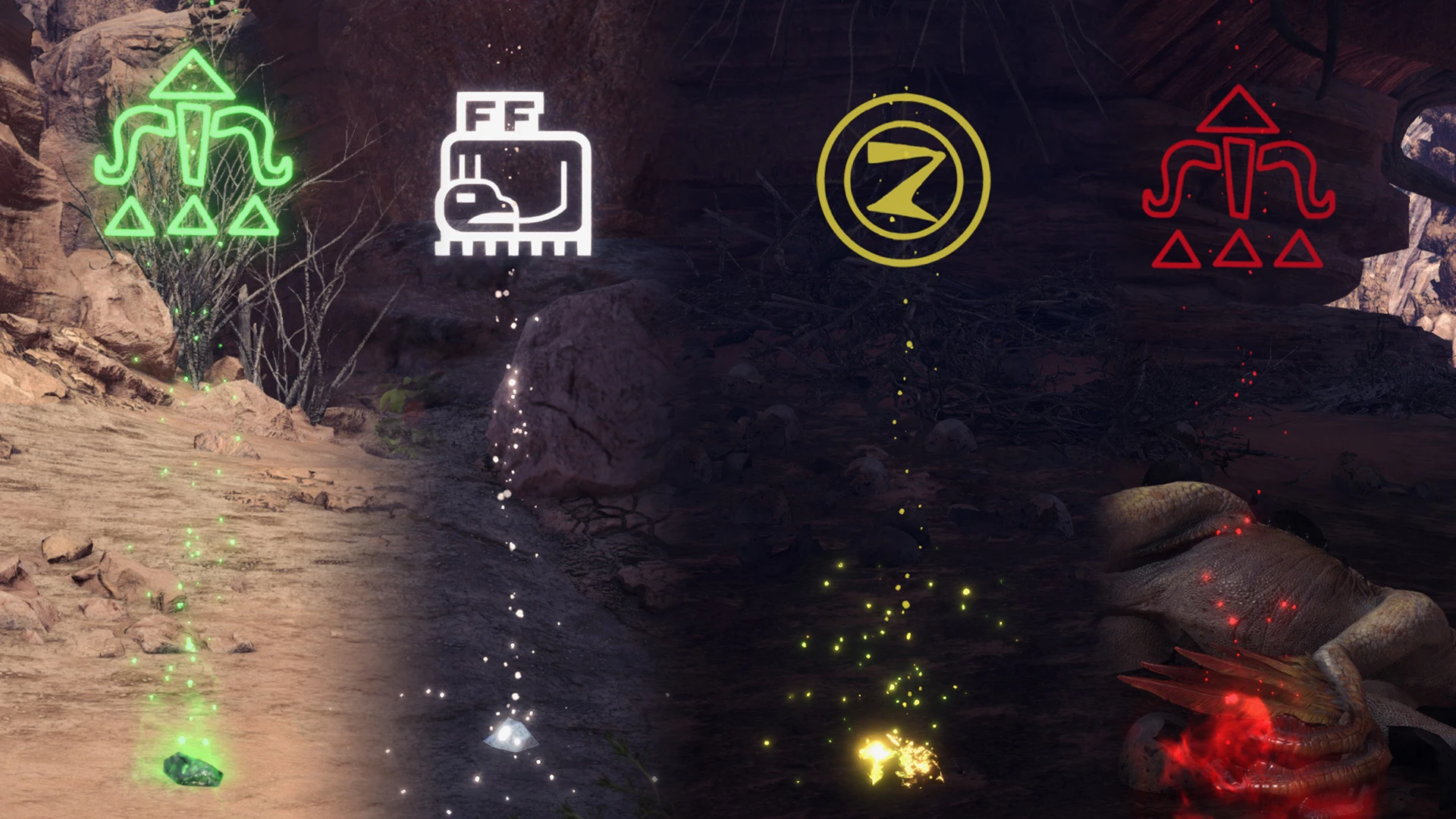
Monster Hunter: World - Bold Icon Pack for "Dropped Items efx" v1. 0 (Iceborne)
Mod by MHVuze
A pack containing bold icons for the "Dropped Items efx" mod by Crimson. This only contains icons for the "Unique" versions of the mod, not for "Paw". For easier visibility, also doubled the resolution since I felt like the default one was a little on the lower end for playing in 4K. Your color, brightness, etc. settings for the efx are not directly affected by this.
Client-side mod, others don't see the change.
Use at your own risk! Play in offline mode if you fear a ban or whatever.
0. Install Stracker's Loader
1. Install the "Dropped Items efx" mod by Crimson
2. Move the nativePC folder from the downloaded archive of this mod to your install dir (i.e. D:\Steam\steamapps\common\Monster Hunter World)
To get rid of the mod, just remove the nativePC folder. Or, if you have other mods installed, remove the files of this mod to keep the other mods intact.
If you downloaded this mod from anywhere but NexusMods, be wary of malicious modifications.
Thanks to Jodo for his Texture Converter and to Lyra for some tips regarding the file editing!
Donations are appreciated: https://streamlabs.com/mhvuze
Twitter: https://twitter.com/mhvuze
A cosmetic add-on for the 'Dropped Items efx' mod, replacing icons with bold, high-visibility versions at double resolution. Popular with 8,082 endorsements and 199,173 downloads, last updated in 2020. For players who want clearer dropped item icons in-game.
✨ Key Features
📊 Pros & Cons
✅ Pros
- Huge community trust (8,082 endorsements) — this is a proven visual upgrade
- Doubled resolution means icons pop on screen, no more squinting at loot
- Simple drop-in replacement for the base mod's icons — no extra setup
⚠️ Cons
- Last updated in 2020 — may not work with newer game versions or mod updates
- Requires the original 'Dropped Items efx' mod — not standalone
For players who already use the 'Dropped Items efx' mod and want clearer, bolder icons for dropped items. Skip if you don't use that mod or prefer the original icon style.
💡 Beginner Tips
- Make sure you have the original 'Dropped Items efx' mod installed first, then overwrite its icon files with this pack.
- Since this is a visual replacer, you can easily revert by reinstalling the original mod if you don't like the bold style.
- Check the mod's comments section for any compatibility notes with the latest game patch — the 2020 update date might mean issues.
📊 Mod Details
- Game
- Monster Hunter World Mods
- Author
- MHVuze
- Version
- 1.0
- Downloads
- 199,170
- Endorsements
- 8,067
- Category
- Visuals and Graphics
- Created
- 2/9/2020
- Updated
- 2/9/2020
🧩 Commonly Used Together
Users add these mods to the same collections — a real compatibility signal, not an AI guess.
🔧 How to Install MHW Mods
Install Stracker\
📖 Full step-by-step install guide for MHW →
Visit the official mod page for specific installation instructions for this mod.
🎮 Need cheat codes or console commands? Check ur gaming wiki for MHW commands, item IDs, and more.
Keep browsing — more MHW mods await